
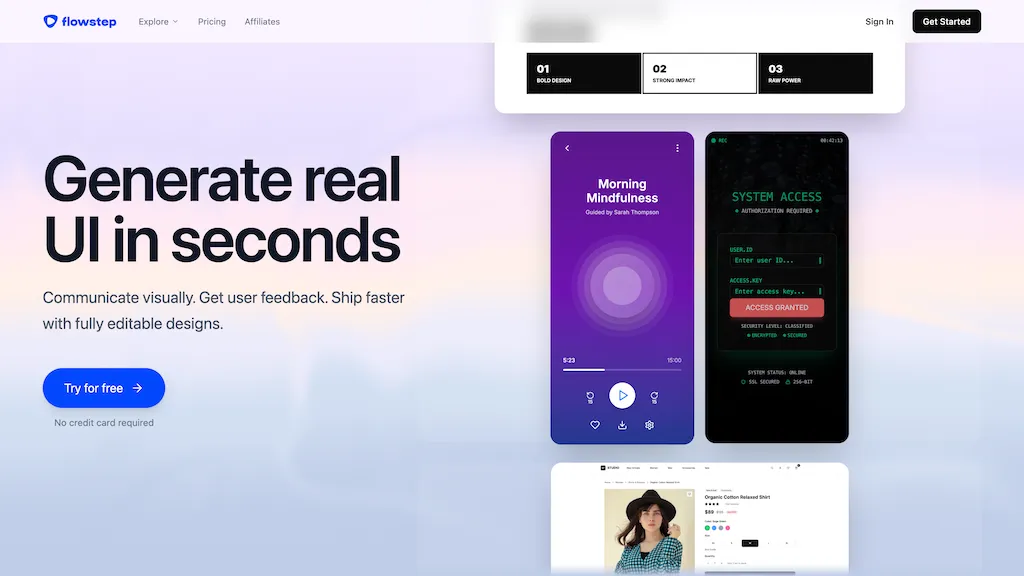
What is Flowstep.ai?
Flowstep is an AI design assistant for UI/UX teams and product designers.It offers AI-assisted prototyping, layout generation, and design system management to speed wireframing and high-fidelity mockups.
Key features include collaborative editing, version control, component libraries, and developer-ready export options.Integrations with analytics and project tools align design iterations with user metrics and development workflows.
Role-based access and session management support team collaboration across designers, product managers, and engineers.Searchable asset libraries, responsive templates, and plugin/APIs reduce repetitive work and streamline handoff to development.
Flowstep.ai details
- Company
- FlowstepDesign OÜ
- Jurisdiction
- Republic of Estonia
- Built for
- Individuals
- Data residency
- Estonia
- Stated compliance
- GDPR
Compliance as stated in Flowstep.ai's own published documentation.
Flowstep.ai tech specs
- Integrations
- Figma
Flowstep.ai pricing
SubscriptionPricing details aren't listed here — check the official pricing page below.
Verify on the official pricing page.
View plansFlowstep.ai's key features
-
AI-assisted prototyping
-
Layout generation
-
Design system management
-
Collaborative editing
-
Developer-ready export options
Flowstep.ai use cases
-
Rapidly prototype interactive, responsive app flows with Flowstep's AI prototyping and layout generation to produce pixel-ready screens for stakeholder testing and developer-ready exports without manual layout work
-
Manage a scalable design system and component library in Flowstep, using version control and role-based access to enforce brand consistency, push updates across products, and reduce duplication
-
Collaborate in real-time across UX, UI, and engineering in Flowstep's collaborative editor—track versions, comment, and export developer-ready assets and specs to accelerate handoffs and cut implementation time
Flowstep.ai user reviews
Based on 4 reviews, 50% of users recommend Flowstep.ai, rated highly for feature coverage.
Liked for
Disliked for
Would you recommend Flowstep.ai?
Who is Flowstep.ai for?
-
Product designers
-
Ux ui designers
-
Design system engineers
-
Frontend developers
-
Prototype developers
Flowstep.ai FAQ
Is Flowstep.ai free?
No. Flowstep.ai is a paid product and requires a paid plan to use.
Is Flowstep.ai safe to use?
Flowstep.ai states GDPR compliance in its own published documentation. Flowstep.ai is operated by FlowstepDesign OÜ, registered in Republic of Estonia. It has a substantial audience that is independently measured month to month.
What are the best alternatives to Flowstep.ai?
The closest alternatives to Flowstep.ai are UX Pilot, Uizard, Sketchflow AI, components.ai and Stitch - Google. You can compare them side by side in the alternatives section further down this page.
What does Flowstep.ai do with my data?
Its privacy policy states that personal data is sold or shared for marketing purposes. Data may be shared with third-party service providers that help run the product. Customer data is held in Estonia.
Does Flowstep.ai have an API?
Yes. Flowstep.ai offers an API, so you can call it from your own applications instead of using the interface directly.
Who made Flowstep.ai?
Flowstep.ai is built and operated by FlowstepDesign OÜ, a company registered in Republic of Estonia.
What does Flowstep.ai integrate with?
Flowstep.ai connects with Figma.
Compliance, privacy and billing terms are as stated in each product's own published documentation and have not been independently verified by TopAI.tools.


