
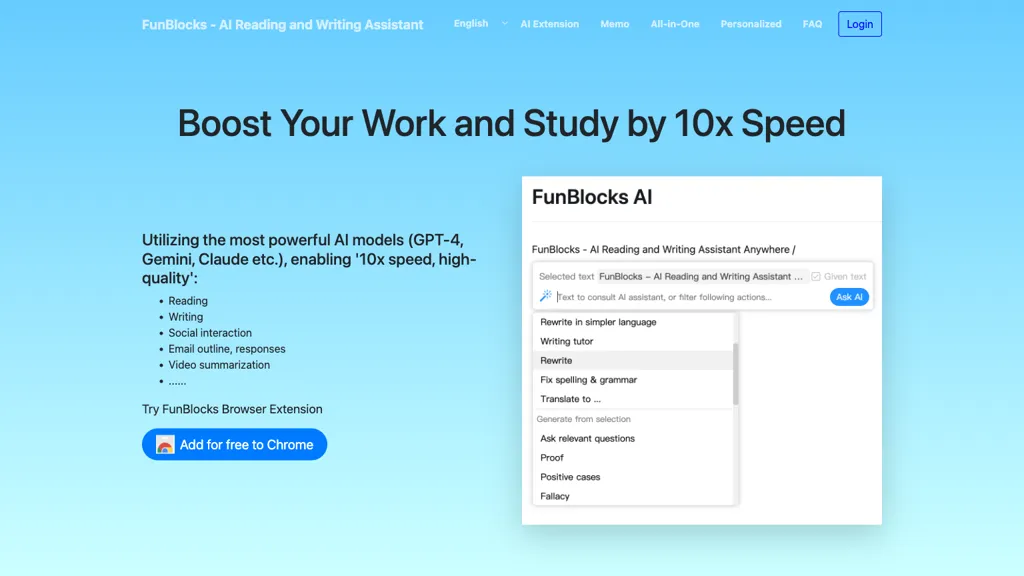
What is FunBlocks AI?
FunBlocks AI is a connected platform that turns messy inputs—topics, notes, webpages, PDFs, or videos—into a visual mind map using its flagship tool MindMax, which applies mental models like First Principles, SWOT, and latticework to branch and compare ideas.
Users can directly transfer the resulting structured map into AI‑generated docs, slides, or Markdown files, preserving the same logic and sequence across formats.
A suite of browser extensions, such as AI Mindmap Generator and AI Prompt Optimizer, enables rapid capture and transformation of online content into structured thinking.
The system supports multiple leading AI models—including OpenAI GPT, Anthropic Claude, Google Gemini, and DeepSeek—within a single workflow, allowing users to switch models for analysis, drafting, or creation without losing context.
Designed for knowledge workers such as students, researchers, product managers, consultants, and content creators, the platform enhances problem framing, reasoning clarity, and the reuse of structured insights in deliverables.
FunBlocks AI pricing
FreemiumFunBlocks AI offers a free plan with paid upgrades available.
Verify on the official pricing page.
View plansFunBlocks AI's key features
-
Visual mapping of complex information
-
Book mindmap guide creation
-
Movie narrative and theme maps
-
Trending hot topics visual maps
-
Custom mindmap creation tool
-
Slides AI integration
FunBlocks AI use cases
-
Create a dynamic mind map from a full-length research article and automatically export it to a polished slide deck, all without coding and with the option to switch between GPT, Claude, Gemini, or DeepSeek models
-
Conduct a comprehensive SWOT analysis of a new product by turning brainstorming notes into a visual mind map, then generate a structured Markdown report ready for team collaboration
-
Turn a recorded webinar into a first‑principles mind map, export it to an AI‑generated document, and collaborate in real time with colleagues for streamlined knowledge sharing
FunBlocks AI user reviews
Based on 1 review, 100% of users recommend FunBlocks AI, rated highly for quality results.
Liked for
Would you recommend FunBlocks AI?
Who is FunBlocks AI for?
-
Product developers
-
Digital creators
-
Knowledge workers
-
Learning students
-
Learning enthusiasts
FunBlocks AI FAQ
Is FunBlocks AI free?
Partly. FunBlocks AI has a free plan with usage limits, and paid plans unlock the full feature set.
What are the best alternatives to FunBlocks AI?
The closest alternatives to FunBlocks AI are GitMind, MindMap AI, MyMap.AI, Xmind and getMindmap. You can compare them side by side in the alternatives section further down this page.


