
Top 29 AiPPT Alternatives in 2026
67.9% positive · 28 user reviews FreemiumAiPPT turns PDFs, Word, text, or URLs into polished slide decks with 200k+ templates, AI‑generated outlines, and one‑click conversion. It supports Google Drive import, image insertion, multi‑format export, and collaborative editing.
We've ranked 29 AiPPT alternatives, including 22 with a free plan. Rankings are based on feature coverage and user feedbacks.
Top-rated alternatives include MagicSlides App, Powerpresent AI, and PPT.AI.
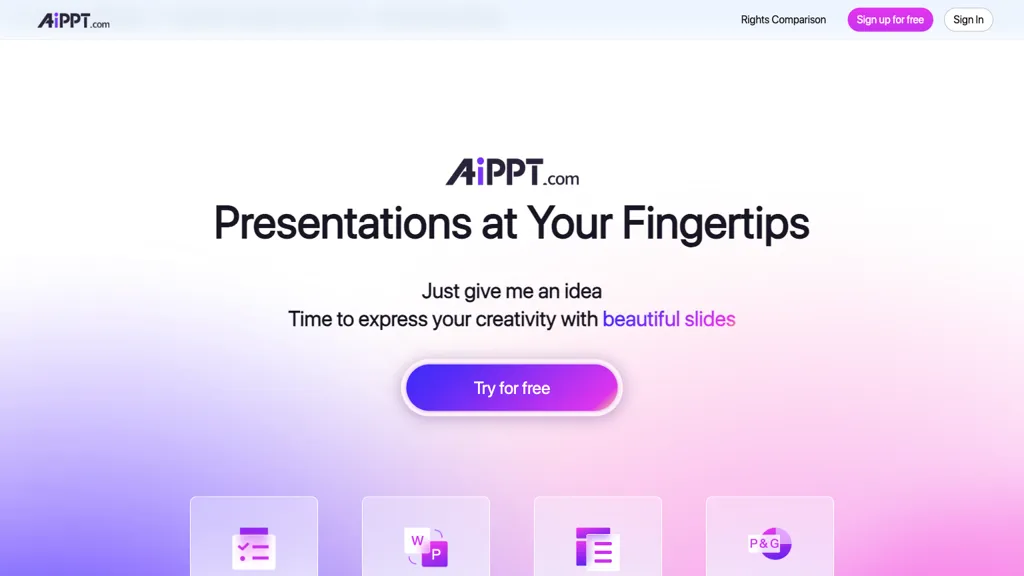
29 AiPPT Alternatives & Competitors, Ranked by User Reviews
Click Compare on any tool to compare it side-by-side with AiPPT.
 #1
MagicSlides App
#1
MagicSlides App
MagicSlides AI converts prompts, PDFs, YouTube links, and other documents into ready‑to‑present slide decks in seconds. Supporting 136 languages, it exports to Google Slides or PowerPoint, lets users edit or duplicate slides, and offers AI‑guided design and template suggestions.
 #2
Powerpresent AI
#2
Powerpresent AI
PowerPresent AI creates full slide decks from prompts, uploads, or web links, automatically adding titles, structured content, and visuals. Users choose editable AI templates, export to PPTX, and can present live, streamlining investor pitches, training, and marketing decks.
 #3
PPT.AI
#3
PPT.AI
PPT.AI is an AI-driven presentation maker that transforms text, documents, and videos into professional slides in seconds. It offers customizable templates, supports multiple languages, and ensures full compatibility with PowerPoint.
 #4
SlidesAI
#4
SlidesAI
SlidesAI generates slide decks directly in Google Slides and PowerPoint from text or prompts, auto‑selecting layouts, headings, bullet points, and images. It supports 100+ languages, 150 templates, and an AI image generator for quick, polished presentations.
 #5
Smallppt
#5
Smallppt
Smallppt generates full PowerPoint decks from a single prompt or imported documents, auto‑structuring content, applying professional layouts, and enabling real‑time collaboration. It also offers AI writing, summarization, and PDF tools for rapid, high‑quality presentations.
 #6
Autoppt
#6
Autoppt
AutoPPT is an AI-powered tool that instantly creates professional, visually appealing PowerPoint presentations from a topic or uploaded documents. It supports 100+ languages, requires no design skills, and delivers responsive, audience-engaging slideshows in seconds.
- Catch deals before they expire
- Unlock tools matched to you
- Show off your AI stacks
Already a member? Sign in
 #7
SlidesGPT
#7
SlidesGPT
SlidesGPT converts blog posts, PDFs, or custom prompts into polished slide decks in seconds. It auto‑formats slides, generates visuals, and exports to PowerPoint, Google Slides, or PDF. Developers can integrate bulk creation through an API.
 #8
SlideSpeak
#8
SlideSpeak
SlideSpeak transforms PDFs, Word, Excel, and web content into PowerPoint slides in seconds, offering AI editing, infographics, charts, AI images, narrated videos, branding, translation, and an API for custom integration.
 #9
PresentationsAI
#9
PresentationsAI
Presentations.AI automatically turns text prompts into fully formatted slide decks, including charts, infographics, timelines, and roadmaps. It applies consistent branding, exports to PowerPoint, supports multilingual collaboration, and offers engagement analytics for content refinement.
 #10
AI PPT Maker
#10
AI PPT Maker
AIPPTMaker.ai is an AI-powered online tool that transforms text, PDFs, videos, or voice recordings into professional PowerPoint presentations instantly. It offers customizable templates, multi-language support, and streamlined slide creation for enhanced productivity.
 #11
PPTX.ai
#11
PPTX.ai
PPTX.ai turns rough notes into polished slide decks for PowerPoint, Google Slides, and Reveal.js. It refines tone, density, and visuals, removing excess text, unclear fonts, and redundant charts. Teams collaborate online without version conflicts, and users download decks quickly.

AI PowerPoint Maker converts text, Word, PDFs, and web articles into ready‑to‑present PowerPoint decks in minutes using LLM reasoning and design rules, automatically inserting images, respecting brand guidelines, and exporting native PPTX files—all in the browser.
 #13
GenPPT
#13
GenPPT
GenPPT automatically turns notes, links, or topics into structured PowerPoint decks in seconds, researching content, generating titles, bullets, and visuals, and exporting editable .pptx files. It saves time, eliminates design skill needs, and supports custom editing.

GenPPT AI is an AI-powered presentation generator that creates complete, editable slide decks from text prompts, notes, or uploaded files. It automates design, generates visuals and charts, and exports to multiple formats to streamline professional presentation creation.
 #15
DokieAI.com
#15
DokieAI.com
Dokie AI converts text, notes, Word/PDF files and YouTube content into structured, branded PowerPoint-compatible slide decks, offering automated slide creation, layouts, visuals and charts, speaker notes, in-browser editing, exportable PPTX, and multi-language support.
 #16
Dokie AI
#16
Dokie AI
Dokie AI is a presentation maker that generates and edits slides from text, links, PDFs, and docs, converting them into structured decks with on-demand visuals and brand templates. It streamlines workflows for professionals by offering data visualization, interactive animations, and AI-driven content structuring for reports, pitches, and proposals.
 #17
Drlambda
#17
Drlambda
ChatSlide turns documents, PDFs, and web pages into slide decks, videos, avatars, charts, and posters in minutes. It auto‑generates outlines, applies design templates, allows real‑time editing, dynamic charts, multilingual support, and exports to PDF, PPTX, Keynote.
 #18
Slides.bot
#18
Slides.bot
AI Presentation Maker turns written content quickly into slide decks using GPT, auto‑organizes material, offers editable templates, multi‑language support, and exports to PPTX/PDF for students, educators, marketers, and professionals.
 #19
SlideAI
#19
SlideAI
SlideAI auto‑generates complete PowerPoint decks from a topic and desired slide count, drafting headings, bullet points, and image suggestions. It applies themes automatically, supports editing, slide reordering, and custom graphics, saving professionals and students minutes of design work.
 #20
WorkPPT
#20
WorkPPT
WorkPPT is an AI-powered presentation tool that generates slide decks and websites from online links, files, or PDFs. It simplifies content summarization and visual storytelling for professionals and teams.
 #21
AI Slides to Videos
#21
AI Slides to Videos
SlidesToVideos turns Google Slides URLs into AI‑generated videos, producing consistent, high‑quality images and clips per slide. It offers six AI voices, multiple aspect ratios for social media, and preset style packs for quick customization.
 #22
Revent press
#22
Revent press
Revent.ai converts PDFs, Word files, and plain text into PowerPoint decks within seconds, preserving fonts, images, and layout. The batch workflow supplies thousands of smart templates, mirrors brand colors and logos, and lets users export to PowerPoint or Google Slides.
 #23
SliderAI
#23
SliderAI
Slider AI quickly converts prompts, videos, websites, or uploads into fully formatted slide decks, supporting multiple languages and AI‑generated images. Export to PowerPoint, Google Slides, or PDF with no watermarks. Ideal for marketers, consultants, educators, and teams.
 #24
PresentationGPT
#24
PresentationGPT
PresentationGPT auto‑creates slide decks from text or image prompts, outputting PowerPoint, Google Slides, or PDF files. Its LISA model optimizes structure and layout, while users can adjust themes, backgrounds, and colors. API support enables integration into other workflows.
 #25
GPT for Slides
#25
GPT for Slides
GPT for Slides is a Google Slides add‑on that builds complete decks from a topic, URL, PDF, or text in under a minute, adding AI‑generated images, data visuals, quizzes, and multilingual translation, saving design time.
 #26
AI Presentation Maker
#26
AI Presentation Maker
AI Presentation Maker is an online tool that uses generative AI to create professional presentations in three simple steps: input topic, define audience, and outline goals. It offers customizable themes, templates, and stock images, with the ability to refine presentations in PowerPoint or Google Slides.
 #27
MotionIt AI
#27
MotionIt AI
Motionit auto‑creates polished slide decks from keywords or uploaded documents. It selects images, applies uniform layouts, and formats content, delivering ready presentations for Google Slides, PowerPoint, or PDF. Ideal for students, educators, and professionals seeking rapid, design‑free decks.
 #28
Edit in PPT
#28
Edit in PPT
Edit in PPT converts uploaded images into fully editable PowerPoint slides using GPT‑5 vision models. The web interface accepts natural‑language commands to modify text, layout, and design, enabling users to create or adjust slides quickly and maintain high visual quality.
 #29
Beautiful.ai
#29
Beautiful.ai
Beautiful.ai is an AI‑powered presentation tool that streamlines slide creation from prompts or documents. It auto‑formats layouts, offers customizable templates, dynamic charts, and collaboration features, integrating with PowerPoint, Dropbox, Slack, Salesforce, and more.
Frequently Asked Questions
Why look for AiPPT alternatives?
Common reasons users switch from AiPPT:
- User satisfaction: AiPPT holds a 67.9% positive rating — some users report unmet expectations.
- Feature gaps: teams needing specific capabilities like Generate Presentations may find a more focused alternative better suited to their workflow.
- Flexibility: exploring alternatives helps find tools that better match your team size, integrations, and budget.
What is the best alternative to AiPPT?
Based on 14 user reviews, MagicSlides App (64.3% positive) ranks as the top AiPPT alternative. MagicSlides AI converts prompts, PDFs, YouTube links, and other documents into ready‑to‑present slide decks in seconds. Supporting 136 languages, it e It is available on a Freemium plan starting from $6.7/mo.
How do the top AiPPT alternatives compare?
| Tool | Pricing | Starting Price | User Rating |
|---|---|---|---|
| AiPPT this tool | Freemium | $4.3/mo | 67.9% (28) |
| MagicSlides App | Freemium | $6.7/mo | 64.3% (14) |
| Powerpresent AI | Paid | — | 50% (2) |
| PPT.AI | Free trial | — | 60% (5) |
| SlidesAI | Freemium | — | 70.6% (17) |
| Smallppt | Subscription | $16.66/mo | 82.1% (28) |
Are there free AiPPT alternatives?
Yes, 22 free alternatives found in our list: MagicSlides App, PPT.AI, SlidesAI. and 19 more — use the pricing filter above to see them all.
What should I look for in a AiPPT alternative?
- Core capabilities: confirm the tool supports Generate Presentations, Translate Documents, Insert Images.
- Pricing transparency: look for clear free plan, trial period, or tiered pricing — avoid tools that hide costs.
- User reviews: check both the satisfaction percentage and the number of reviews; a high score from few users is less reliable.
- Integrations: verify it connects with your existing stack before committing.
- Support and updates: active development and responsive support are strong signals of a maintained product.
Which AiPPT alternative has the highest user rating?
AI PPT Maker has the highest satisfaction score among AiPPT alternatives, with 100% positive from 4 user reviews. It is available on a Free trial plan.
What are AiPPT alternatives used for?
- Generate Presentations
- Translate Documents
- Insert Images
- Edit Presentations