
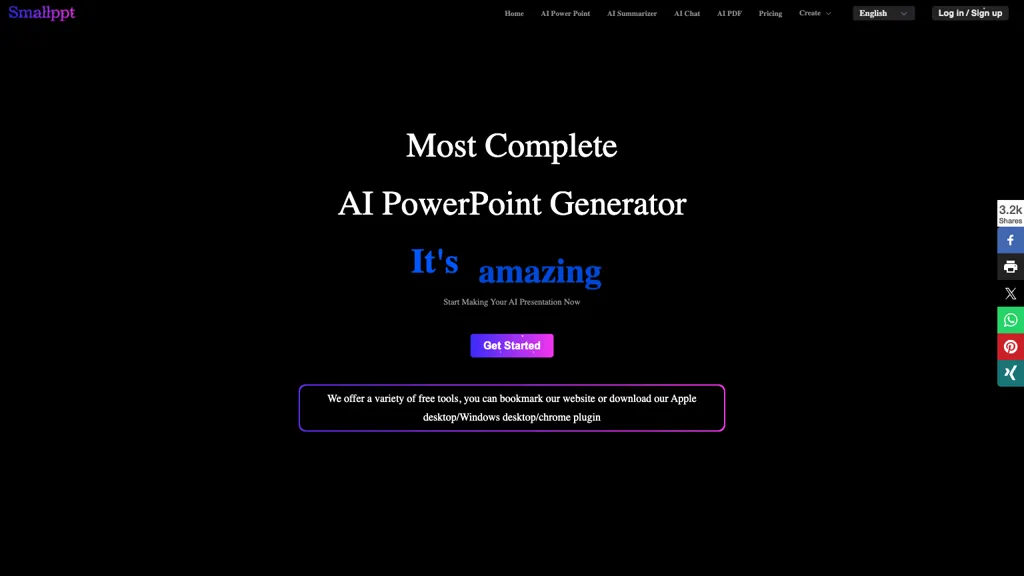
What is Smallppt?
Smallppt is an AI‑powered PowerPoint generator that creates full slide decks from a single prompt or from imported documents. It automatically structures content, applies professional layouts, and converts text, Word, PDF, JPG, audio, or URL data into polished slides in under a minute.
Users can browse or apply a large library of industry‑specific templates, replace slide themes with one click, and edit or comment in real time with teammates, ensuring consistent branding and efficient teamwork. The platform also offers AI writing tools that generate or rewrite articles, a summarizer that condenses long reports into concise insights, and PDF utilities that merge, split, or convert PDFs for slide preparation.
Smallppt details
- Company
- Quick Little Steps Limited
- Jurisdiction
- Hong Kong
- Built for
- Individuals
Smallppt tech specs
- Payment Processors
- PayPal
Smallppt pricing
Subscription- Auto-renewal
- Yes
Verify on the official pricing page.
View plansSmallppt's key features
-
AI PowerPoint generation from text
-
Real-time collaborative slide editing
-
One-click template replacement
-
Multi-format file import to slides
-
Automated PDF merge, split, watermark
-
AI summarizer for content condensation
-
ChatGPT-powered slide content creation
Smallppt use cases
-
Generate an executive briefing deck from a single prompt, automatically structuring slides and applying a clean corporate template for a 10-minute presentation
-
Convert a PDF report into a slide deck in minutes, preserving key data visuals and enabling real-time edits by the marketing team
-
Write and refine a training module on a new software feature, automatically generating slide text, speaker notes, and summary, and allowing team members to collaborate on revisions
Smallppt user reviews
Based on 28 reviews, 82% of users recommend Smallppt, rated highly for quality results.
Liked for
Disliked for
Would you recommend Smallppt?
Who is Smallppt for?
-
Visual designers
-
Content creators
-
Presentation builders
-
Strategic managers
-
E-commerce sellers
Smallppt FAQ
How much does Smallppt cost?
Smallppt is a paid product with no free plan. Plans include Unlimited year plan at $16.66/mo, Personal team education pro month plan at $19.99/mo, Unlimited month plan at $29.99/mo and Lifetime plan at $299.99.
Is Smallppt safe to use?
Smallppt is operated by Quick Little Steps Limited, registered in Hong Kong. Smallppt carries the TopAI.tools verified mark, which we award after a manual review of pricing transparency, published terms, public following and working functionality. It has a substantial audience that is independently measured month to month.
Is Smallppt good?
Smallppt has an 82% recommendation rate from 28 reviewers on TopAI.tools. Reviewers rate it highest on quality of results and value for money.
What are the best alternatives to Smallppt?
The closest alternatives to Smallppt are PPT.AI, SlidesAI, Autoppt, Powerpresent AI and GenPPT. You can compare them side by side in the alternatives section further down this page.
What does Smallppt do with my data?
Its privacy policy states that personal data is sold or shared for marketing purposes.
Does Smallppt auto-renew or offer refunds?
Smallppt subscriptions renew automatically until you cancel.
Who made Smallppt?
Smallppt is built and operated by Quick Little Steps Limited, a company registered in Hong Kong.
Compliance, privacy and billing terms are as stated in each product's own published documentation and have not been independently verified by TopAI.tools.


