
What is Dokie AI?
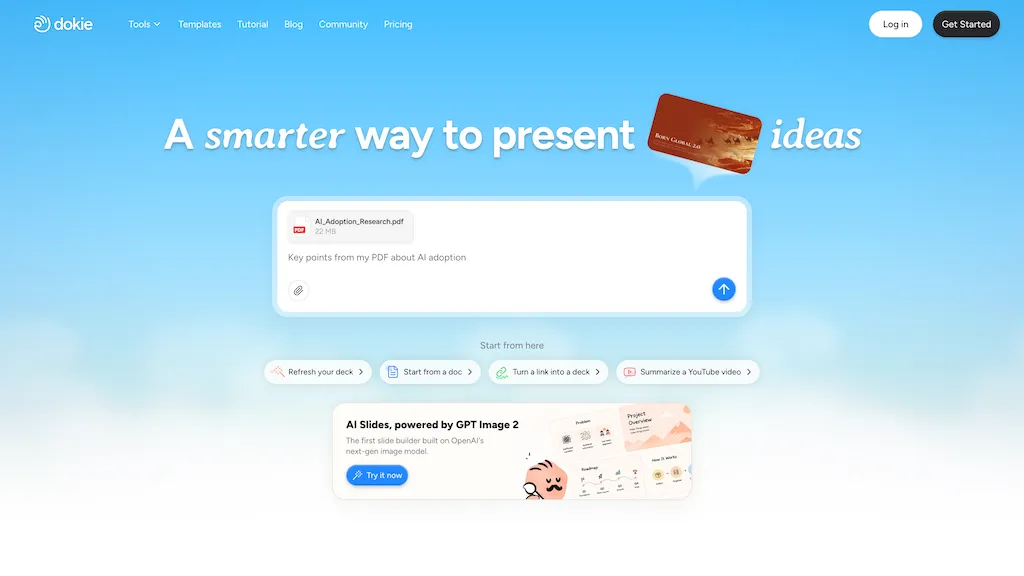
Dokie AI is an AI presentation maker and slides generator that creates and edits presentations from text, links, PDFs, and docs.The slide builder converts uploaded files into structured slide decks and exports to PowerPoint or native formats.
Image generation and contextual visual search provide on-demand visuals while brand templates enforce consistent design systems.Data and logic visualization tools produce charts, diagrams, and data-driven slides for reports, analytics, and proposals.
Interactive and animated presentation options support storytelling, guided navigation, and attention-focused layouts.Template reuse, layout refinement, and custom editing streamline workflows for educators, marketers, consultants, and startups.
AI-driven content structuring organizes speaking points, summaries, and pitch decks to reduce formatting time and enhance clarity.
Dokie AI pricing
FreemiumDokie AI offers a free plan with paid upgrades available. Plans start from $19/mo.
Verify on the official pricing page.
View plansDokie AI's key features
-
Generates and edits presentations from text, links, PDFs, and docs
-
Converts uploaded files into structured slide decks and exports to PowerPoint or native formats
-
Image generation and contextual visual search for on-demand visuals
-
Data and logic visualization tools for charts, diagrams, and data-driven slides
-
Interactive and animated presentation options with guided navigation and attention-focused layouts
Dokie AI use cases
-
Turn long PDFs, research papers or web links into concise investor pitch decks using Dokie AI's auto-slide generator, data-driven charts/diagrams, AI image generation and brand templates—then export polished PowerPoint or native slides for investor meetings
-
Convert product documentation, user manuals or marketing collateral into visually engaging training and sales decks with contextual visual search, custom diagrams, interactive animations and on-brand templates to speed onboarding and client demos
-
Create data-rich executive presentations from quarterly reports and docs by auto-generating slides with charts, annotated visuals and animated transitions, applying corporate templates and exporting editable PowerPoint files for board reviews
Dokie AI user reviews
Based on 1 review, 100% of users recommend Dokie AI, rated highly for quality results.
Liked for
Would you recommend Dokie AI?
Who is Dokie AI for?
-
Designers
-
Presenters
-
Instructional designers
-
Marketers
-
Educators
Dokie AI FAQ
Is Dokie AI free?
Partly. Dokie AI has a free plan with usage limits, and paid plans unlock the full feature set. Paid plans start at $19/mo.
What are the best alternatives to Dokie AI?
The closest alternatives to Dokie AI are PresentationsAI, PPT.AI, SlidesPilot, Slides.bot and DesignerBot. You can compare them side by side in the alternatives section further down this page.


