
What is PresentationGPT?
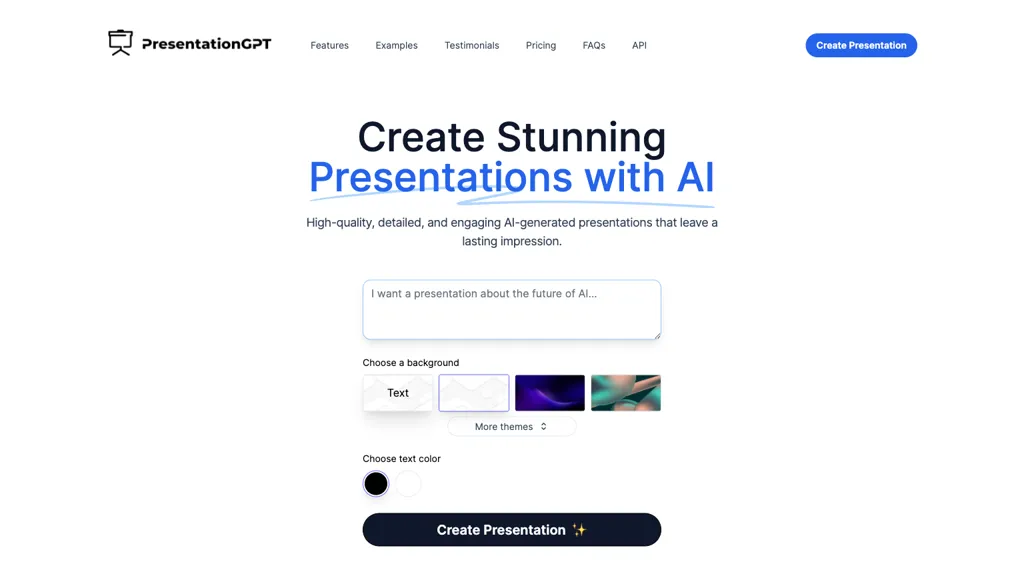
PresentationGPT generates full slide decks automatically from user input, supporting English text and image prompts. It outputs compatible files for Microsoft PowerPoint, Google Slides, and PDF, allowing seamless editing or sharing after download. The tool’s core engine, the LISA language model, is tuned for presentation structure, slide layout, and visual hierarchy.
Users can customize backgrounds, themes, and color schemes before finalizing the deck. Integration options include API access, enabling automated presentation creation within third‑party services. The platform facilitates quick turnaround, freeing time for content refinement and audience engagement.
PresentationGPT details
- Built for
- Individuals
PresentationGPT pricing
FreemiumVerify on the official pricing page.
View plansPresentationGPT's key features
-
Supports English language
-
Compatible with PowerPoint and Google Slides
-
High-quality editable PowerPoint files
-
High-quality editable Google Slides decks
-
High-quality PDF download
-
Generate presentations in seconds
-
Create slides from file upload
PresentationGPT use cases
-
Generate a polished investor pitch deck from a short business description, automatically formatting key slides, adding custom branding, and exporting as PowerPoint for a quick board meeting
-
Create a dynamic training curriculum in Google Slides by feeding in lesson outlines, with the AI arranging modules, inserting visual aids, and syncing speaker notes across all slides
-
Automate quarterly performance reports by integrating the API into your analytics pipeline, producing a PDF slide deck summarizing KPIs, visual charts, and executive commentary for stakeholders
PresentationGPT user reviews
Based on 1 review, 100% of users recommend PresentationGPT, rated highly for quality results.
Liked for
Would you recommend PresentationGPT?
Who is PresentationGPT for?
-
Slide designers
-
Creative content creators
-
Strategic managers
-
Administration teams
-
Presentation speakers
PresentationGPT FAQ
Is PresentationGPT free?
Partly. PresentationGPT has a free plan with usage limits, and paid plans unlock the full feature set. Plans include Create & share for free, pay only when you download. 12/mo unlimited downloads subscription at $12/mo and Pay per download at $5 $10.
What are the best alternatives to PresentationGPT?
The closest alternatives to PresentationGPT are SlidesAI, PresentationsAI, SlideAI, Slides.bot and MagicSlides App. You can compare them side by side in the alternatives section further down this page.
What does PresentationGPT do with my data?
Its privacy policy states that personal data is sold or shared for marketing purposes.
Does PresentationGPT have an API?
Yes. PresentationGPT offers an API, so you can call it from your own applications instead of using the interface directly.
Compliance, privacy and billing terms are as stated in each product's own published documentation and have not been independently verified by TopAI.tools.


