
Top 29 PDF AI Sheet Alternatives in 2026
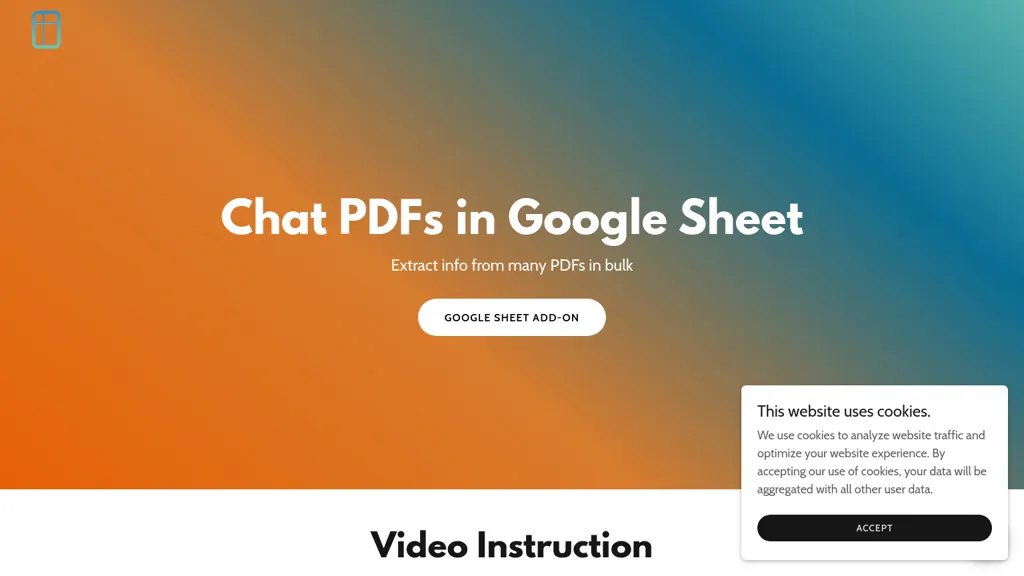
No user reviews yet Free trialPDF AI Sheet is a Google Sheets add-on that enables users to upload multiple PDFs, extract information in bulk, and query specific content easily. Its drag-and-drop interface enhances data management and accuracy for researchers and analysts.
We've ranked 29 PDF AI Sheet alternatives, including 20 with a free plan. Rankings are based on feature coverage and user feedbacks.
Top-rated alternatives include SheetXAI, Ask Your PDF, and SheetAI.
29 PDF AI Sheet Alternatives & Competitors, Ranked by User Reviews
Click Compare on any tool to compare it side-by-side with PDF AI Sheet.
 #1
SheetXAI
#1
SheetXAI
SheetXAI automates Google Sheets and Excel via natural-language commands to analyze data, generate formulas, and run workflows. It extracts tables and invoices via OCR, produces bulk multilingual content, and integrates with Notion, Stripe, HubSpot and Jira.
 #2
Ask Your PDF
#2
Ask Your PDF
AskYourPDF lets users upload PDF or text files to ask questions and retrieve instant answers. It instantly summarizes long documents, supports keyword search across multiple files, and offers a shared library with mobile, Chrome, and plugin access, all GDPR‑compliant.
 #3
SheetAI
#3
SheetAI
SheetAI adds AI-driven functions to Google Sheets, enabling list, table, and image creation via formulas. It supports models like OpenAI, Claude, xAI, integrates external services (Replicate, OCR, audio), and allows custom training for context-aware responses and API automation.
 #4
ChatPdf.so
#4
ChatPdf.so
Chatpdf.so is an AI tool for efficiently extracting information from PDF documents. It uses GPT-4 for questions, summaries, and interactive learning. With multi-language support and robust data security features, it helps users generate reports and essays effortlessly.
 #5
LeadGenSheet
#5
LeadGenSheet
CapGo.AI is a Google Sheets add‑on that centralizes lead generation, enrichment, email automation, web searches, PDF data extraction, and contact verification. Users run AI‑driven commands like =GO(Prompt,“web”) or =GO(Prompt,“email”) directly within a sheet, streamlining sales and outreach workflows.
 #6
aiPDF
#6
aiPDF
aiPDF lets users upload PDFs, EPUBs, URLs or YouTube links to extract data, summarize content, and ask context‑specific questions. It returns source‑backed answers, supports any file size, auto‑deletes uploads, and offers response exports.
- Catch deals before they expire
- Unlock tools matched to you
- Show off your AI stacks
Already a member? Sign in
 #7
ChatPDF
#7
ChatPDF
ChatPDF lets users upload PDFs for conversational queries, mapping content and providing cited answers. It supports folders for combined documents, side‑by‑side chat and source viewing, and offers multilingual input and output.
 #8
GPT for Work
#8
GPT for Work
GPTforwork.com is a powerful AI add-on for Google Sheets and Excel that automates workflows using natural language. It enables formula generation, data cleaning, content creation, and web-data extraction to speed up reporting, analysis, and research.
 #9
numerous
#9
numerous
Numerous.ai embeds ChatGPT into Google Sheets and Excel via a simple =AI function, allowing users to generate bulk marketing content, summarize datasets, and prototype prompts directly in spreadsheets—no API keys needed, effortlessly.
 #10
PDF Pilot
#10
PDF Pilot
PDF Pilot uses AI to extract structured data from PDFs, invoices, receipts, and contracts. Users upload documents and instantly receive clean CSV/Excel exports, supporting purchase orders, delivery notes, and onboarding packets while ensuring encryption and rapid setup.
 #11
Chat PDF AI online
#11
Chat PDF AI online
Chat PDF AI lets users upload PDFs up to 50 MB, then chat with GPT‑4o or Claude‑3 to ask questions, summarize, extract text or tables, translate, and generate mind maps. It keeps documents encrypted and private.
 #12
Sparkco AI Sheets
#12
Sparkco AI Sheets
Sparkco Sheets converts text and documents into live spreadsheets with natural-language formulas, pivot tables, charts, automated reports and SQL generation; OCR extracts tables from PDFs, real-time connectors sync financial and healthcare systems, with export and compliance options.
 #13
Instafill
#13
Instafill
Instafill.ai PDF and Word form completion, extracting fields and mapping semantically to fill up to 100 pages in 25–60 seconds. It supports batch CSV uploads, converts scanned images, offers workspaces with AES encryption and 2‑FA, and integrates via API/webhooks.
 #14
PDFgear
#14
PDFgear
PDFgear is a cross‑platform PDF editor that allows editing of text, images, shapes, and form fields; supports annotations, batch conversion to Word/Excel/PowerPoint, OCR in 30+ languages, AI chat summaries, and merge/split/compress/sign functions.
 #15
Skimming.ai
#15
Skimming.ai
Skimming AI lets users upload PDFs, videos, audio, images, and links, then extracts key points, summarizes content, and supports real‑time Q&A. Multilingual OCR and transcription turn non‑text into searchable text. It works in the browser or via a Chrome extension.
 #16
Sheeter.ai
#16
Sheeter.ai
Sheeter converts natural‑language requests into Excel or Google Sheets formulas, supporting sums, conditionals, dates, text, and data extraction. It allows one‑click insertion, reduces formula‑error risks, and streamlines analysis for business and finance teams.
 #17
spreadsheetdaddy.com
#17
spreadsheetdaddy.com
Spreadsheet Daddy is an AI add‑on for Google Sheets and Excel that automates formula creation, data analysis, and chart generation. It offers ready‑made templates for budgets, invoices, inventory, and projects, and supports natural‑language queries via GPT.
 #18
SearchPlus
#18
SearchPlus
Search+ AI enables users to interact with PDF documents through conversational queries, providing immediate answers and insights. It supports collaborative dialogue, ensures document privacy with encryption, and streamlines workflows for enhanced decision-making across multiple languages.
 #19
Statementsheet
#19
Statementsheet
StatementSheet converts PDF bank statements to structured Excel or CSV files instantly using OCR, supporting over 1,000 banks. Files upload securely, are deleted after 24 h, and export to major accounting platforms for quick reconciliation.
 #20
Chatpdf.ae
#20
Chatpdf.ae
ChatPDF lets users upload PDFs and chat with their content in any language. It extracts key information, provides summaries, answers queries with source citations, and supports bilingual interaction, all while keeping documents secure.
 #21
SearchMyDocs.ai
#21
SearchMyDocs.ai
SearchMyDocs.ai is an AI research assistant that searches PDFs, Word, Excel and other file types. It extracts key data, auto‑organizes content, and delivers instant, context‑aware answers via chat. Military‑grade encryption ensures privacy.
 #22
UseMage
#22
UseMage
Google Sheets Mage is an AI-powered assistant that automates data entry tasks in Google Sheets, saving time and reducing errors. Increase efficiency and streamline workflows with this tool for working with large datasets.
 #23
pdfAssistant.ai
#23
pdfAssistant.ai
pdfassistant.ai is an AI chatbot that serves as your personal PDF assistant, available 24/7 to handle all your PDF processing tasks with ease. It helps with complex PDF workflows and tedious manual document handling as pdfassistant.ai lets you work smarter.
 #24
Excelmatic
#24
Excelmatic
Excelmatic uses AI to analyze and visualize spreadsheet data via natural-language queries, offering one-click charting, KPI extraction, anomaly detection, PDF/image-to-Excel conversion, formula generation from plain English, and batch data-prep for .xlsx/.csv files.
 #25
AI Chat for Search
#25
AI Chat for Search
Browser extension that displays conversational AI answers and multi-model comparisons alongside search results, integrates with GPT-4/Claude and major search engines, and adds YouTube summaries, PDF/image/OCR processing and content-generation tools for research and creation.
 #26
PDF Parser
#26
PDF Parser
PDF Parser transforms PDFs and image files into structured data. Users define custom fields (string, number, date, boolean) and AI extracts context‑aware content. Outputs clean JSON/CSV, supports batch processing, and processes securely over HTTPS without storing uploads.
 #27
FormToExcel
#27
FormToExcel
FormToExcel is an AI tool that efficiently converts PDF and image data into Excel format. It precisely recognizes text fields, checkboxes, and radio buttons, simplifying data analysis through smooth exports to Excel, with plans for mobile app accessibility.
 #28
Automagical Apps
#28
Automagical Apps
Automagical Apps automates routine Google Workspace tasks with add‑ons that handle Gmail follow‑ups, document‑to‑form conversion, multi‑language translation of Slides and Drive files, and OCR extraction, helping educators, marketers, sales, and operations teams streamline communication and documentation.
 #29
GoPDF
#29
GoPDF
GoPDF is a browser‑based PDF editor that enables editing, annotating, formatting, and compression without installation. It supports text/image insertion, header/footer, page management, conversions (PDF→JPG/Word/HTML), merging/splitting, AI chat, invoicing, and AI quiz creation for students.
Frequently Asked Questions
Why look for PDF AI Sheet alternatives?
Common reasons users switch from PDF AI Sheet:
- Cost: PDF AI Sheet is a Free trial tool — users often look for more affordable or free options.
- Feature gaps: teams needing specific capabilities like Extract Data may find a more focused alternative better suited to their workflow.
- Flexibility: exploring alternatives helps find tools that better match your team size, integrations, and budget.
What is the best alternative to PDF AI Sheet?
SheetXAI ranks as the top PDF AI Sheet alternative. SheetXAI automates Google Sheets and Excel via natural-language commands to analyze data, generate formulas, and run workflows. It extracts tables and It is available on a Free trial plan.
How do the top PDF AI Sheet alternatives compare?
| Tool | Pricing | Starting Price | User Rating |
|---|---|---|---|
| PDF AI Sheet this tool | Free trial | — | — |
| SheetXAI | Free trial | — | — |
| Ask Your PDF | Free | — | 100% (4) |
| SheetAI | Subscription | $20/mo | 100% (1) |
| ChatPdf.so | Free trial | — | 100% (4) |
| LeadGenSheet | Freemium | — | — |
Are there free PDF AI Sheet alternatives?
Yes, 20 free alternatives found in our list: SheetXAI, Ask Your PDF, ChatPdf.so. and 17 more — use the pricing filter above to see them all.
What should I look for in a PDF AI Sheet alternative?
- Core capabilities: confirm the tool supports Extract Data, Analyze PDFs, Organize Documents.
- Pricing transparency: look for clear free plan, trial period, or tiered pricing — avoid tools that hide costs.
- User reviews: check both the satisfaction percentage and the number of reviews; a high score from few users is less reliable.
- Integrations: verify it connects with your existing stack before committing.
- Support and updates: active development and responsive support are strong signals of a maintained product.
Which PDF AI Sheet alternative has the highest user rating?
Ask Your PDF has the highest satisfaction score among PDF AI Sheet alternatives, with 100% positive from 4 user reviews. It is available on a Free plan.
What are PDF AI Sheet alternatives used for?
- Extract Data
- Analyze PDFs
- Organize Documents
- extract data
- Query PDFs