
Top 29 pdfAssistant.ai Alternatives in 2026
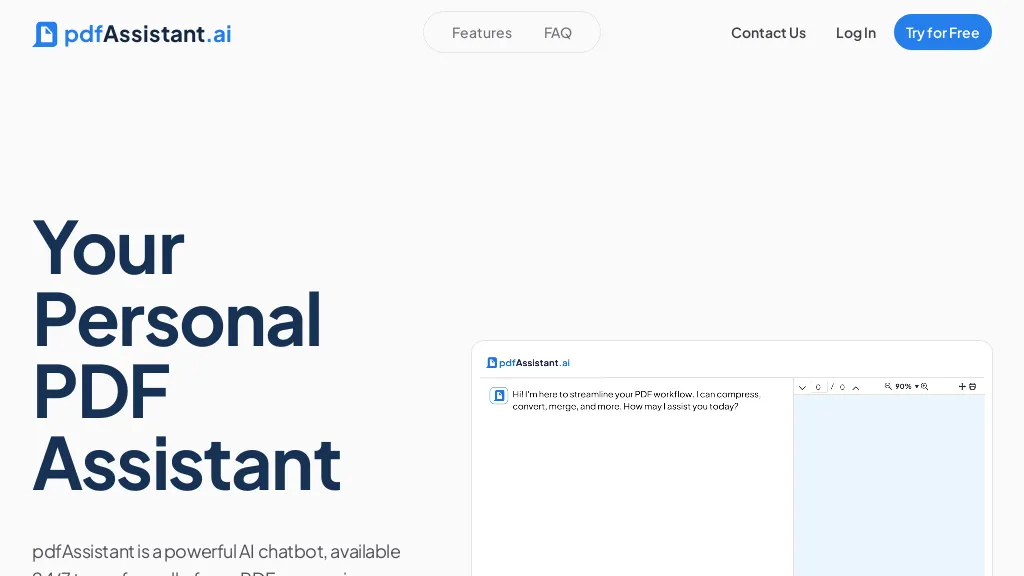
50% positive · 4 user reviews Free trialpdfassistant.ai is an AI chatbot that serves as your personal PDF assistant, available 24/7 to handle all your PDF processing tasks with ease. It helps with complex PDF workflows and tedious manual document handling as pdfassistant.ai lets you work smarter.
We've ranked 29 pdfAssistant.ai alternatives, including 24 with a free plan. Rankings are based on feature coverage and user feedbacks.
Top-rated alternatives include Talk PDF AI, Chat PDF AI online, and Amigotor.
29 pdfAssistant.ai Alternatives & Competitors, Ranked by User Reviews
Click Compare on any tool to compare it side-by-side with pdfAssistant.ai.
 #1
Talk PDF AI
#1
Talk PDF AI
TalkPDF.ai is an intelligent assistant for interacting with PDF documents, offering features like summarization, problem-solving, photo analysis, calorie tracking, emotion assessment, and audio text-to-speech for improved accessibility.
 #2
Chat PDF AI online
#2
Chat PDF AI online
Chat PDF AI lets users upload PDFs up to 50 MB, then chat with GPT‑4o or Claude‑3 to ask questions, summarize, extract text or tables, translate, and generate mind maps. It keeps documents encrypted and private.
 #3
Amigotor
#3
Amigotor
Upload PDFs, Word, and scanned documents to create AI‑powered conversational agents that answer questions, summarize content, explain tables, and provide citations. Supports 100+ languages, collaborative workspaces, cross‑platform use, customizable tone, speech modules, and secure SOC 2/GDPR compliance.
 #4
aiPDF
#4
aiPDF
aiPDF lets users upload PDFs, EPUBs, URLs or YouTube links to extract data, summarize content, and ask context‑specific questions. It returns source‑backed answers, supports any file size, auto‑deletes uploads, and offers response exports.
 #5
PDFT.AI: AI Document Translator
#5
PDFT.AI: AI Document Translator
PDFT.AI: AI Document Translator is an AI-powered tool that translates PDFs, DOCX, and XLSX files while preserving layout and formatting across 100+ languages. It ensures fast, secure translations with support for technical, medical, and legal terminology.
 #6
ChatPDF
#6
ChatPDF
ChatPDF lets users upload PDFs for conversational queries, mapping content and providing cited answers. It supports folders for combined documents, side‑by‑side chat and source viewing, and offers multilingual input and output.
- Catch deals before they expire
- Unlock tools matched to you
- Show off your AI stacks
Already a member? Sign in
 #7
DeepPDF
#7
DeepPDF
DeepPDF is an AI-powered tool for interacting with PDFs, enabling conversational queries, summaries, translations, and analysis of text, images, and formulas. It also supports OCR, annotations, and multi-format conversions for seamless document handling.
 #8
Free AI PDF Reader
#8
Free AI PDF Reader
Free AI PDF Reader is a tool that analyzes, translates, and summarizes PDFs via drag-and-drop, delivering key insights. Its AI chat feature supports follow-up questions and multilingual interactions while ensuring data privacy.
 #9
ChatPdf.so
#9
ChatPdf.so
Chatpdf.so is an AI tool for efficiently extracting information from PDF documents. It uses GPT-4 for questions, summaries, and interactive learning. With multi-language support and robust data security features, it helps users generate reports and essays effortlessly.
 #10
Chatdoc
#10
Chatdoc
ChatDOC lets users ask questions about PDFs, DOCs, EPUBs, MD, and TXT while preserving layout, tables, formulas, and images. It returns answers with source citations, supports 25+ languages, and offers API/SDK integration.
 #11
TopPDF
#11
TopPDF
AI PDF Tools offers robust features for editing, translating, compressing, merging, and converting PDF documents. It ensures efficient document management while maintaining formatting integrity across various formats, enhancing productivity for users handling PDF files.
 #12
Ask Your PDF
#12
Ask Your PDF
AskYourPDF lets users upload PDF or text files to ask questions and retrieve instant answers. It instantly summarizes long documents, supports keyword search across multiple files, and offers a shared library with mobile, Chrome, and plugin access, all GDPR‑compliant.
 #13
aidocmaker.com
#13
aidocmaker.com
AI Doc Maker produces PDFs, Word, PowerPoint, and Excel files from prompts or uploads, applying layouts, tables, and multilingual formatting. It provides templates for reports, contracts, proposals, and spreadsheets, streamlining document creation for professionals.
 #14
PDF Pilot
#14
PDF Pilot
PDF Pilot uses AI to extract structured data from PDFs, invoices, receipts, and contracts. Users upload documents and instantly receive clean CSV/Excel exports, supporting purchase orders, delivery notes, and onboarding packets while ensuring encryption and rapid setup.
 #15
Instafill
#15
Instafill
Instafill.ai PDF and Word form completion, extracting fields and mapping semantically to fill up to 100 pages in 25–60 seconds. It supports batch CSV uploads, converts scanned images, offers workspaces with AES encryption and 2‑FA, and integrates via API/webhooks.
 #16
Filepower AI
#16
Filepower AI
FilePower AI lets users chat with PDFs, PPTs, Excel, and Word files, summarizing, translating, and organizing them into a searchable library. It uses a large‑language model with extended memory and encryption, speeding information extraction for researchers, educators, and analysts.
 #17
FreeAssist.ai
#17
FreeAssist.ai
Free AI Assistant is a versatile platform offering automated tasks, content generation, eCommerce updates, business ideas, multi-lingual support, customer communication, PDF exports, and image generation from text inputs.
 #18
PaperChat
#18
PaperChat
PaperChat is an AI-powered tool boosting productivity via document chatting. It simplifies document handling, provides swift summary generation, and supports multiple file formats for streamlined project management and data extraction.
 #19
Youlearn
#19
Youlearn
AI tutor that transforms PDFs, videos, slides, and recordings into study notes, quizzes, podcasts, and personalized exams, providing key takeaways, answer breakdowns, progress tracking, and interactive chat support for learners and educators.
 #20
CleverAI
#20
CleverAI
CleverAI is an all‑in‑one multimodal AI platform offering chat, image generation, video editing, PDF extraction/summarization/Q&A, smart search, mindmaps and workflow automation, with APIs, multilingual support (100+ languages), model selection, low latency and consent-based data handling.
 #21
SearchPlus
#21
SearchPlus
Search+ AI enables users to interact with PDF documents through conversational queries, providing immediate answers and insights. It supports collaborative dialogue, ensures document privacy with encryption, and streamlines workflows for enhanced decision-making across multiple languages.
 #22
Documind
#22
Documind
Documind is an AI platform that processes single or bulk PDFs, extracts key information, summarizes content, and answers natural‑language queries with citations. It supports multi‑language documents, article generation, chatbot training, and secure, account‑free sharing.
 #23
GoPDF
#23
GoPDF
GoPDF is a browser‑based PDF editor that enables editing, annotating, formatting, and compression without installation. It supports text/image insertion, header/footer, page management, conversions (PDF→JPG/Word/HTML), merging/splitting, AI chat, invoicing, and AI quiz creation for students.
 #24
Chatpdf.ae
#24
Chatpdf.ae
ChatPDF lets users upload PDFs and chat with their content in any language. It extracts key information, provides summaries, answers queries with source citations, and supports bilingual interaction, all while keeping documents secure.
 #25
PDFTranslator.org
#25
PDFTranslator.org
PDFTranslator.org is a free AI tool that translates PDF documents into nearly 100 languages while perfectly preserving the original layout, images, and formatting. Simply upload your file and receive a translated copy, or an editable Word document, in just minutes with no registration required.
 #26
Ask AI
#26
Ask AI
Chat & Ask AI combines web search, image generation, link analysis, document chat, and YouTube summarization in one interface. It offers up‑to‑date answers, multilingual support, file uploads, and a prompt library, powered by GPT‑5.2, Gemini, Claude, and Stable Diffusion XL.
 #27
PDFgear
#27
PDFgear
PDFgear is a cross‑platform PDF editor that allows editing of text, images, shapes, and form fields; supports annotations, batch conversion to Word/Excel/PowerPoint, OCR in 30+ languages, AI chat summaries, and merge/split/compress/sign functions.
 #28
AI PDF Summarizer
#28
AI PDF Summarizer
AI PDF Summarizer converts PDFs up to 10 MB into concise summaries within seconds. Upload by drag‑and‑drop, then request summaries, key‑point highlights, translations, search, rephrase, or citation extraction. Files are encrypted and not stored, ensuring privacy.
 #29
SearchMyDocs.ai
#29
SearchMyDocs.ai
SearchMyDocs.ai is an AI research assistant that searches PDFs, Word, Excel and other file types. It extracts key data, auto‑organizes content, and delivers instant, context‑aware answers via chat. Military‑grade encryption ensures privacy.
Frequently Asked Questions
Why look for pdfAssistant.ai alternatives?
Common reasons users switch from pdfAssistant.ai:
- Cost: pdfAssistant.ai is a Free trial tool — users often look for more affordable or free options.
- User satisfaction: pdfAssistant.ai holds a 50% positive rating — some users report unmet expectations.
- Feature gaps: teams needing specific capabilities like Convert PDFs may find a more focused alternative better suited to their workflow.
- Flexibility: exploring alternatives helps find tools that better match your team size, integrations, and budget.
What is the best alternative to pdfAssistant.ai?
Based on 5 user reviews, Talk PDF AI (100% positive) ranks as the top pdfAssistant.ai alternative. TalkPDF.ai is an intelligent assistant for interacting with PDF documents, offering features like summarization, problem-solving, photo analysis, calo It is available on a Subscription plan.
How do the top pdfAssistant.ai alternatives compare?
| Tool | Pricing | Starting Price | User Rating |
|---|---|---|---|
| pdfAssistant.ai this tool | Free trial | — | 50% (4) |
| Talk PDF AI | Subscription | — | 100% (5) |
| Chat PDF AI online | Paid | $18.99/mo | 33.3% (3) |
| Amigotor | Paid | $4.99 | — |
| aiPDF | Subscription | $9/mo | — |
| PDFT.AI: AI Document Translator | Freemium | — | 100% (6) |
Are there free pdfAssistant.ai alternatives?
Yes, 24 free alternatives found in our list: PDFT.AI: AI Document Translator, ChatPDF, DeepPDF. and 21 more — use the pricing filter above to see them all.
What should I look for in a pdfAssistant.ai alternative?
- Core capabilities: confirm the tool supports Convert PDFs, Compress PDFs, Merge PDFs.
- Pricing transparency: look for clear free plan, trial period, or tiered pricing — avoid tools that hide costs.
- User reviews: check both the satisfaction percentage and the number of reviews; a high score from few users is less reliable.
- Integrations: verify it connects with your existing stack before committing.
- Support and updates: active development and responsive support are strong signals of a maintained product.
Which pdfAssistant.ai alternative has the highest user rating?
Talk PDF AI has the highest satisfaction score among pdfAssistant.ai alternatives, with 100% positive from 5 user reviews. It is available on a Subscription plan.
What are pdfAssistant.ai alternatives used for?
- Convert PDFs
- Compress PDFs
- Merge PDFs
- Split PDFs
- Add watermarks