
What is PDFgear?
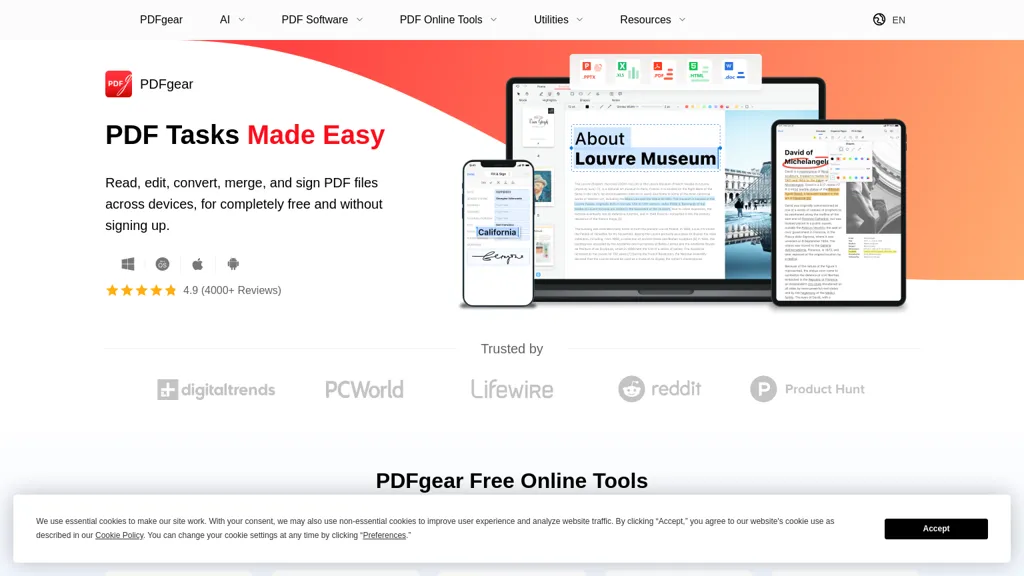
PDFgear is a cross‑platform PDF editor that lets users modify text, images, shapes, and fillable fields.
The editor includes annotation tools such as highlighting, underlining, notes, stamps, and shape insertion.
Conversion support covers PDF, Word, Excel, PowerPoint, JPG, PNG, and more, with batch processing and lossless output.
OCR capability extracts text from scanned documents in 30+ languages, producing editable Word or TXT files.
Integrated AI chat can summarize content, pull key points, and answer questions about the PDF.
Users on Windows, macOS, iOS, and Android can merge, split, sign, compress, and protect PDFs locally or via web tools.
PDFgear pricing
FreeThis tool is free to use, with no credit card required.
Verify on the official pricing page.
Get started freePDFgear's key features
-
AI Chat assistant for PDFs
-
OCR text extraction from images
-
Merge and split PDF documents
-
Sign and fill PDF forms
-
Compress PDFs for size reduction
-
Convert PDFs to Word and Excel
-
Text-to-speech reading of PDFs
PDFgear use cases
-
Create a multi‑language brochure from scanned PDFs using PDFgear's OCR and AI chat summarizer, then export to editable Word format
-
Securely sign, compress, and merge multiple legal documents with PDFgear's merge/split/compress/sign functions for fast distribution
-
Batch convert complex invoices into Excel spreadsheets with PDFgear’s OCR in 30+ languages and editable form fields for automated accounting
PDFgear user reviews
Based on 17 reviews, 76% of users recommend PDFgear, rated highly for value for money.
Liked for
Disliked for
Would you recommend PDFgear?
PDFgear playbooks
1Step-by-step guides to get the most out of PDFgear
Who is PDFgear for?
-
Content creators
-
Digital editors
-
Business owners
-
Administrative staff
-
Research analysts
PDFgear FAQ
Is PDFgear free?
Yes. PDFgear is free to use and does not require a credit card.
Is PDFgear safe to use?
PDFgear carries the TopAI.tools verified mark, which we award after a manual review of pricing transparency, published terms, public following and working functionality. It has a substantial audience that is independently measured month to month.
Is PDFgear good?
PDFgear has a 76% recommendation rate from 17 reviewers on TopAI.tools. Reviewers rate it highest on value for money and ease of use.
What are the best alternatives to PDFgear?
The closest alternatives to PDFgear are GoPDF, PDF Translator & Editor, BestPDF, LightPDF and ChatPDF. You can compare them side by side in the alternatives section further down this page.
Is there a mobile app for PDFgear?
Yes. PDFgear has a mobile app alongside its web version.


