
Top 29 numerous Alternatives in 2026
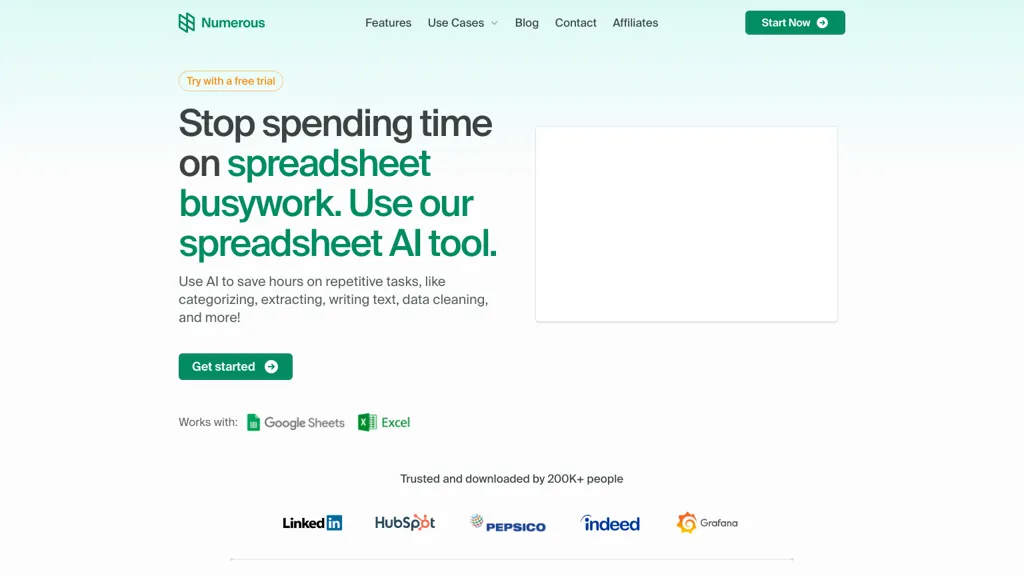
100% positive · 1 user review SubscriptionNumerous.ai embeds ChatGPT into Google Sheets and Excel via a simple =AI function, allowing users to generate bulk marketing content, summarize datasets, and prototype prompts directly in spreadsheets—no API keys needed, effortlessly.
We've ranked 29 numerous alternatives, including 20 with a free plan. Rankings are based on feature coverage and user feedbacks.
Top-rated alternatives include GPT for Work, SheetAI, and AiAssistWorks.
29 numerous Alternatives & Competitors, Ranked by User Reviews
Click Compare on any tool to compare it side-by-side with numerous.
 #1
GPT for Work
#1
GPT for Work
GPTforwork.com is a powerful AI add-on for Google Sheets and Excel that automates workflows using natural language. It enables formula generation, data cleaning, content creation, and web-data extraction to speed up reporting, analysis, and research.
 #2
SheetAI
#2
SheetAI
SheetAI adds AI-driven functions to Google Sheets, enabling list, table, and image creation via formulas. It supports models like OpenAI, Claude, xAI, integrates external services (Replicate, OCR, audio), and allows custom training for context-aware responses and API automation.
 #3
AiAssistWorks
#3
AiAssistWorks
Access 50+ AI models in Google Sheets™ without writing functions or copy-pasting. Save and reuse prompts easily. Models from GPT, Claude, Google Gemini™, Openrouter, and Groq are available.
 #4
AI Excel Bot
#4
AI Excel Bot
AI Excel Bot translates natural‑language prompts into accurate Excel or Google Sheets formulas—SUMIF, VLOOKUP, array functions—providing step‑by‑step explanations and on‑demand VBA script generation. Available as a Chrome extension or add‑in for quick, in‑app access.
 #5
GPTExcel
#5
GPTExcel
GPTExcel automates spreadsheet tasks in Excel, Google Sheets, LibreOffice, and Airtable. It generates formulas, scripts, SQL, regex, builds pivot tables, charts, and reports, offers conversational data queries, and OCR table conversion across 50+ languages.
 #6
ChatGPT+ Google Sheet
#6
ChatGPT+ Google Sheet
Integrates ChatGPT 3.5/4.0 directly into Google Sheets without an OpenAI API key. Installs in under a minute, offering text‑processing tasks—cleanup, classification, translation, summarization, enrichment—within spreadsheet cells for analysts and teams.
- Catch deals before they expire
- Unlock tools matched to you
- Show off your AI stacks
Already a member? Sign in
 #7
Botsheets AI Writer
#7
Botsheets AI Writer
Botsheets automates marketing and data capture with chatbots that integrate directly with Google Sheets. Build code‑free bots to replace forms, store responses in real‑time, generate tables, charts, slides, and share via links or embeds.
 #8
SheetXAI
#8
SheetXAI
SheetXAI automates Google Sheets and Excel via natural-language commands to analyze data, generate formulas, and run workflows. It extracts tables and invoices via OCR, produces bulk multilingual content, and integrates with Notion, Stripe, HubSpot and Jira.
 #9
SearchGPT
#9
SearchGPT
SearchGPT Spreadsheet Generator turns natural‑language prompts into fully structured spreadsheets, automatically adding columns, formulas, pivot tables and conditional formatting. It speeds up analysis for analysts and non‑technical users, handling large datasets in seconds and outputting ready‑to‑download files.
 #10
LeadGenSheet
#10
LeadGenSheet
CapGo.AI is a Google Sheets add‑on that centralizes lead generation, enrichment, email automation, web searches, PDF data extraction, and contact verification. Users run AI‑driven commands like =GO(Prompt,“web”) or =GO(Prompt,“email”) directly within a sheet, streamlining sales and outreach workflows.
 #11
Formula Generator
#11
Formula Generator
AI Prompts generates Excel and Google Sheets formulas from natural‑language prompts, supporting budgeting, forecasting, and reporting. It refines outputs via prompt engineering, debugs existing sheets, and integrates with Zapier, Make, and webhooks for real‑time automation.
 #12
Sheeter.ai
#12
Sheeter.ai
Sheeter converts natural‑language requests into Excel or Google Sheets formulas, supporting sums, conditionals, dates, text, and data extraction. It allows one‑click insertion, reduces formula‑error risks, and streamlines analysis for business and finance teams.
 #13
spreadsheetdaddy.com
#13
spreadsheetdaddy.com
Spreadsheet Daddy is an AI add‑on for Google Sheets and Excel that automates formula creation, data analysis, and chart generation. It offers ready‑made templates for budgets, invoices, inventory, and projects, and supports natural‑language queries via GPT.
 #14
GPT For Sheets
#14
GPT For Sheets
GPT Sheets™ Docs™ is an AI tool that enables users to perform various text-related functions in Google Sheets™ and Docs™ using OpenAI's ChatGPT and GPT-3/GPT-4 models.
 #15
Genspark.ai
#15
Genspark.ai
Genspark unifies inbox, workflows, and collaboration into one AI workspace, offering a 1‑million‑token context window, voice‑to‑text, auto‑meeting notes, and Chrome extensions for instant summarization and task automation across WhatsApp, Slack, and Teams.
 #16
AI Perfect Assistant
#16
AI Perfect Assistant
AI Perfect Assistant adds ChatGPT, Gemini, Claude, and 60+ LLMs to Office 365 apps, delivering real‑time grammar, style checks, drafting, summarization, translation, and formula generation to streamline writing, analysis, and teamwork across Word, Excel, PowerPoint, Outlook, Teams, and OneNote.
 #17
Equals
#17
Equals
AI Assist is a powerful AI-powered data analysis tool that offers features such as real-time collaboration, formula generation, SQL writing, visual charting, and integrations with popular platforms.
 #18
Adzviser
#18
Adzviser
Adzviser is an AI‑driven marketing analytics platform that aggregates data from 40+ sources, delivering real‑time campaign analysis via ChatGPT/Claude and dynamic spreadsheets for budgeting, reporting, and KPI dashboards for agencies.
 #19
Ask AI
#19
Ask AI
Chat & Ask AI combines web search, image generation, link analysis, document chat, and YouTube summarization in one interface. It offers up‑to‑date answers, multilingual support, file uploads, and a prompt library, powered by GPT‑5.2, Gemini, Claude, and Stable Diffusion XL.
 #20
GPT-Workspace
#20
GPT-Workspace
GPT Workspace enhances productivity within Google Workspace by automating tasks such as email composition, content generation, and presentation creation. It offers smart features for data analysis in Sheets and writing assistance in Docs while ensuring user data privacy.
 #21
AI Chat for Search
#21
AI Chat for Search
Browser extension that displays conversational AI answers and multi-model comparisons alongside search results, integrates with GPT-4/Claude and major search engines, and adds YouTube summaries, PDF/image/OCR processing and content-generation tools for research and creation.
 #22
SimpleMetrics
#22
SimpleMetrics
SimpleMetrics adds AI functions to Google Sheets, enabling real‑time searches, text and image generation, PDF extraction, bulk translation, and photo editing via formulas like =AISEARCH(), =VISION(), and =PDF(), all within Sheets without custom coding.
 #23
Charm AI
#23
Charm AI
Charm is a Google Sheets add-on that cleans, transforms, and analyzes text data—normalizing addresses, splitting/merging columns, extracting entities, generating synthetic data, creating or rewriting content, summarizing and classifying text, and automating workflows via templates.
 #24
Innerai.com
#24
Innerai.com
All‑in‑one platform integrating GPT‑4o, Claude, Gemini, and others for unified text, image, video, and document AI. Offers summarizing, translation, prompt templates, workflow tools, quiz creation, SCORM export, web search, subtitles, dubbing. SOC II‑compliant with field‑level encryption and data isolation.
 #25
Ajelix AI Excel Tools
#25
Ajelix AI Excel Tools
Ajelix is an AI chatbot that stores up to 1 GB of spreadsheets, PDFs, and documents in a persistent workspace. It generates Excel formulas, VBA scripts, dashboards, and ready‑to‑share PowerPoint decks or web apps.
 #26
ChatGPT2Help Chrome Extension
#26
ChatGPT2Help Chrome Extension
ChatGPT2Help is a Chrome extension embedding ChatGPT for instant AI assistance: rapid content drafting, copy editing, multi‑language translation, page summarization, and specialized tasks like real‑estate listings, legal risk flagging, customer‑service FAQ responses, personalized education plans, and preliminary medical suggestions.
 #27
Prompting sheets™
#27
Prompting sheets™
Prompting Sheets is an AI-enhanced spreadsheet tool for Google Sheets, enabling advanced formula generation, automation of tasks, real-time data analysis, and collaboration, making it ideal for data analysts and project managers focused on efficient data management and reporting.
 #28
Tomat.AI
#28
Tomat.AI
Tomat.AI is a desktop app that automates data analysis and enrichment for Excel, CSV, and database files. It loads datasets locally, lets users filter, sort, merge, pivot, and apply AI prompts in bulk, and exports reports to PDF.
 #29
Bricks
#29
Bricks
Bricks AI transforms CSV, Excel, Google Sheets, and database files into instant interactive dashboards and reports. It auto‑creates charts, lets users edit data via natural‑language commands, refreshes with one click, and offers reusable templates with encrypted privacy.
Frequently Asked Questions
Why look for numerous alternatives?
Common reasons users switch from numerous:
- Cost: numerous is a Subscription tool — users often look for more affordable or free options.
- Feature gaps: teams needing specific capabilities like Generate Ads may find a more focused alternative better suited to their workflow.
- Flexibility: exploring alternatives helps find tools that better match your team size, integrations, and budget.
What is the best alternative to numerous?
Based on 4 user reviews, GPT for Work (50% positive) ranks as the top numerous alternative. GPTforwork.com is a powerful AI add-on for Google Sheets and Excel that automates workflows using natural language. It enables formula generation, dat It is available on a Free trial plan.
How do the top numerous alternatives compare?
| Tool | Pricing | Starting Price | User Rating |
|---|---|---|---|
| numerous this tool | Subscription | — | 100% (1) |
| GPT for Work | Free trial | — | 50% (4) |
| SheetAI | Subscription | $20/mo | 100% (1) |
| AiAssistWorks | Freemium | $4 | 33.3% (6) |
| AI Excel Bot | Freemium | $2.99/mo | 50% (1) |
| GPTExcel | Freemium | — | — |
Are there free numerous alternatives?
Yes, 20 free alternatives found in our list: GPT for Work, AiAssistWorks, AI Excel Bot. and 17 more — use the pricing filter above to see them all.
What should I look for in a numerous alternative?
- Core capabilities: confirm the tool supports Generate Ads, generate posts, summarize text.
- Pricing transparency: look for clear free plan, trial period, or tiered pricing — avoid tools that hide costs.
- User reviews: check both the satisfaction percentage and the number of reviews; a high score from few users is less reliable.
- Integrations: verify it connects with your existing stack before committing.
- Support and updates: active development and responsive support are strong signals of a maintained product.
Which numerous alternative has the highest user rating?
SheetAI has the highest satisfaction score among numerous alternatives, with 100% positive from 1 user review. It is available on a Subscription plan starting from $20/mo.
What are numerous alternatives used for?
- Generate Ads
- generate posts
- summarize text
- analyze text
- Automate Spreadsheets