
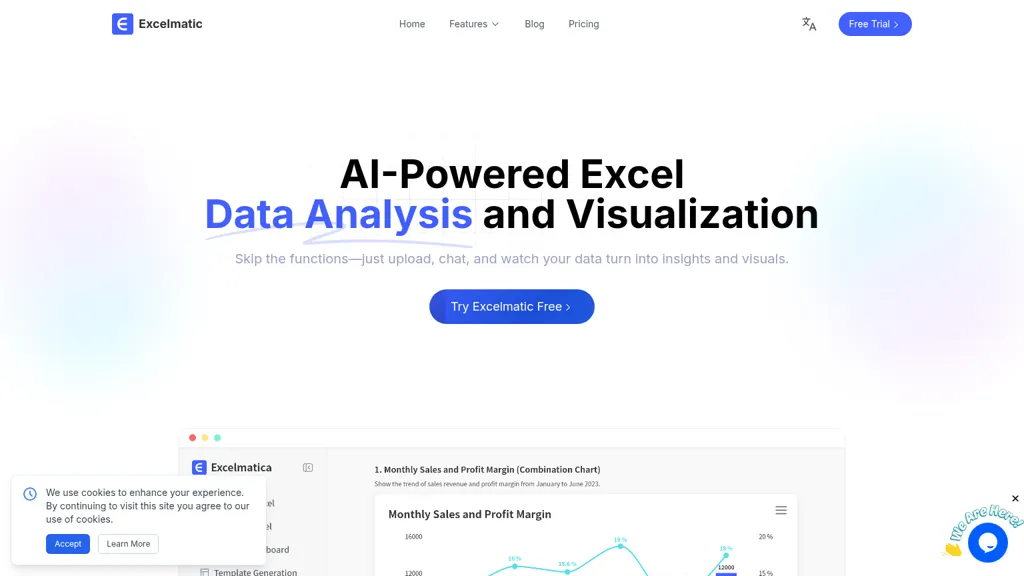
What is Excelmatic?
Excelmatic provides AI-driven Excel data analysis and visualization through natural-language queries and spreadsheet automation. It offers one-click chart generation, chart recommendations, style customization, and dynamic updates for real-time reports.
Built-in analysis extracts KPIs, runs trend and multi-dimensional analysis, and detects anomalies and statistical summaries for business intelligence. AI tools convert table images and PDFs to editable Excel, generate formulas from plain English, and identify and suggest fixes for formula errors.
Data-prep features include batch processing, customizable cleaning rules, and automatic data-type recognition to reduce manual formatting. Suitable for data analysts, BI teams, product managers, marketers, and non-technical users, it supports .xlsx and .
Excelmatic details
- Jurisdiction
- People’s Republic of China
- Built for
- Individuals
- Stated compliance
- SOC 2, GDPR, CCPA
Compliance as stated in Excelmatic's own published documentation.
Excelmatic tech specs
- Works with
- OpenAI / GPT Google / Gemini
Excelmatic pricing
SubscriptionPricing details aren't listed here — check the official pricing page below.
- Free trial
- 7 days
- Refund window
- 7 days
Verify on the official pricing page.
View plansExcelmatic's key features
-
Natural-language AI spreadsheet assistant for smart Excel operations
-
Automated data cleaning and data type recognition with customizable rules and batch processing
-
Advanced statistical analysis and predictive modeling including trend analysis and anomaly detection
-
AI-driven data visualization with one-click chart generation, chart recommendation, style customization, and dynamic updates
-
Image and PDF to editable Excel conversion (convert table images and PDF tables to .xlsx/.csv)
Excelmatic use cases
-
Convert stacks of PDFs or receipt images into clean .xlsx/.csv spreadsheets using PDF/image-to-Excel, then auto-generate formulas from plain English and one-click charts to produce monthly expense reports without manual data entry
-
Analyze sales or marketing datasets via natural-language queries to extract KPIs, build one-click visual dashboards, and run automated anomaly detection to quickly identify and investigate unexpected drops or spikes for faster decisions
-
Batch-prep and cleanse large .csv/.xlsx exports with AI-powered data normalization, generate complex formulas from plain English, and create shareable charts and CSV outputs for stakeholder reporting and presentations
Excelmatic user reviews
Would you recommend Excelmatic?
Who is Excelmatic for?
-
Data analysts
-
Business analysts
-
Excel users
-
Spreadsheet professionals
-
Office workers
Excelmatic FAQ
Is Excelmatic free?
No. Excelmatic is a paid product and requires a paid plan to use.
Is Excelmatic safe to use?
Excelmatic states SOC 2, GDPR and CCPA compliance in its own published documentation. It has a substantial audience that is independently measured month to month.
What are the best alternatives to Excelmatic?
The closest alternatives to Excelmatic are SheetXAI, Equals, SheetAI, Sparkco AI Sheets and Excel-bot.com. You can compare them side by side in the alternatives section further down this page.
What does Excelmatic do with my data?
Excelmatic states that customer content is not used to train its models. Its privacy policy states that personal data is not sold or shared for marketing purposes. Data may be shared with third-party service providers that help run the product.
Does Excelmatic auto-renew or offer refunds?
Excelmatic states a 7-day refund window.
Which AI models does Excelmatic use?
Excelmatic is built on OpenAI / GPT and Google / Gemini. Which models you can reach may depend on your plan.
Compliance, privacy and billing terms are as stated in each product's own published documentation and have not been independently verified by TopAI.tools.


