Top 29 Copyslides Alternatives in 2026
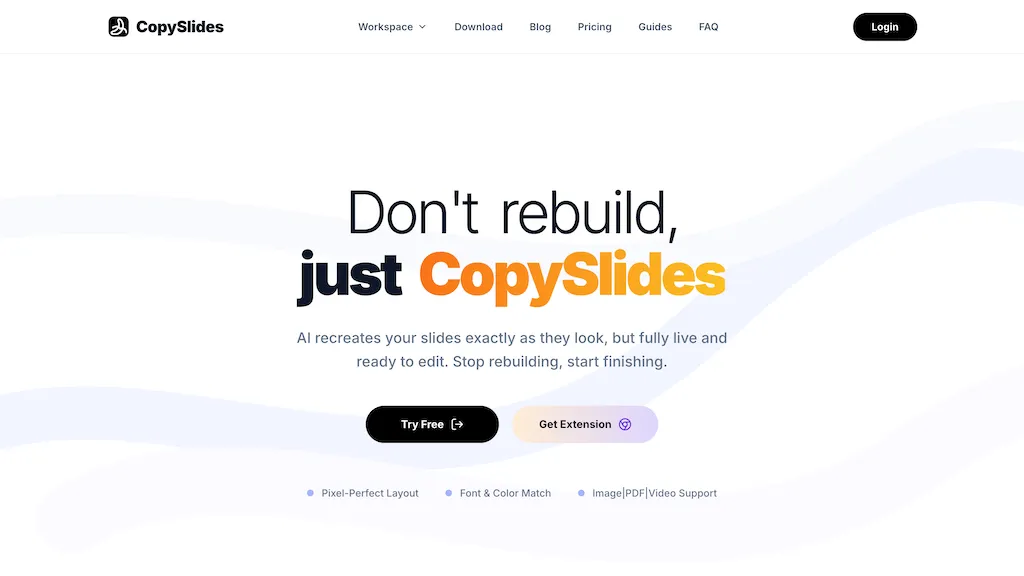
No user reviews yet Free trialCopyslides is a tool that converts images, PDFs, and videos into fully editable PowerPoint presentations, matching original layout, fonts, and colors. It recreates text boxes, shapes, charts, and vector elements as live PPTX objects, enabling direct modification and one-click export.
We've ranked 29 Copyslides alternatives, including 24 with a free plan. Rankings are based on feature coverage and user feedbacks.
Top-rated alternatives include Edit in PPT, AiPPT, and SlideNotes.
29 Copyslides Alternatives & Competitors, Ranked by User Reviews
Click Compare on any tool to compare it side-by-side with Copyslides.
#1
Edit in PPT
Edit in PPT converts uploaded images into fully editable PowerPoint slides using GPT‑5 vision models. The web interface accepts natural‑language commands to modify text, layout, and design, enabling users to create or adjust slides quickly and maintain high visual quality.
#2
AiPPT
AiPPT turns PDFs, Word, text, or URLs into polished slide decks with 200k+ templates, AI‑generated outlines, and one‑click conversion. It supports Google Drive import, image insertion, multi‑format export, and collaborative editing.
#3
SlideNotes
SlideNotes turns PowerPoint and PDF slides into concise bullet‑point summaries, extracting key terms and core concepts for quick review. Students use it for lecture notes; professionals convert presentations into actionable minutes, saving manual note‑taking time.
#4
Autoppt
AutoPPT is an AI-powered tool that instantly creates professional, visually appealing PowerPoint presentations from a topic or uploaded documents. It supports 100+ languages, requires no design skills, and delivers responsive, audience-engaging slideshows in seconds.
#5
PPTX.ai
PPTX.ai turns rough notes into polished slide decks for PowerPoint, Google Slides, and Reveal.js. It refines tone, density, and visuals, removing excess text, unclear fonts, and redundant charts. Teams collaborate online without version conflicts, and users download decks quickly.
#6
Powerpresent AI
PowerPresent AI creates full slide decks from prompts, uploads, or web links, automatically adding titles, structured content, and visuals. Users choose editable AI templates, export to PPTX, and can present live, streamlining investor pitches, training, and marketing decks.
- Catch deals before they expire
- Unlock tools matched to you
- Show off your AI stacks
Already a member? Sign in
#7
SlideSpeak
SlideSpeak transforms PDFs, Word, Excel, and web content into PowerPoint slides in seconds, offering AI editing, infographics, charts, AI images, narrated videos, branding, translation, and an API for custom integration.
#8
PPT.AI
PPT.AI is an AI-driven presentation maker that transforms text, documents, and videos into professional slides in seconds. It offers customizable templates, supports multiple languages, and ensures full compatibility with PowerPoint.
#9
AI PPT Maker
AIPPTMaker.ai is an AI-powered online tool that transforms text, PDFs, videos, or voice recordings into professional PowerPoint presentations instantly. It offers customizable templates, multi-language support, and streamlined slide creation for enhanced productivity.
#10
MagicSlides App
MagicSlides AI converts prompts, PDFs, YouTube links, and other documents into ready‑to‑present slide decks in seconds. Supporting 136 languages, it exports to Google Slides or PowerPoint, lets users edit or duplicate slides, and offers AI‑guided design and template suggestions.
#11
SlidesGPT
SlidesGPT converts blog posts, PDFs, or custom prompts into polished slide decks in seconds. It auto‑formats slides, generates visuals, and exports to PowerPoint, Google Slides, or PDF. Developers can integrate bulk creation through an API.
#12
Xpptx
Xpptx converts Word, PDF, outlines and mind maps into editable PowerPoint decks with automatic typesetting, slide layout and style customization, preserving complex formatting; supports multi-format export, API access, multilingual output and local deployment.
#13
BestPDF
BestPDF is a web-based PDF editor and converter that edits text/images, translates while preserving layout, performs OCR, converts between PDF, Word, Excel, PowerPoint and image formats, and offers batch merge, split, compress and text-polishing tools.
#14
Smallppt
Smallppt generates full PowerPoint decks from a single prompt or imported documents, auto‑structuring content, applying professional layouts, and enabling real‑time collaboration. It also offers AI writing, summarization, and PDF tools for rapid, high‑quality presentations.
#15
KindlePPT
Kindle PPT is a tool that converts Kindle content into PowerPoint presentations, offering text extraction, slide customization, and image integration. It enhances productivity for educators, professionals, and students by supporting various file formats for versatile content use.
#16
Drlambda
ChatSlide turns documents, PDFs, and web pages into slide decks, videos, avatars, charts, and posters in minutes. It auto‑generates outlines, applies design templates, allows real‑time editing, dynamic charts, multilingual support, and exports to PDF, PPTX, Keynote.
#17
Revent press
Revent.ai converts PDFs, Word files, and plain text into PowerPoint decks within seconds, preserving fonts, images, and layout. The batch workflow supplies thousands of smart templates, mirrors brand colors and logos, and lets users export to PowerPoint or Google Slides.
#18
GenPPT
GenPPT automatically turns notes, links, or topics into structured PowerPoint decks in seconds, researching content, generating titles, bullets, and visuals, and exporting editable .pptx files. It saves time, eliminates design skill needs, and supports custom editing.
#19
DeckFlow PPT Translator
DeckFlow converts PPTX, Keynote, PDF, and DOCX files into 50+ languages while preserving animations, layouts, and formatting. It handles up to 500 MB and 500 pages, supports custom glossaries, and auto‑generates editable decks from text or images.
#20
PDF Translator & Editor
Cloud-based translator that handles PDFs, scanned PDFs, Word, Excel, PowerPoint, and images in 136 languages while preserving layout. Offers direct PDF editing, scanning, splitting, and share‑extension for seamless collaboration for teams, educators, and business professionals.
GenPPT AI is an AI-powered presentation generator that creates complete, editable slide decks from text prompts, notes, or uploaded files. It automates design, generates visuals and charts, and exports to multiple formats to streamline professional presentation creation.
#22
AI TransPDF
AI TransPDF is a versatile AI tool that translates PDF, PPTX, XLSX, and other file formats while preserving original layouts, images, and tables. It supports 80+ languages, offers previews/summaries, and ensures secure, high-quality document processing.
#23
Better Powerpoints
Better Powerpoints converts notes, files, or ideas into editable PowerPoint slide decks with AI-generated layouts, templates, real-time collaboration, advanced editing, and PPTX export—speeding slide creation while preserving editable elements and consistent branding.
AI PowerPoint Maker converts text, Word, PDFs, and web articles into ready‑to‑present PowerPoint decks in minutes using LLM reasoning and design rules, automatically inserting images, respecting brand guidelines, and exporting native PPTX files—all in the browser.
#25
WorkPPT
WorkPPT is an AI-powered presentation tool that generates slide decks and websites from online links, files, or PDFs. It simplifies content summarization and visual storytelling for professionals and teams.
#26
PDF to Video
PDF to Video is an AI tool that converts PDF documents into animated explainer videos. It automatically generates visuals, animations, and narration, allowing for easy customization without any editing skills.
#27
PPTalker
Pptalker transforms PowerPoint presentations into engaging MP4 videos, featuring AI-generated voiceovers and speaker notes. It's ideal for educators and business professionals seeking to enhance communication and accessibility in their video content.
#28
Slides.bot
AI Presentation Maker turns written content quickly into slide decks using GPT, auto‑organizes material, offers editable templates, multi‑language support, and exports to PPTX/PDF for students, educators, marketers, and professionals.
#29
PDFtoword AI
PDFtoword is a comprehensive online PDF toolkit offering 24 tools for converting, editing, organizing, and securing documents. It supports bidirectional conversion between PDF and formats like Word, Excel, and images, plus OCR, merging, splitting, AES-256 encryption, and more.
Frequently Asked Questions
Why look for Copyslides alternatives?
Common reasons users switch from Copyslides:
- Cost: Copyslides is a Free trial tool starting from $9/mo — users often look for more affordable or free options.
- Feature gaps: teams needing specific capabilities like Convert Images To Presentations may find a more focused alternative better suited to their workflow.
- Flexibility: exploring alternatives helps find tools that better match your team size, integrations, and budget.
What is the best alternative to Copyslides?
Based on 1 user review, Edit in PPT (100% positive) ranks as the top Copyslides alternative. Edit in PPT converts uploaded images into fully editable PowerPoint slides using GPT‑5 vision models. The web interface accepts natural‑language comma It is available on a Free plan.
How do the top Copyslides alternatives compare?
| Tool | Pricing | Starting Price | User Rating |
|---|---|---|---|
| Copyslides this tool | Free trial | $9/mo | — |
| Edit in PPT | Free | — | 100% (1) |
| AiPPT | Freemium | $4.3/mo | 67.9% (28) |
| SlideNotes | Freemium | — | 100% (1) |
| Autoppt | Free trial | $19.99/mo | 83.3% (18) |
| PPTX.ai | Freemium | $5 | — |
Are there free Copyslides alternatives?
Yes, 24 free alternatives found in our list: Edit in PPT, AiPPT, SlideNotes. and 21 more — use the pricing filter above to see them all.
What should I look for in a Copyslides alternative?
- Core capabilities: confirm the tool supports Convert Images To Presentations, Convert Pdfs To Presentations, Convert Videos To Presentations.
- Pricing transparency: look for clear free plan, trial period, or tiered pricing — avoid tools that hide costs.
- User reviews: check both the satisfaction percentage and the number of reviews; a high score from few users is less reliable.
- Integrations: verify it connects with your existing stack before committing.
- Support and updates: active development and responsive support are strong signals of a maintained product.
Which Copyslides alternative has the highest user rating?
Edit in PPT has the highest satisfaction score among Copyslides alternatives, with 100% positive from 1 user review. It is available on a Free plan.
What are Copyslides alternatives used for?
- Convert Images To Presentations
- Convert Pdfs To Presentations
- Convert Videos To Presentations
- Edit Powerpoint Presentations
- Extract Slides From Videos