
What is PDF Translator & Editor?
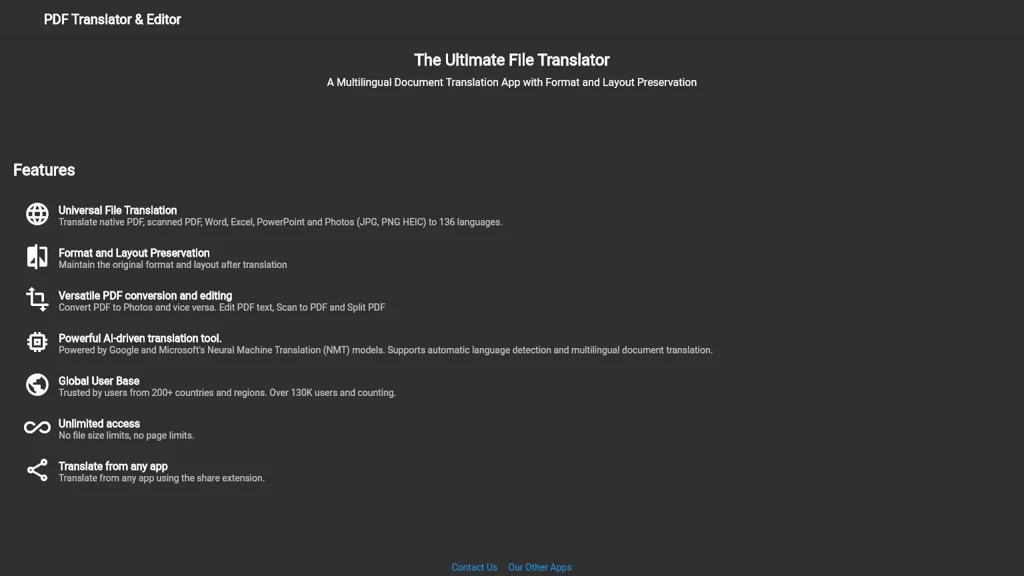
PDF Translator and Editor is a cloud‑based document translation and editing service that supports native PDFs, scanned PDFs, Word, Excel, PowerPoint, and image files (JPG, PNG, HEIC) in 136 languages. The tool retains the original format and layout during translation, enabling accurate presentation for academic, legal, and marketing materials.
It converts PDFs to image formats and back, allowing users to embed graphics or create printable sheets. Users can edit PDF text directly, scan documents into PDF, and split files into individual pages for workflow efficiency. The translation engine uses Google and Microsoft Neural Machine Translation models, automatically detecting source languages and handling multilingual documents.
PDF Translator & Editor details
- Jurisdiction
- Denmark
- Built for
- Individuals
- Stated compliance
- GDPR
Compliance as stated in PDF Translator & Editor's own published documentation.
PDF Translator & Editor tech specs
- Integrations
- Google Workspace
PDF Translator & Editor pricing
FreemiumPDF Translator & Editor offers a free plan with paid upgrades available.
Verify on the official pricing page.
View plansPDF Translator & Editor's key features
-
Multilingual document translation with preservation
-
Translate PDF Word Excel PowerPoint photos
-
Convert PDF to images and back
-
Edit PDF text and split
-
AI-driven translation using NMT models
-
Unlimited file and page size
-
Share extension from any app
PDF Translator & Editor use cases
-
Translate a multinational company's annual report PDF into 10 languages while preserving charts and layout, then share the translated versions via the app’s share‑extension for stakeholder presentations
-
Educators upload scanned exam papers, automatically translate them into students’ native languages, split the PDF by sections, and distribute the clean, translated documents for individualized review
-
Business teams edit and translate PowerPoint decks directly in the cloud, maintain formatting across 136 languages, and collaborate in real‑time with the share‑extension for seamless project workflows
PDF Translator & Editor user reviews
Based on 1 review, 0% of users recommend PDF Translator & Editor.
Would you recommend PDF Translator & Editor?
Who is PDF Translator & Editor for?
-
Document editors
-
Language translators
-
Pdf editors
-
Business owners
-
Technology evaluators
PDF Translator & Editor FAQ
Is PDF Translator & Editor free?
Partly. PDF Translator & Editor has a free plan with usage limits, and paid plans unlock the full feature set.
Is PDF Translator & Editor safe to use?
PDF Translator & Editor states GDPR compliance in its own published documentation.
What are the best alternatives to PDF Translator & Editor?
The closest alternatives to PDF Translator & Editor are PDFTranslator.org, PDFT.AI: AI Document Translator, AI TranslateDocs, BestPDF and TopPDF. You can compare them side by side in the alternatives section further down this page.
What does PDF Translator & Editor do with my data?
PDF Translator & Editor states that customer content is not used to train its models. Its privacy policy states that personal data is not sold or shared for marketing purposes. Data may be shared with third-party service providers that help run the product.
Is there a mobile app for PDF Translator & Editor?
Yes. PDF Translator & Editor has a mobile app alongside its web version.
What does PDF Translator & Editor integrate with?
PDF Translator & Editor connects with Google Workspace.
Compliance, privacy and billing terms are as stated in each product's own published documentation and have not been independently verified by TopAI.tools.


