
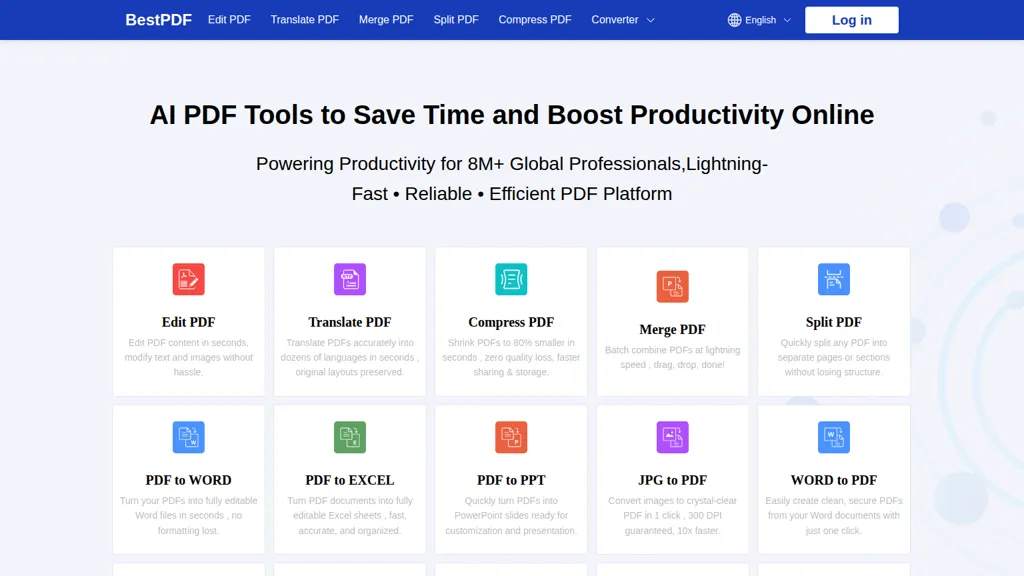
What is BestPDF?
BestPDF provides an online PDF editor and converter with tools to edit text and images, translate PDFs while preserving layout, and perform OCR for searchable documents. It supports PDF to Word, Excel, and PowerPoint conversions and converts between PDFs and image formats (JPG to PDF, PDF to JPG).
Batch processing handles bulk merge, split, compress, and format conversions to streamline document workflows. Compression reduces file size for easier sharing and storage without altering original layout. The web-based, mobile-friendly interface requires no installation.
BestPDF pricing
FreemiumBestPDF offers a free plan with paid upgrades available.
Verify on the official pricing page.
View plansBestPDF's key features
-
Edit PDF content (modify text and images) using an online editor
-
Translate PDFs into dozens of languages while preserving original layout
-
Convert between PDF and formats (Word, Excel, PowerPoint, JPG, etc.) including PDF-to-Word/Excel/PPT/JPG and vice versa
-
Compress PDFs (up to ~80% reduction) with zero quality loss
-
Merge, split, and batch-process PDFs (drag-and-drop bulk combining and splitting)
BestPDF use cases
-
Convert scanned PDFs and images into editable Word or Excel files using BestPDF's OCR and format converters, then polish the text with the built-in grammar checker to produce client-ready documents without retyping
-
Translate product manuals, contracts or marketing brochures into other languages while preserving the original layout and images with BestPDF's layout-preserving translation, creating localized PDFs ready for distribution
-
Batch merge, split, compress and convert large sets of reports, invoices or presentations with BestPDF's batch processing and layout-preserving compression to produce optimized, email-friendly PDFs or PowerPoints for quick sharing
BestPDF user reviews
Would you recommend BestPDF?
Who is BestPDF for?
-
Content creators
-
E-commerce sellers
-
Product designers
-
Business users
-
Administrative staff
BestPDF FAQ
Is BestPDF free?
Partly. BestPDF has a free plan with usage limits, and paid plans unlock the full feature set.
What are the best alternatives to BestPDF?
The closest alternatives to BestPDF are PDFTranslator.org, PDF Translator & Editor, PDFgear, PDNob Online and GoPDF. You can compare them side by side in the alternatives section further down this page.


