
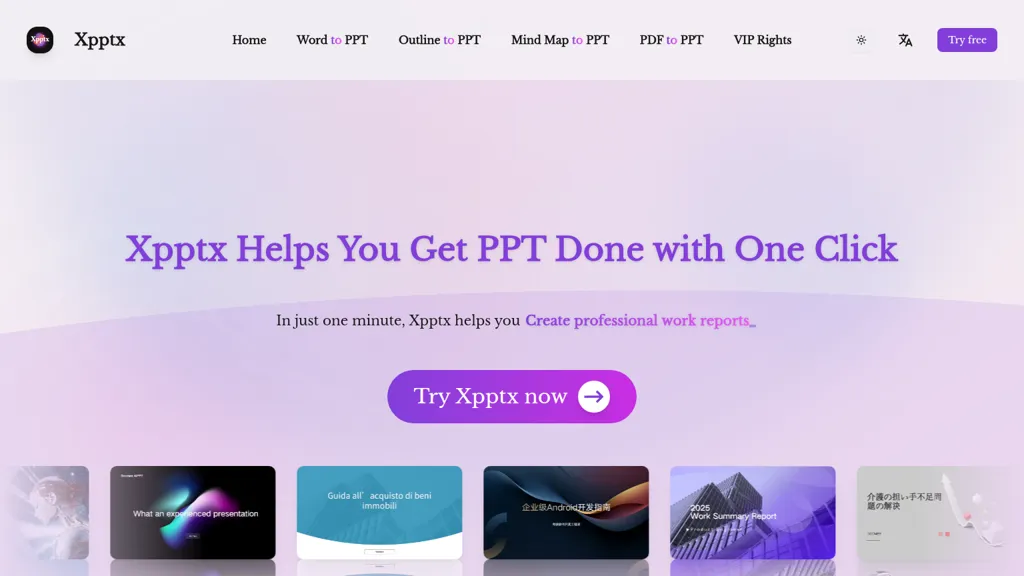
What is Xpptx?
Xpptx automates PPT generation from Word, PDF, outlines, and mind maps, enabling fast Word-to-PPT, PDF-to-PPT, outline-to-PPT, and mind map-to-PPT workflows. The tool converts documents into editable PPT files with automatic typesetting, slide layout, and style customization, plus multi-format export and slide template support.
Xpptx automatically disassembles mind map nodes into slides and preserves complex document formatting for clear key points and consistent layout. Target users include business analysts, marketers, educators, product teams, and students creating business reports, market research, training material, or sales presentations.
Typical generation time is about one minute depending on content size and network conditions. The platform offers an open API, multi-language support, and options for private local deployment to integrate presentation automation into enterprise workflows.
Xpptx details
- Company
- Metasign
- Jurisdiction
- State of Wyoming, United States
- Built for
- Individuals
- Data residency
- Global
Xpptx tech specs
- Payment Processors
- Stripe
Xpptx pricing
FreeThis tool is free to use, with no credit card required.
- Auto-renewal
- Yes
Verify on the official pricing page.
Get started freeXpptx's key features
-
Word-to-PPT automatic generation from title or document
-
Outline-to-PPT with full-style customization and multi-format export
-
Mind-map-to-PPT with node disassembly and automatic typesetting
-
PDF-to-editable-PPT with complex format recognition and automatic beautification
-
Open platform supporting private/local deployment and integration
Xpptx use cases
-
Convert long Word and PDF reports into editable, on-brand PowerPoint decks with automatic typesetting, slide layout and style customization, preserving complex formatting for investor updates, executive summaries or client deliverables
-
Transform outlines and mind maps into structured, presentation-ready slide decks in minutes—automatically organizing content into logical slides, applying consistent styles and multilingual output for global teams while supporting local deployment to protect sensitive content
-
Integrate Xpptx via API to auto-generate weekly sales, product or training presentations from CRM exports and documentation, export to multiple formats, apply company templates programmatically and keep data on-premises for compliance
Xpptx user reviews
Would you recommend Xpptx?
Who is Xpptx for?
-
Designers
-
E-commerce sellers
-
Administrators
-
Content creators
-
Strategic planners
Xpptx FAQ
Is Xpptx free?
Yes. Xpptx is free to use and does not require a credit card.
Is Xpptx safe to use?
Xpptx is operated by Metasign, registered in State of Wyoming, United States.
What are the best alternatives to Xpptx?
The closest alternatives to Xpptx are SlidesPilot, SlideSpeak, Smallppt, PPT.AI and MagicSlides App. You can compare them side by side in the alternatives section further down this page.
What does Xpptx do with my data?
Xpptx states that customer content is not used to train its models. Its privacy policy states that personal data is not sold or shared for marketing purposes. Data may be shared with third-party service providers that help run the product. Customer data is held in Global.
Does Xpptx auto-renew or offer refunds?
Xpptx subscriptions renew automatically until you cancel.
Who made Xpptx?
Xpptx is built and operated by Metasign, a company registered in State of Wyoming, United States.
Compliance, privacy and billing terms are as stated in each product's own published documentation and have not been independently verified by TopAI.tools.


