
Top 29 Vocut Alternatives in 2026
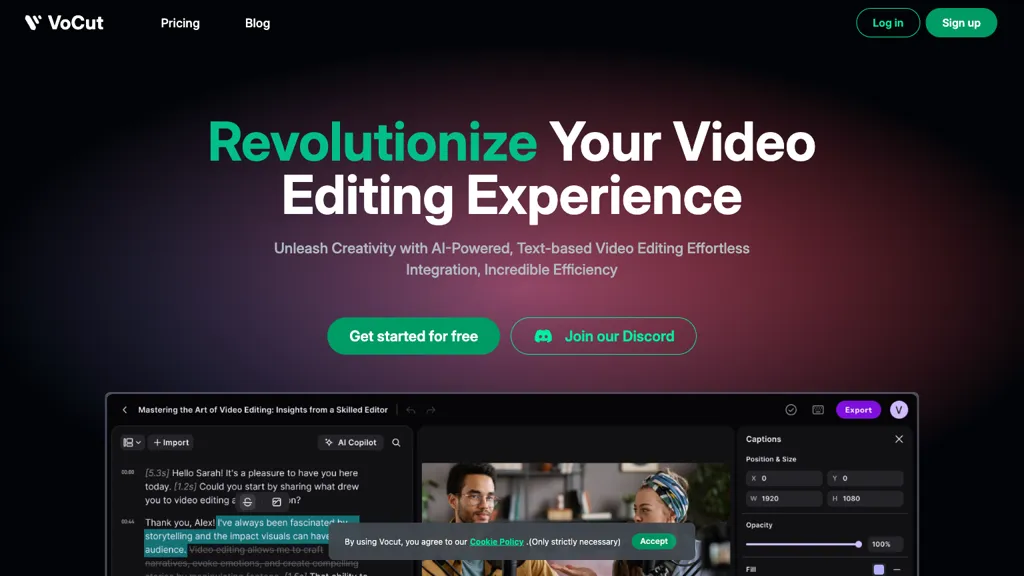
50% positive · 1 user review FreemiumVocut is an AI video editor that revolutionizes process with text commands, multilingual transcriptions, and smooth integration with top platforms. Boasts instant caption/subtitle generation, cloud collaboration for streamlined workflow, and one-click enhancements synced with text for effortless editing.
We've ranked 29 Vocut alternatives, including 22 with a free plan. Rankings are based on feature coverage and user feedbacks.
Top-rated alternatives include Video Transcriber AI, Clipfly AI Video Generator, and VideoGen.io.
29 Vocut Alternatives & Competitors, Ranked by User Reviews
Click Compare on any tool to compare it side-by-side with Vocut.
 #1
Video Transcriber AI
#1
Video Transcriber AI
Video Transcriber AI is a tool that instantly converts videos from MP4, YouTube, or Zoom into text. It offers speaker recognition and accuracy modes for transcriptions up to 1GB, with no sign-up required.
 #2
Clipfly AI Video Generator
#2
Clipfly AI Video Generator
AI Video Generator by Clipfly seamlessly transforms text into engaging video frames. Easily add subtitles, stickers, music, and merge clips. Enjoy features like face swap and voiceover for professional video creation effortlessly.
 #3
VideoGen.io
#3
VideoGen.io
VideoGen is a browser‑based AI video platform that lets teams create studio‑quality videos in minutes using structured workflows, 200+ voices in 50+ languages, one‑click translation and captioning, and collaborative workspaces for fast, cost‑effective production.
 #4
Scribewave AI
#4
Scribewave AI
Scribewave converts audio and video up to 5 GB and 5 hours into accurate transcripts in over 90 languages. The platform offers real‑time editing, export to Word, Docs, SRT/VTT, subtitle burning, AI‑generated summaries, chapter markers, and GDPR‑compliant European data storage.
 #5
EasySub
#5
EasySub
EasySub AI automatically transcribes and translates videos into over 150 languages. It supports MP4, MOV, AVI, MKV, MP3, WAV, and YouTube uploads, offers downloadable SRT/TXT/ASS files, an editor for fine‑tuning, and export presets for major social media platforms.
 #6
Vizard
#6
Vizard
Vizard.ai automatically transcribes footage, spots highlights, and creates TikTok, Reels, and Shorts‑ready clips with one click. It provides text trimming, timeline precision, vertical resizing, multilingual captions, brand templates, collaborative workspaces, and API integration.
- Catch deals before they expire
- Unlock tools matched to you
- Show off your AI stacks
Already a member? Sign in
 #7
TurboScribe
#7
TurboScribe
TurboScribe is an AI-powered transcription tool offering ultra-fast conversion of audio and video files to text. It supports over 98 languages, handles uploads up to 10 hours long, and features speaker recognition for meetings, interviews, and podcasts.
 #8
AIVideoTranslator.ai
#8
AIVideoTranslator.ai
Free AI Video Translator converts videos into over 30 languages, offering natural voice synthesis and lip synchronization. It supports various formats and includes batch processing and a transcript editor for reviewing and editing translations.
 #9
SubtitleBee
#9
SubtitleBee
SubtitleBee automatically generates and syncs subtitles for video and audio files, supports on‑screen editing, customization, and multilingual translation, offers multiple export formats, and provides social‑media cropping for creators and podcasters, enabling accessible content across platforms.
 #10
CaptionCreator
#10
CaptionCreator
CaptionCreator automatically transcribes and captions audio/video in over 50 languages, detecting input language and translating to English. It handles noisy and multilingual speech, supporting files up to 2 GB and offering unlimited processing for registered users.
 #11
Submagic
#11
Submagic
Submagic automates short‑form video editing, offering multilingual captions, text‑based trimming, AI‑powered features like auto‑zoom and eye‑contact correction, and direct multi‑platform publishing up to 4K@60fps, cutting editing time by up to 90%.
 #12
SubtitleGen
#12
SubtitleGen
Subtitlegen is an AI-powered tool that automatically transcribes videos and generates subtitles with high accuracy in multiple languages. It features online editing, easy export options, and strong privacy measures, enhancing accessibility for content creators.
 #13
AI Video Cut
#13
AI Video Cut
AI Video Cut uses prompt‑based AI to transform long videos into short, platform‑optimized clips. It auto‑detects faces, crops frames, adds multilingual captions, and supports multiple aspect ratios for fast, high‑quality content creation.
 #14
VEED
#14
VEED
VEED is an AI‑powered video editor that lets users upload media, auto‑generate subtitles, edit clips, add music or text, correct eye contact, reduce noise, remove backgrounds, translate captions, and export in multiple formats.
 #15
Maestra AI
#15
Maestra AI
Maestra transcribes and translates audio/video into searchable text, subtitles, and dubbed audio across 125+ languages, offering live transcription, subtitle editing, voice cloning/TTS, collaboration tools, content workflows, and APIs for integrations and automated publishing.
 #16
TranscribetoText.AI
#16
TranscribetoText.AI
TranscribeToText.AI turns audio and video files—up to 10 hours or 5 GB—into accurate text in 100+ languages, supporting MP3, MP4, WAV, OGG, etc. Export as DOCX, PDF, TXT, SRT, VTT or import from URLs, YouTube, Google Drive, Dropbox, or live meetings.
 #17
SubEasy
#17
SubEasy
SubEasy AI delivers near‑perfect transcription and multilingual subtitles for video and audio, supporting 100 languages with 99 % accuracy. It offers dubbing, animated captions, speaker ID, OCR extraction, audio splitting, and export to VTT/SRT for social media publishing.
 #18
Captions App
#18
Captions App
Captions App is an AI tool that simplifies adding subtitles and captions to videos with auto-generation, translation, and customization options. It also offers AI dubbing in over 100 languages, enabling creators to enhance accessibility and engage a broader audience effortlessly.
 #19
2Short.Ai
#19
2Short.Ai
2short.ai automatically extracts the most engaging segments from long videos to create 1080p YouTube Shorts, using facial‑tracking, one‑click animated subtitles, and flexible aspect ratios. It supports multiple languages, direct Drive/URL imports, and brand presets for consistent visuals.
 #20
Innerai.com
#20
Innerai.com
All‑in‑one platform integrating GPT‑4o, Claude, Gemini, and others for unified text, image, video, and document AI. Offers summarizing, translation, prompt templates, workflow tools, quiz creation, SCORM export, web search, subtitles, dubbing. SOC II‑compliant with field‑level encryption and data isolation.
 #21
Free Subtitles AI
#21
Free Subtitles AI
FreeSubtitles.AI converts MP4, MKV, MOV, MP3, WAV, and FLAC files up to 1 hour and 300 MB into accurate transcripts in over 100 languages, then translates subtitles into 91 languages, supporting educators, podcasters, and researchers.
 #22
Translate.Video
#22
Translate.Video
Translate.video automates video localization: it transcribes, generates subtitles, and dubs content in 75+ languages using voice cloning from a 50‑second clip. Users can edit captions, export SRT/VTT/MP4, and integrate plugins for Photoshop, Illustrator, and Figma.
 #23
AIImageToVideo Pro
#23
AIImageToVideo Pro
AIImageToVideo Pro is an AI tool that transforms static images and text prompts into short videos using models like Veo and Kling, offering control over motion, duration, and resolution. It features editing for text overlays and captions, with export options for creating watermark-free content for social media and marketing.
 #24
Happy Scribe
#24
Happy Scribe
HappyScribe captures audio from Google Meet, Teams, and Zoom, providing AI transcription, instant meeting notes, summaries, and action items. It supports over 120 languages, offers human‑edited reviews, secure GDPR‑compliant cloud storage, collaboration, integrations, and usage analytics.
 #25
SNAPVID
#25
SNAPVID
SNAPVID.AI automates cutting long videos into 30‑second clips, removes filler pauses, adds multi‑language subtitles, offers 4K output, AI‑generated B‑roll, audio cleanup, and batch processing with a credit‑based monthly reset for creators.
 #26
BlipCut
#26
BlipCut
BlipCut AI Video Translator automates localization for over 140 languages, using speech recognition, transcription, AI‑dubbed voice cloning, and lip‑sync. It supports batch processing, subtitle editing, and customizable voice libraries for global video content.
 #27
Aivideo
#27
Aivideo
AIVideo.com automates video production, creating music videos, lyric visuals, looping clips, and converting audio or images into video. It offers text‑to‑image/video, background removal, matchcut editing, and visual effects, enabling quick, professional media creation.
 #28
VideoTranscription AI
#28
VideoTranscription AI
VideoTranscription.ai is a tool that converts video and audio into searchable, editable text from uploaded files or public URLs like YouTube and TikTok. It offers speaker detection, timestamps, click-to-jump navigation, and exports to multiple formats for subtitles, captions, and notes.
 #29
Transcribe Video AI
#29
Transcribe Video AI
Transcribe-video.ai is a single-tool solution for automated video transcription, subtitle generation, and content summarization. It accepts uploads and URLs from platforms like YouTube, TikTok, and Instagram, supporting files up to 1 GB and 100+ languages with 98.6% accuracy.
Frequently Asked Questions
Why look for Vocut alternatives?
Common reasons users switch from Vocut:
- User satisfaction: Vocut holds a 50% positive rating — some users report unmet expectations.
- Feature gaps: teams needing specific capabilities like Generate transcripts may find a more focused alternative better suited to their workflow.
- Flexibility: exploring alternatives helps find tools that better match your team size, integrations, and budget.
What is the best alternative to Vocut?
Based on 4 user reviews, Video Transcriber AI (75% positive) ranks as the top Vocut alternative. Video Transcriber AI is a tool that instantly converts videos from MP4, YouTube, or Zoom into text. It offers speaker recognition and accuracy modes f It is available on a Freemium plan.
How do the top Vocut alternatives compare?
| Tool | Pricing | Starting Price | User Rating |
|---|---|---|---|
| Vocut this tool | Freemium | — | 50% (1) |
| Video Transcriber AI | Freemium | — | 75% (4) |
| Clipfly AI Video Generator | Freemium | — | 76.5% (17) |
| VideoGen.io | Subscription | $12/mo | 80% (5) |
| Scribewave AI | Subscription | — | 100% (2) |
| EasySub | Freemium | — | — |
Are there free Vocut alternatives?
Yes, 22 free alternatives found in our list: Video Transcriber AI, Clipfly AI Video Generator, EasySub. and 19 more — use the pricing filter above to see them all.
What should I look for in a Vocut alternative?
- Core capabilities: confirm the tool supports Generate transcripts, Generate captions, Generate subtitles.
- Pricing transparency: look for clear free plan, trial period, or tiered pricing — avoid tools that hide costs.
- User reviews: check both the satisfaction percentage and the number of reviews; a high score from few users is less reliable.
- Integrations: verify it connects with your existing stack before committing.
- Support and updates: active development and responsive support are strong signals of a maintained product.
Which Vocut alternative has the highest user rating?
Scribewave AI has the highest satisfaction score among Vocut alternatives, with 100% positive from 2 user reviews. It is available on a Subscription plan.
What are Vocut alternatives used for?
- Generate transcripts
- Generate captions
- Generate subtitles
- Analyze audio
- Automate editing