
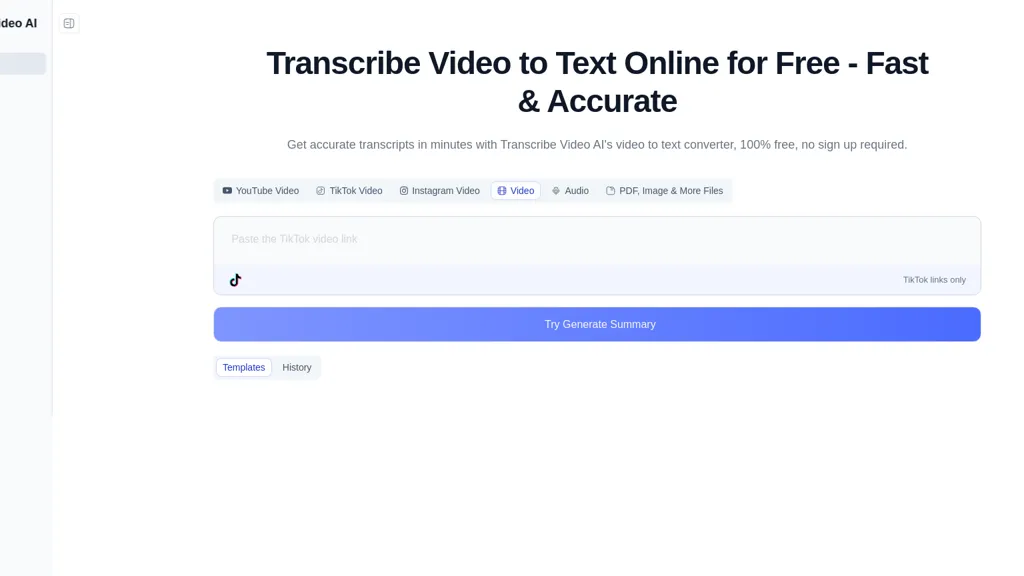
What is Transcribe Video AI?
Transcribe Video AI provides automated video transcription, subtitle generation, and content summarization in a single tool.It accepts uploads and URLs (YouTube, TikTok, Instagram) and supports common formats such as MP4, MOV, and AVI.
Outputs include timestamped transcripts and subtitles, multiple export formats, and automated summaries to streamline note-taking and editing.The service handles long files (up to 1 GB), processes recordings in minutes, and supports transcription and translation for 100+ languages with reported accuracy around 98.
6% depending on audio quality.Features include speaker identification, multilingual subtitle creation, and downloadable transcripts for research, lectures, meetings, and content production.Account registration is required to start transcriptions.
Transcribe Video AI details
- Data residency
- Your information may be processed on servers located outside your country or region.
Transcribe Video AI pricing
Free trialTranscribe Video AI offers a free trial before requiring payment.
Verify on the official pricing page.
Start free trialTranscribe Video AI's key features
-
Automated video transcription
-
Subtitle generation (including multilingual subtitles)
-
Automated content summarization
-
Accepts uploads and URLs (YouTube, TikTok, Instagram) and supports MP4, MOV, AVI
-
Transcription and translation for 100+ languages
Transcribe Video AI use cases
-
Automatically transcribe and timestamp long videos or uploaded files (up to 1 GB) with Transcribe Video AI to create searchable, speaker-labeled transcripts, export SRT/VTT/CSV for publishing or archiving, and generate automated summaries for quick reference
-
Generate multilingual subtitles and translated transcripts for YouTube, TikTok, and Instagram content using Transcribe Video AI to expand global reach in 100+ languages while preserving accurate timestamps and speaker attribution for SEO-friendly captions
-
Streamline meetings, lectures, and webinar workflows by using Transcribe Video AI to transcribe recordings with speaker identification, produce downloadable exports and concise automated summaries for minutes and action items, and handle large files without manual intervention
Transcribe Video AI user reviews
Would you recommend Transcribe Video AI?
Who is Transcribe Video AI for?
-
Content creators
-
Video editors
-
Podcasters
-
Marketing managers
-
Students
Transcribe Video AI FAQ
Is Transcribe Video AI free?
Not permanently. Transcribe Video AI gives you a free trial, after which a paid plan is required.
What are the best alternatives to Transcribe Video AI?
The closest alternatives to Transcribe Video AI are Video Transcriber AI, VideoTranscription AI, AIVideoSummarizer.io, VideoToTranscript and TranscribetoText.AI. You can compare them side by side in the alternatives section further down this page.
What does Transcribe Video AI do with my data?
Its privacy policy states that personal data is not sold or shared for marketing purposes. Data may be shared with third-party service providers that help run the product. Customer data is held in Your information may be processed on servers located outside your country or region..
Compliance, privacy and billing terms are as stated in each product's own published documentation and have not been independently verified by TopAI.tools.


