Top 29 VisionMorpher Alternatives in 2026
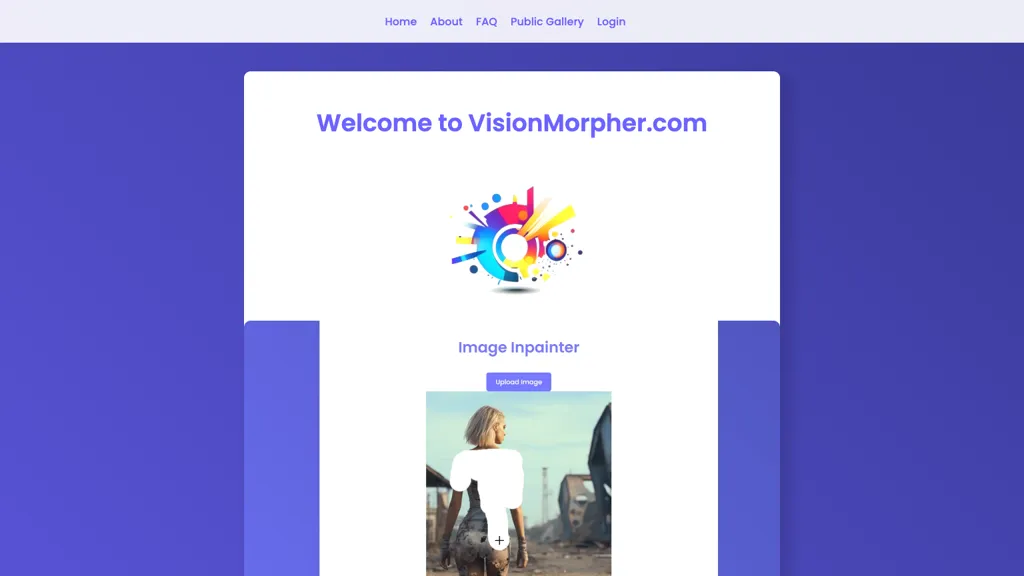
No user reviews yet FreemiumVisionMorpher lets users upload, edit, and generate images up to 512×512 pixels using sketches, erasures, and text prompts. It offers instant previews, easy image management, and quick prototyping for designers, marketers, and creators.
We've ranked 29 VisionMorpher alternatives, including 22 with a free plan. Rankings are based on feature coverage and user feedbacks.
Top-rated alternatives include Pixlr, PhotoEditor.ai, and Kittl.
29 VisionMorpher Alternatives & Competitors, Ranked by User Reviews
Click Compare on any tool to compare it side-by-side with VisionMorpher.
Pixlr is a browser‑based photo editor that uses AI for background removal, generative fill, and object deletion. It offers cropping, color correction, collages, templates, and social media layouts across desktop, tablet, and mobile.
#2
PhotoEditor.ai
PhotoEditor.ai edits JPG, PNG, HEIC, and WEBP images up to 15 MB in a browser or mobile app. It offers portrait transformation, background removal, detail enhancement, and 4K upscaling, delivering instant downloads for photographers, marketers, and designers.
#3
Kittl
Kittl is an AI‑driven design platform that lets creators and designers generate images, vectors, and videos from prompts. It offers vectorization, background removal, upscaling, an infinite collaborative canvas, and a library of templates, fonts, and icons.
#4
PhotoGPT.io
PhotoGPT.io is a free, browser-based AI photo editor that enables fast online enhancements like generative fill, relighting, and restoration. It supports batch editing and multiple export formats, ideal for social media creators and small businesses needing quick, professional photo fixes.
#5
images2.ai
images2.ai is a high-resolution AI image generator and editor that creates detailed 4096×4096 images with accurate text rendering. It features built-in editing tools for content creation and offers commercial licensing for professional use.
#6
AI Image Editor-
AI Image Editor is an online tool for editing and enhancing images with pixel-level precision. It supports various formats, offers text editing, artistic style transfers, and allows quick generation of image variations for efficient workflow.
- Catch deals before they expire
- Unlock tools matched to you
- Show off your AI stacks
Already a member? Sign in
#7
AI Photo Editor
AI Photo Editor lets users upload up to ten images or generate new ones from text prompts, instantly editing or converting images into short videos. All processing runs client‑side, supporting face completion and consistent character edits for design and work.
#8
PromeAI
PromeAI is a web‑based AI image generator that turns text or sketches into realistic renders, supports sketch‑to‑photo, background removal, and outpainting, offers style‑consistent generation via consistency models, and includes in‑interface editing tools and HD upscaling.
#9
ImgToImg.ai
imgtoimg.ai is an AI image transformation tool that generates new images from your photo inputs and text prompts. It offers precise control over style and composition, plus built-in utilities like upscaling and background removal for creators.
#10
Picsart Creative APIs
Picsart.io empowers creators and businesses with AI-driven tools for image and video editing, including background removal, generative AI features, format conversion, and video optimization, ensuring seamless workflows and user-friendly integration.
#11
ImagetoImage.tech
ImagetoImage.tech is a web-based AI tool that transforms your uploaded photos or sketches into new visuals using simple text prompts. It enables instant editing and generation of images in various styles and aspect ratios, with free cloud storage for your creations.
#12
GemPix2
GemPix2 is a browser-based AI image generator and editor that converts text prompts or uploaded photos into high-resolution images, supports precise masks, relighting, typography, color-palette locking, layered (PSD) exports, multilingual prompts and team collaboration.
#13
Picsart
Picsart is a web and mobile photo editor and design app offering layers, filters, color correction, retouching, automatic background removal, collage and template tools, stickers and text overlays, basic social-video editing, and AI image generation with cross-device sync.
#14
PhotoGrid
PhotoGrid is a browser‑based AI photo editor that offers one‑click enhancement, background removal, and upscaling. It lets users build collages from 20,000 templates, add stickers, text, custom backgrounds, and convert images into short video clips.
ImageGeneratorAI.io is a browser-based AI image generator that transforms text prompts into high-resolution visuals using models like SDXL and Flux. It offers extensive customization for style, aspect ratio, and composition, enabling rapid creation of marketing assets, concept art, and social media content.
#16
AIImageGenerator
Free AI Image Generator converts text prompts into diverse visuals, including landscapes and logos. With customizable styles, prompt guidance, and an intuitive interface, it serves marketers and creators by facilitating quick, high-quality image generation for various projects.
#17
PixaryAI
PixaryAI is an AI image generator that transforms text prompts into high-quality photos, digital art, and illustrations. It offers customizable styles and aspect ratios to rapidly create visuals for content, social media, and marketing materials.
#18
Imagine.art
ImagineArt unifies AI‑driven image, video, and audio creation and editing, enabling prompt‑based generation, upscale tools, drag‑and‑drop video workflows, 4K cinematic rendering, and real‑time team collaboration for streamlined media production for artists, designers, and creators.
#19
AIEasyPic
AIEasyPic is an AI-powered image generation tool that creates and edits images from text prompts using 35,000+ community-trained models. It offers face swapping, model training, background removal, and video creation for artists and creators of all levels.
#20
Microsoft Designer
Microsoft Designer is an AI‑powered design platform integrated with Microsoft 365, enabling text‑to‑image generation, photo editing, background removal, and template‑based creation of social media posts, banners, logos, and flyers. It supports collaboration and fine‑tuned layout adjustments.
#21
ArtSpace.ai
ArtSpace.ai generates high‑resolution images from text in seconds and lets users edit them with 1‑click tools—face swap, pose, clothing, hairstyle, tattoo—and refine scenes via inpainting, outpainting, background removal, plus 4K upscaling—all in the browser.
#22
Dzine
Dzine unifies text‑to‑image, image‑to‑image, text‑to‑video, and image‑to‑video generation in one interface. Its drag‑and‑drop board, automatic cut‑out, GPT‑powered prompt editor, and artifact‑correcting Enhance tool deliver high‑resolution PNG/JPG assets up to 6144×6144 for designers, creators, and beginners.
Magicstudio Canvas is an AI tool for quickly creating product photos with up to 40 free uploads in JPEG or PNG format. It offers intuitive, easy-to-use editing tools and features for profile pictures, removing backgrounds, and adding text.
#24
insMind
insMind AI is an all‑in‑one visual platform that generates images, animates videos, and edits photos. It offers background removal, upscaling, batch editing, and template automation for designers, marketers, and small businesses to produce high‑quality visuals quickly.
#25
Meta Image Generator
Meta AI generates images and short videos from text prompts or uploaded photos, offering fast text-to-image, editing (add/remove elements, background removal), one-click restyling, and photo-to-animation tools for rapid prototyping and visual asset creation.
#26
gptimage2.dev
GPTImage2.dev is a browser-based AI image generator and editor that creates and modifies images from text prompts or reference uploads. It offers advanced editing tools like relighting and style transfer, producing high-resolution assets for marketing, design, and content creation.
#27
ImagePromptGuru.net
ImagePrompt Guru converts images or text into model-ready English prompts for Midjourney, DALL·E, Stable Diffusion and Flux, offering Image-to-Prompt and Text-to-Prompt modes, style presets, multilingual input, local history, and real-time processing.
#28
Dall-E Free Image Generator
DALL‑E Free converts text prompts into high‑resolution images, supports image‑to‑image editing and upscaling, and offers an integrated editor for color adjustment, cropping, and effects—all without coding, facilitating quick visual concept creation for artists and marketers.
#29
Picsman.AI
Picsman is an AI‑powered editor that removes or replaces backgrounds, ups image resolution, and applies styles like Ghibli or cartoon. It also offers text‑prompt editing, video generation, image extending, and watermark removal for quick, high‑definition results.
Frequently Asked Questions
Why look for VisionMorpher alternatives?
Common reasons users switch from VisionMorpher:
- Feature gaps: teams needing specific capabilities like Generate Images may find a more focused alternative better suited to their workflow.
- Flexibility: exploring alternatives helps find tools that better match your team size, integrations, and budget.
What is the best alternative to VisionMorpher?
Based on 23 user reviews, Pixlr (73.9% positive) ranks as the top VisionMorpher alternative. Pixlr is a browser‑based photo editor that uses AI for background removal, generative fill, and object deletion. It offers cropping, color correction, It is available on a Free trial plan starting from $1.99/mo.
How do the top VisionMorpher alternatives compare?
| Tool | Pricing | Starting Price | User Rating |
|---|---|---|---|
| VisionMorpher this tool | Freemium | — | — |
| Pixlr | Free trial | $1.99/mo | 73.9% (23) |
| PhotoEditor.ai | Paid | — | 100% (1) |
| Kittl | Subscription | — | 64% (25) |
| PhotoGPT.io | Free | — | 100% (1) |
| images2.ai | Freemium | — | — |
Are there free VisionMorpher alternatives?
Yes, 22 free alternatives found in our list: Pixlr, PhotoGPT.io, images2.ai. and 19 more — use the pricing filter above to see them all.
What should I look for in a VisionMorpher alternative?
- Core capabilities: confirm the tool supports Generate Images, Edit Images, Remove Parts.
- Pricing transparency: look for clear free plan, trial period, or tiered pricing — avoid tools that hide costs.
- User reviews: check both the satisfaction percentage and the number of reviews; a high score from few users is less reliable.
- Integrations: verify it connects with your existing stack before committing.
- Support and updates: active development and responsive support are strong signals of a maintained product.
Which VisionMorpher alternative has the highest user rating?
PhotoEditor.ai has the highest satisfaction score among VisionMorpher alternatives, with 100% positive from 1 user review. It is available on a Paid plan.
What are VisionMorpher alternatives used for?
- Generate Images
- Edit Images
- Remove Parts
- Enhance Images