
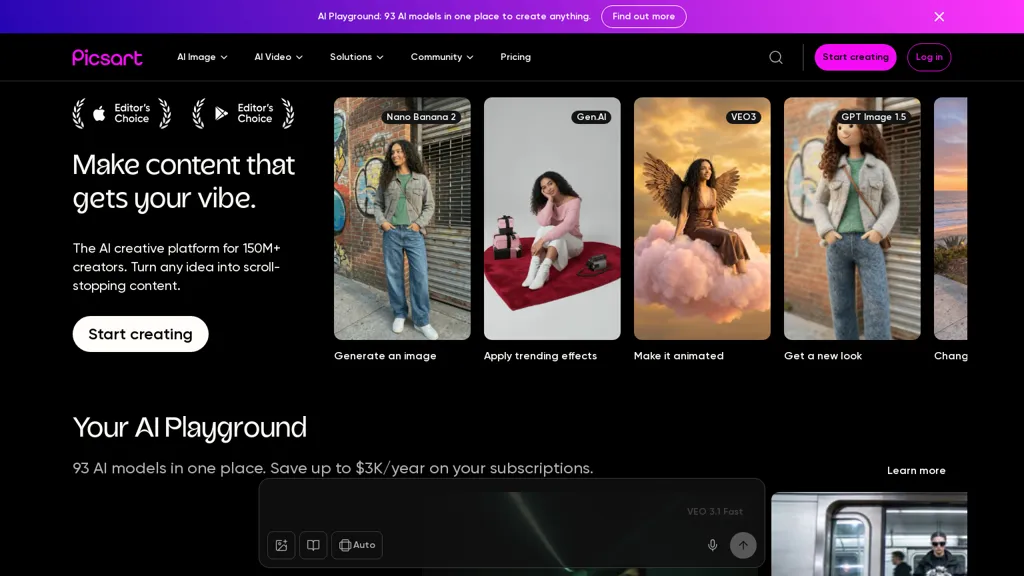
What is Picsart?
Picsart is a web and mobile photo editor and design app that requires JavaScript to be enabled to run the web app.It provides photo editing tools including layers, filters, crop, color correction, retouching, and background removal.
Includes a collage maker, templates, stickers, text overlays, and basic video editing for social media content.Offers AI-based features such as image generation and automatic background removal to streamline workflows.
Serves photographers, social media creators, marketers, and small businesses needing content creation and image optimization.Supports export in common formats and cross-device editing via mobile and web apps.
Picsart pricing
FreemiumPicsart offers a free plan with paid upgrades available.
Verify on the official pricing page.
View plansPicsart's key features
-
Web and mobile apps with cross-device editing (requires JavaScript for web)
-
Photo editing tools: layers, filters, crop, color correction, retouching
-
AI-based features: image generation and automatic background removal
-
Design tools: collage maker, templates, stickers, text overlays
-
Basic video editing for social media
Picsart use cases
-
Create eye-catching social media graphics and short videos using Picsart's pre-built templates, AI image generator, stickers and text overlays — leverage layer-based editing and cross-device sync to compose, refine and publish polished posts without advanced design skills
-
Produce consistent, e-commerce-ready product images by using Picsart's automatic background removal, color correction and retouching tools, batch them into branded collage templates and export web-optimized files to speed up product listings
-
Design marketing assets and blog visuals by combining AI-generated images, layer edits and template layouts in Picsart, then repurpose those assets with the basic social-video editor to create thumbnails and promo clips, all synced across mobile and web for rapid iteration
Picsart user reviews
Based on 1 review, 100% of users recommend Picsart, rated highly for ease of use.
Liked for
Would you recommend Picsart?
Who is Picsart for?
-
Photographers
-
Content creators
-
Marketers
-
Small business owners
-
Graphic designers
Picsart FAQ
Is Picsart free?
Partly. Picsart has a free plan with usage limits, and paid plans unlock the full feature set.
Is Picsart safe to use?
Picsart carries the TopAI.tools verified mark, which we award after a manual review of pricing transparency, published terms, public following and working functionality. Picsart is also one of the most visited AI tools in the TopAI.tools index.
What are the best alternatives to Picsart?
The closest alternatives to Picsart are PhotoGrid, BeautyPlus, Colorcinch, Photo AI Studio and PhotoEditor.ai. You can compare them side by side in the alternatives section further down this page.


