
What is GemPix2?
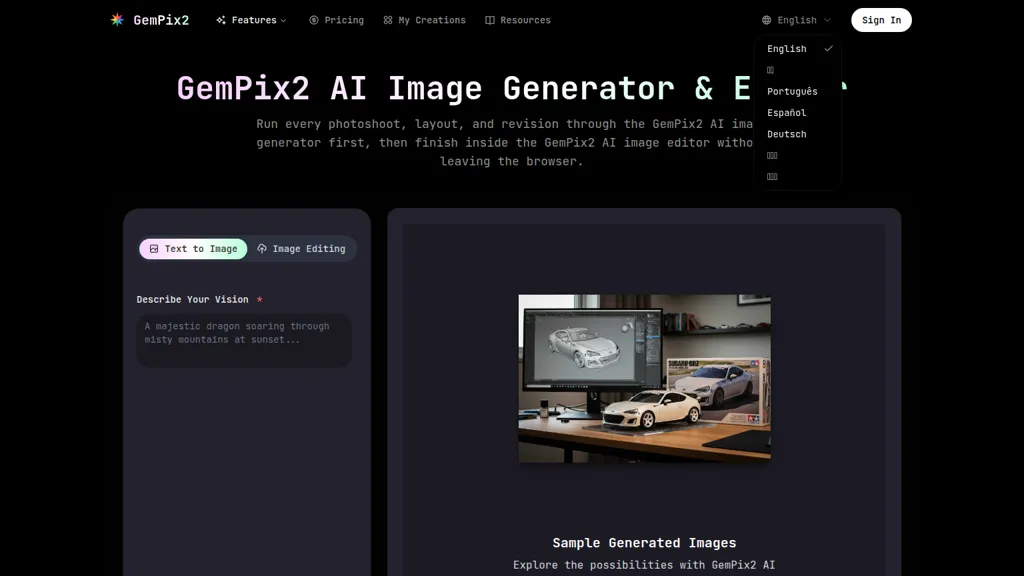
GemPix2 is an AI image generator and browser-based AI image editor that combines text-to-image synthesis with direct photo editing workflows. It renders images from text prompts in seconds and accepts uploads for automatic edits and iterative previews.
Editing features include precise masks, relighting, typography controls, color palette locking, and layered exports (PSD, PNG, JPEG) up to 4K resolution. The platform preserves facial consistency across runs, maintains prompt fidelity, and supports multilingual prompts for localized assets.
Collaboration tools let teams share prompts, editor notes, and approvals to streamline campaign, content, commerce, studio, architectural, and education workflows. Use cases include ad creative, catalog shots, blog art, lookbooks, interior studies, diagrams, and other on-brand visual production.
GemPix2 details
- Built for
- Individuals
GemPix2 tech specs
- Works with
- Google / Gemini
GemPix2 pricing
FreemiumGemPix2's key features
-
Fast text-to-image generation with high prompt fidelity (renders in seconds)
-
In-browser AI image editor with precise masks, relighting, typography tools and real-time adjustments
-
Export to PNG, JPEG and layered PSD with up to 4K resolution
-
Color governance via color profile support and lockable HEX/shared palettes
-
Multilingual prompt conversion and localized typography handling
GemPix2 use cases
-
Create high-resolution 4K hero images and website banners from simple text prompts or uploaded photos using GemPix2's AI generator, apply precise masks and relighting for photorealism, lock color palettes and typography for brand consistency, then export layered PSDs for designers
-
Produce consistent product and lifestyle photography by uploading model shots and using facial-consistency editing, exact masking and relighting to match studio lighting, collaborate in-browser with teammates to iterate and deliver layered PSD exports ready for e‑commerce and print
-
Design localized marketing and ad campaigns by generating multilingual prompt variants, enforce brand colors and typography across image variations, use relighting and layered exports to tailor assets for social, web and print while coordinating feedback through real-time team collaboration
GemPix2 user reviews
Would you recommend GemPix2?
Who is GemPix2 for?
-
Graphic designers
-
Content creators
-
Digital artists
-
E-commerce sellers
-
Product designers
GemPix2 FAQ
Is GemPix2 free?
Partly. GemPix2 has a free plan with usage limits, and paid plans unlock the full feature set. Plans include Pro at $20 and Lite at $9.99/mo.
What are the best alternatives to GemPix2?
The closest alternatives to GemPix2 are Image Prompt Generator, Meta Image Generator, DeepAI, ImagetoImage AI and Dzine. You can compare them side by side in the alternatives section further down this page.
What does GemPix2 do with my data?
Its privacy policy states that personal data is not sold or shared for marketing purposes. Data may be shared with third-party service providers that help run the product.
Does GemPix2 auto-renew or offer refunds?
GemPix2 states a 7-day refund window.
Which AI models does GemPix2 use?
GemPix2 is built on Google / Gemini. Which models you can reach may depend on your plan.
Compliance, privacy and billing terms are as stated in each product's own published documentation and have not been independently verified by TopAI.tools.


