Best VidChapter Alternatives in 2026
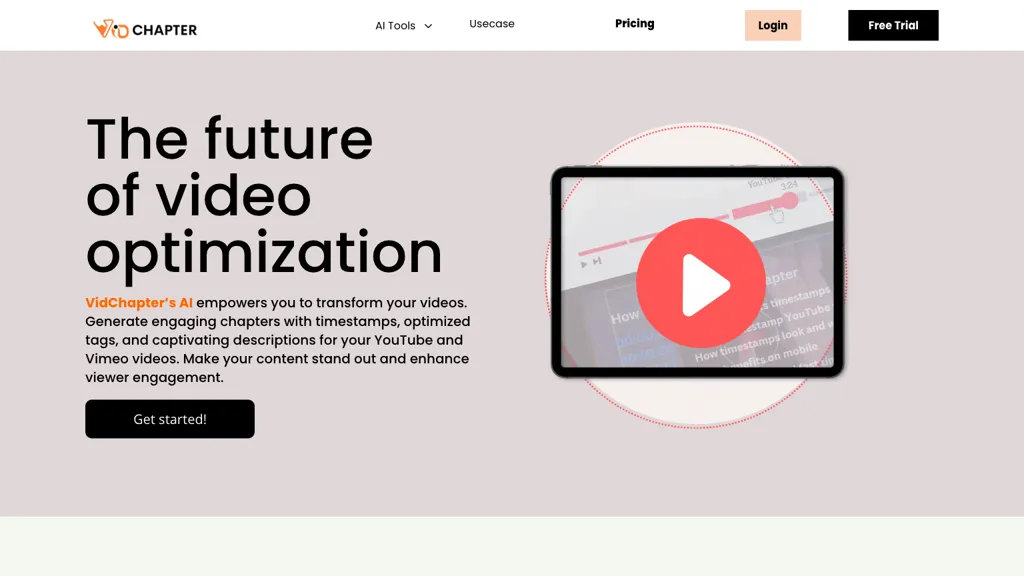
No user reviews yet PaidVidChapter automatically timestamps videos, generates chapters, tags, titles, and descriptions, and delivers near‑human transcription. It supports SRT, VTT, SBV, STL subtitles, multilingual translation, and can create summaries, thumbnails, blog posts, and other content for cross‑platform use.
We've ranked 29 VidChapter alternatives, including 20 with a free plan. Rankings are based on feature coverage and user feedbacks.
Top-rated alternatives include EasySub, SubtitleBee, and Translate.Video.
29 VidChapter Alternatives & Competitors, Ranked by User Reviews
Click Compare on any tool to compare it side-by-side with VidChapter.
#1
EasySub
EasySub AI automatically transcribes and translates videos into over 150 languages. It supports MP4, MOV, AVI, MKV, MP3, WAV, and YouTube uploads, offers downloadable SRT/TXT/ASS files, an editor for fine‑tuning, and export presets for major social media platforms.
#2
SubtitleBee
SubtitleBee automatically generates and syncs subtitles for video and audio files, supports on‑screen editing, customization, and multilingual translation, offers multiple export formats, and provides social‑media cropping for creators and podcasters, enabling accessible content across platforms.
#3
Translate.Video
Translate.video automates video localization: it transcribes, generates subtitles, and dubs content in 75+ languages using voice cloning from a 50‑second clip. Users can edit captions, export SRT/VTT/MP4, and integrate plugins for Photoshop, Illustrator, and Figma.
#4
AutoCaption
Auto Caption AI instantly generates subtitles in 99+ languages, preserving full HD 1080p/60 fps video quality. Editors can adjust fonts, colors, placement, and use ready‑made or custom templates, with one‑click emoji insertion to enhance captions.
#5
2Short.Ai
2short.ai automatically extracts the most engaging segments from long videos to create 1080p YouTube Shorts, using facial‑tracking, one‑click animated subtitles, and flexible aspect ratios. It supports multiple languages, direct Drive/URL imports, and brand presets for consistent visuals.
#6
Scribewave AI
Scribewave converts audio and video up to 5 GB and 5 hours into accurate transcripts in over 90 languages. The platform offers real‑time editing, export to Word, Docs, SRT/VTT, subtitle burning, AI‑generated summaries, chapter markers, and GDPR‑compliant European data storage.
- Personalized recommendations
- Custom collections
- Save favorites
Already a member? Sign in
#7
Sub translate ai
SRT Subtitle Translator converts SRT, VTT, MP3, WAV, MP4, MKV, AAC files into multiple languages using AI that considers full context. Users upload files, choose target languages, adjust settings, and download translated subtitles ready for editing or streaming.
#8
Free Subtitles AI
FreeSubtitles.AI converts MP4, MKV, MOV, MP3, WAV, and FLAC files up to 1 hour and 300 MB into accurate transcripts in over 100 languages, then translates subtitles into 91 languages, supporting educators, podcasters, and researchers.
#9
Zubtitle
Zubtitle automatically captions videos, offers brand‑style templates and editing tools, and outputs ready‑to‑post formats for TikTok, YouTube, and LinkedIn. It adds subtitles, chapter timestamps, watermarks, and AI‑generated post copy.
#10
CaptionCreator
CaptionCreator automatically transcribes and captions audio/video in over 50 languages, detecting input language and translating to English. It handles noisy and multilingual speech, supporting files up to 2 GB and offering unlimited processing for registered users.
#11
SNAPVID
SNAPVID.AI automates cutting long videos into 30‑second clips, removes filler pauses, adds multi‑language subtitles, offers 4K output, AI‑generated B‑roll, audio cleanup, and batch processing with a credit‑based monthly reset for creators.
#12
Taption
Taption transcribes audio or video into text and subtitles in over 40 languages, auto‑labels speakers, offers translations, editable timelines, video trimming, memos, AI summaries, chapter markers, Q&A search, and exports to MP4, SRT, PDF, etc., with collaborative permissions.
#13
You-tldr
Transcribes, translates, and summarizes YouTube videos in 125+ languages, delivering instant transcripts, AI‑generated summaries with timestamps, and automatically formatted blog posts, LinkedIn articles, Twitter threads, PPT decks, chapter markers, and clip ideas for students, researchers, educators, and creators.
#14
SubEasy
SubEasy AI delivers near‑perfect transcription and multilingual subtitles for video and audio, supporting 100 languages with 99 % accuracy. It offers dubbing, animated captions, speaker ID, OCR extraction, audio splitting, and export to VTT/SRT for social media publishing.
#15
Submagic
Submagic automates short‑form video editing, offering multilingual captions, text‑based trimming, AI‑powered features like auto‑zoom and eye‑contact correction, and direct multi‑platform publishing up to 4K@60fps, cutting editing time by up to 90%.
#16
TurboScribe
TurboScribe is an AI-powered transcription tool offering ultra-fast conversion of audio and video files to text. It supports over 98 languages, handles uploads up to 10 hours long, and features speaker recognition for meetings, interviews, and podcasts.
#17
Checksub
Checksub automates subtitle creation, translation, and AI dubbing across 200+ languages, transcribing audio first for accuracy. It offers voice cloning, subtitle styling, sentence‑level editing, API integration, and export options for videos and social media.
#18
Instant Chapters
InstantChapters quickly generates structured chapter lists with timestamps for YouTube videos from a URL. It outputs chapter headings and exact timecodes, ready for copying into descriptions, helping creators enhance navigation, metadata consistency, and audience retention.
#19
Transcri
Transcri is an AI transcription and subtitle generation tool that supports over 50 languages. It allows users to upload various audio formats, offers built-in correction, project collaboration, and multiple export options for easy integration into projects.
#20
VideoGen.io
VideoGen is a browser‑based AI video platform that lets teams create studio‑quality videos in minutes using structured workflows, 200+ voices in 50+ languages, one‑click translation and captioning, and collaborative workspaces for fast, cost‑effective production.
#21
Voscribe
Voscribe automatically transcribes audio and video with over 95% accuracy, converting 15 minutes of content in about one minute. Transcripts sync to media and can export SRT subtitles, simplifying editing for podcasters and video producers.
#22
Vizard
Vizard.ai automatically transcribes footage, spots highlights, and creates TikTok, Reels, and Shorts‑ready clips with one click. It provides text trimming, timeline precision, vertical resizing, multilingual captions, brand templates, collaborative workspaces, and API integration.
#23
Maestra AI
Maestra transcribes and translates audio/video into searchable text, subtitles, and dubbed audio across 125+ languages, offering live transcription, subtitle editing, voice cloning/TTS, collaboration tools, content workflows, and APIs for integrations and automated publishing.
#24
Innerai.com
All‑in‑one platform integrating GPT‑4o, Claude, Gemini, and others for unified text, image, video, and document AI. Offers summarizing, translation, prompt templates, workflow tools, quiz creation, SCORM export, web search, subtitles, dubbing. SOC II‑compliant with field‑level encryption and data isolation.
#25
Clipfly AI Video Generator
AI Video Generator by Clipfly seamlessly transforms text into engaging video frames. Easily add subtitles, stickers, music, and merge clips. Enjoy features like face swap and voiceover for professional video creation effortlessly.
#26
Addsubtitle
AddSubtitle is an AI video editing tool for creating multilingual subtitles and dubbing videos in 100+ languages, with translation and precise text-audio sync. It also allows subtitle customization and video rewriting while preserving original voice tones.
#27
VEED
VEED is an AI‑powered video editor that lets users upload media, auto‑generate subtitles, edit clips, add music or text, correct eye contact, reduce noise, remove backgrounds, translate captions, and export in multiple formats.
#28
AIVideoSummarizer.io
aivideosummarizer.io is an AI tool that converts videos (from uploads or links) into concise summaries, full transcripts, and chapter markers. It supports multiple formats and languages, generating editable outputs like study outlines and mind maps for faster content review.
#29
Happy Scribe
HappyScribe captures audio from Google Meet, Teams, and Zoom, providing AI transcription, instant meeting notes, summaries, and action items. It supports over 120 languages, offers human‑edited reviews, secure GDPR‑compliant cloud storage, collaboration, integrations, and usage analytics.
Frequently Asked Questions
Why look for VidChapter alternatives?
Common reasons users switch from VidChapter:
- Cost: VidChapter is a Paid tool starting from $15/mo — users often look for more affordable or free options.
- Feature gaps: teams needing specific capabilities like Generate Chapters may find a more focused alternative better suited to their workflow.
- Flexibility: exploring alternatives helps find tools that better match your team size, integrations, and budget.
What is the best alternative to VidChapter?
EasySub ranks as the top VidChapter alternative. EasySub AI automatically transcribes and translates videos into over 150 languages. It supports MP4, MOV, AVI, MKV, MP3, WAV, and YouTube uploads, off It is available on a Freemium plan.
How do the top VidChapter alternatives compare?
| Tool | Pricing | Starting Price | User Rating |
|---|---|---|---|
| VidChapter this tool | Paid | $15/mo | — |
| EasySub | Freemium | — | — |
| SubtitleBee | Freemium | — | — |
| Translate.Video | Freemium | $29/mo | 100% (1) |
| AutoCaption | Subscription | $14/mo | — |
| 2Short.Ai | Freemium | $9.9/mo | 66.7% (3) |
Are there free VidChapter alternatives?
Yes, 20 free alternatives found in our list: EasySub, SubtitleBee, Translate.Video. and 17 more — use the pricing filter above to see them all.
What should I look for in a VidChapter alternative?
- Core capabilities: confirm the tool supports Generate Chapters, Translate Voice, Generate Titles.
- Pricing transparency: look for clear free plan, trial period, or tiered pricing — avoid tools that hide costs.
- User reviews: check both the satisfaction percentage and the number of reviews; a high score from few users is less reliable.
- Integrations: verify it connects with your existing stack before committing.
- Support and updates: active development and responsive support are strong signals of a maintained product.
Which VidChapter alternative has the highest user rating?
Translate.Video has the highest satisfaction score among VidChapter alternatives, with 100% positive from 1 user review. It is available on a Freemium plan starting from $29/mo.
What are VidChapter alternatives used for?
- Generate Chapters
- Translate Voice
- Generate Titles
- Generate Descriptions
- Analyze Audio