
What is YTvidHub?
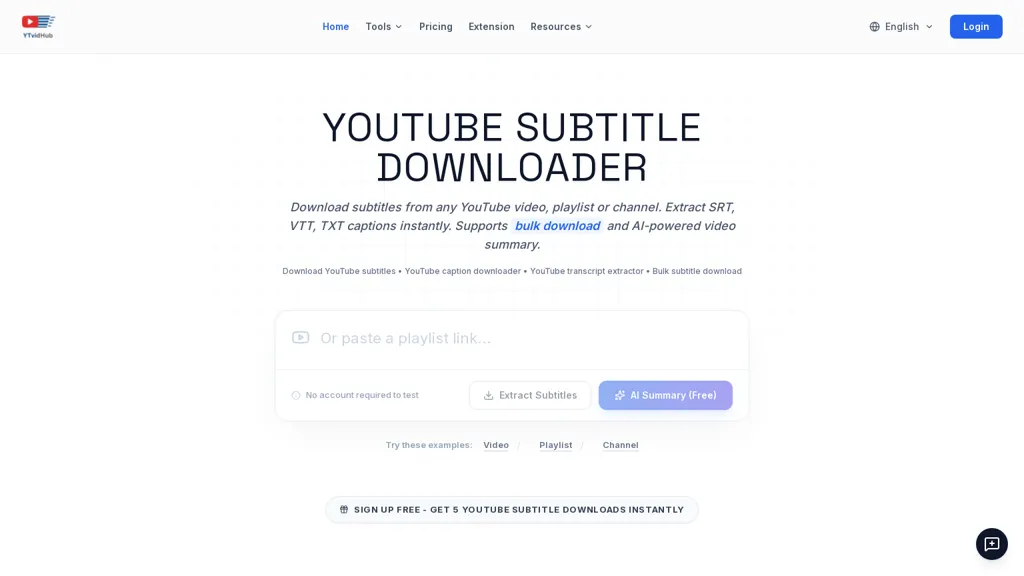
YouTube Subtitle Downloader extracts subtitles and transcripts from YouTube videos, playlists, and channels.Export options include SRT, VTT, and plain TXT, with choices for timed captions or clean, timestamp‑stripped text for analysis.
Supports bulk subtitle downloads and playlist/channel processing, plus a Chrome extension for one‑click downloads and batch URL uploads.Includes an AI-powered video summary generator and export formats optimized for LLM training, data preparation, and content analysis.
Handles auto-generated and manually uploaded captions across languages and preserves or removes timestamps per export format.Use cases include video editing, accessibility captioning, dataset creation for research, and content repurposing for blogs or social media.
Workflow.paste links or upload a list, run extraction and optional summary, then export SRT/VTT/TXT for downstream tools.
YTvidHub details
- Jurisdiction
- Delaware, United States
- Built for
- Individuals
YTvidHub tech specs
- Works with
- OpenAI / GPT Anthropic / Claude
- Payment Processors
- Stripe
YTvidHub pricing
FreemiumVerify on the official pricing page.
View plansYTvidHub's key features
-
Extracts subtitles and transcripts from YouTube videos, playlists, and channels
-
Exports SRT, VTT, and TXT with options for timed captions or timestamp-stripped text
-
Supports bulk subtitle downloads and playlist/channel processing, including batch URL uploads and a Chrome extension for one-click downloads
-
AI-powered video summary generator and export formats optimized for LLM training and data preparation
-
Handles auto-generated and manually uploaded captions in multiple languages and preserves or removes timestamps per export format
YTvidHub use cases
-
Build LLM training datasets by bulk-exporting transcripts from YouTube videos, playlists, or entire channels (auto-generated or uploaded captions), converting to SRT/VTT/TXT, stripping timestamps for clean inputs, and using the LLM-training–ready export for model fine-tuning
-
Create multilingual articles, episode notes, or SEO-friendly blog posts by extracting captions across playlists, using AI summaries to generate concise synopses, and exporting timestamped or timestamp-stripped transcripts and subtitle files for publishing
-
Speed up accessibility and content repurposing workflows with the Chrome extension to batch-download channel transcripts, produce timestamped SRT/VTT for captions, timestamp-stripped TXT for drafting, and AI-generated summaries for quick research and editorial planning
YTvidHub user reviews
Would you recommend YTvidHub?
Who is YTvidHub for?
-
Video editors
-
Content creators
-
Data scientists
-
Seo marketers
-
Media journalists
YTvidHub FAQ
Is YTvidHub free?
Partly. YTvidHub has a free plan with usage limits, and paid plans unlock the full feature set. Plans include Researcher at $199/year, Pro at $19.99/mo and Premium at $29.99/mo.
What are the best alternatives to YTvidHub?
The closest alternatives to YTvidHub are YouTube Transcript Generator, EasySub, youtube-to-transcript.ai, VideoToTranscript and Tube Transcript . You can compare them side by side in the alternatives section further down this page.
Which AI models does YTvidHub use?
YTvidHub is built on OpenAI / GPT and Anthropic / Claude. Which models you can reach may depend on your plan.


