
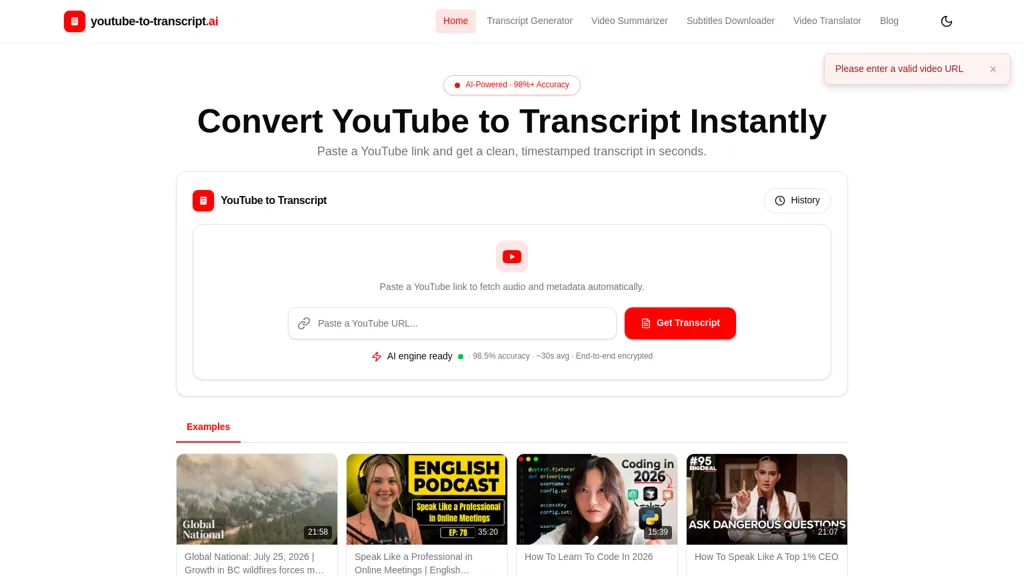
What is youtube-to-transcript.ai?
youtube transcript ai converts YouTube videos into clean, timestamped transcripts and downloadable subtitles.
Transcription outputs include plain text, DOCX, SRT, VTT and CSV for subtitle workflows and content planning.
Built-in AI summaries and auto-generated chapter markers create concise bullet summaries and highlight key moments for faster review.
Speaker labels, clickable timestamps and searchable transcripts let users jump to exact sentences without replaying video.
Automatic language detection, translation support for 100+ languages and subtitle generation enable global reuse and accessibility.
Supports watch links, shorts and embedded videos, handles long recordings, and reports accuracy up to 98.5% with average processing times around 30 seconds.
Useful for students, creators, journalists, researchers, editors and marketers who need transcripts for notes, quotes, captions, repurposing and analysis.
youtube-to-transcript.ai details
- Built for
- Individuals
youtube-to-transcript.ai pricing
FreeThis tool is free to use, with no credit card required.
Verify on the official pricing page.
Get started freeyoutube-to-transcript.ai's key features
-
Converts YouTube videos into clean, timestamped transcripts and downloadable subtitles
-
Exports transcription outputs in multiple formats: plain text, DOCX, SRT, VTT, and CSV
-
Built-in AI summaries and auto-generated chapter markers (concise bullet summaries and highlighted key moments)
-
Speaker labels, clickable timestamps, and searchable transcripts for jumping to exact sentences
-
Automatic language detection and translation support for 100+ languages with subtitle generation
youtube-to-transcript.ai use cases
-
Convert long YouTube videos, shorts, and embeds into timestamped, searchable transcripts with speaker labels and clickable timestamps, export downloadable subtitles (SRT, VTT, TXT, DOCX, CSV) and AI-generated summaries and chapter markers to repurpose video content into blog posts, newsletters, and social clips using this tool
-
Create study guides and research notes by turning recorded lectures and webinars into editable DOCX/CSV transcripts with speaker attribution, AI summaries and chapter markers, then translate transcripts into 100+ languages for global student accessibility using this tool
-
Build a multilingual searchable knowledge base and SEO-friendly content hub by auto-generating subtitles and searchable transcripts for product demos and webinars, extracting timestamped quotes for documentation and customer support, and exporting translation-ready subtitle files for localization using this tool
youtube-to-transcript.ai user reviews
Would you recommend youtube-to-transcript.ai?
Who is youtube-to-transcript.ai for?
-
Content creators
-
Marketers
-
Editors
-
Translators
-
Educators
youtube-to-transcript.ai FAQ
Is youtube-to-transcript.ai free?
Yes. youtube-to-transcript.ai is free to use and does not require a credit card.
What are the best alternatives to youtube-to-transcript.ai?
The closest alternatives to youtube-to-transcript.ai are VideoTranscription AI, EasySub, VideoToTranscript, AIVideoSummarizer.io and SubtitleGen. You can compare them side by side in the alternatives section further down this page.
What does youtube-to-transcript.ai do with my data?
Its privacy policy states that personal data is not sold or shared for marketing purposes. Data may be shared with third-party service providers that help run the product.
Compliance, privacy and billing terms are as stated in each product's own published documentation and have not been independently verified by TopAI.tools.


