Best Vectorizer.io Alternatives in 2026
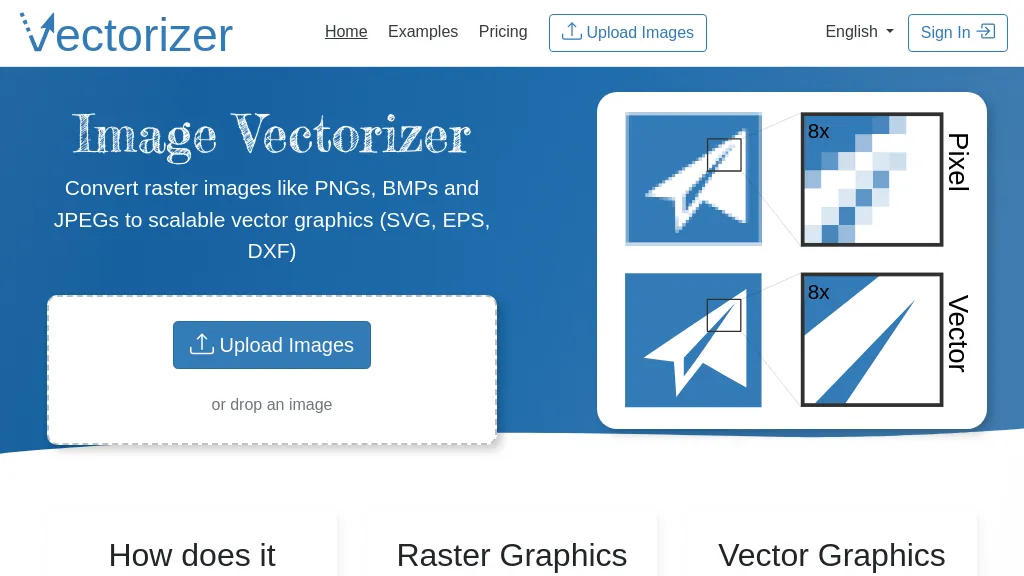
80% positive · 25 user reviews SubscriptionImage Vectorizer transforms raster PNG, BMP, JPEG files into scalable vector formats (SVG, EPS, DXF) using AI noise removal and color simplification. It sharpens edges, converts pixels to geometric primitives, and outputs high‑resolution vectors for logos, apparel, tattoos, and billboards.
We've ranked 29 Vectorizer.io alternatives, including 23 with a free plan. Rankings are based on feature coverage and user feedbacks.
Top-rated alternatives include AI Vector.ai, Svgtrace.com, and VectorArt.ai.
29 Vectorizer.io Alternatives & Competitors, Ranked by User Reviews
Click Compare on any tool to compare it side-by-side with Vectorizer.io.
#1
AI Vector.ai
AI Vector.ai is a tool that instantly converts PNG, JPG, and WEBP images into SVG format using advanced algorithms for high-quality, watermark-free results. It requires no account, offers unlimited daily conversions, and ensures your files are never stored.
#2
Svgtrace.com
SvgTrace converts raster images to multi‑layer SVGs with AI, extracting each color into separate layers for high‑quality vector graphics. Its upscaling improves low‑res images, and a built‑in editor lets users edit layers. Drag‑and‑drop uploads enable quick use.
#3
VectorArt.ai
VectorArt.ai is an AI tool that simplifies vector image creation for websites, businesses, and apps. It allows users to generate custom logos, icons using text or sketch prompts, offers various illustration styles, provides SVG downloads, and features a free image gallery for inspiration.
#4
SVGverseAI
SVGVerseAI is a web-based tool that converts images to scalable vector graphics (SVG) using AI-driven styles. It facilitates logo and icon creation while supporting project management and community sharing for designers and content creators.
#5
SVGMaker
SVGMaker is an AI-powered tool for generating, editing, and converting SVG graphics from text prompts or raster images. It enables customizable vector designs with effects, style presets, and seamless integration for web graphics, logos, and illustrations.
#6
Mediachance
AI Photo & Art Enhancer upsamples images up to 16×, adds fine detail, and applies noise‑reduction while keeping edges sharp. It converts drawings and pixel art into vector‑style graphics, enlarges text for OCR, and supports batch GPU‑accelerated processing.
- Personalized recommendations
- Custom collections
- Save favorites
Already a member? Sign in
#7
Pixelied Image AI
Pixelied is an online photo editor and design suite that offers brightness, saturation, and filter tools, background removal, a 4 million‑photo library, vector editing, team collaboration, and pre‑made templates for quick resizing.
#8
AI Image Enlarger
Imglarger is an image enhancer that upsamples photos up to 8×, supports batch processing, and offers background, object, and face retouch tools. It converts WebP, JPEG, PNG, SVG, JFIF formats and lets users adjust brightness, contrast, and saturation via web or mobile.
#9
AI Logo Generator
AI Logo Generator crafts vector logos from brief text prompts, offering instant SVG, PNG, JPG, and PDF options. Users can edit colors, fonts, layouts, and icons, with industry‑specific styles and high‑resolution files ready for web, print, or merchandise.
#10
BrandCrowd
AI Logo Generator instantly crafts logos from a business name, drawing from 145,000 pre‑designed options. Users filter, refine color, font, layout, and export high‑resolution PNG, JPG, SVG, EPS, and PDF files for print or digital use.
#11
PNGmaker.io
PNG Maker turns typed text into high‑resolution PNG images with transparent backgrounds. Users can set fonts, sizes, colors, and background opacity, review, and download ready‑for‑web graphics. It works directly in the browser and supports batch creation.
#12
RF AI Images
123rf Image Editor is a comprehensive AI tool for effortless photo editing, offering features like image scaling, background removal, object removal, and seamless background remixing. It also includes an AI writer for content creation and an image enlarger for ratio adjustments. Efficiently enhance and edit your visuals with this user-friendly tool.
#13
SVG.io
PicTrix.ai is an AI studio that generates pixel, grayscale, and color SVG images in a single workflow. It offers prompt‑driven control, clean outputs, a history view, reusable settings, and API access for production use.
#14
PNGMaker
PNGmaker.ai generates transparent PNGs from text prompts in about ten seconds, letting designers, developers, marketers, and creators quickly produce logos, icons, and graphics in multiple sizes for seamless project integration.
#15
Pixian
Pixian.AI removes backgrounds using GPU‑accelerated segmentation, handling JPEG, PNG, BMP, GIF, and WebP. It outputs transparent PNG or opaque JPEG/PNG, preserves hair/fur, and offers cropping, scaling, aspect‑ratio control, with privacy‑friendly data handling.
#16
AI Image Editor-
AI Image Editor is an online tool for editing and enhancing images with pixel-level precision. It supports various formats, offers text editing, artistic style transfers, and allows quick generation of image variations for efficient workflow.
#17
LogoAI.ai
LogoAI.ai quickly generates customizable logos from text, symbols, and industry tags, offering full control over colors, fonts, layout, and icons. It delivers high‑resolution vector and raster files ready for web, print, and social media use, with unrestricted commercial rights.
Pixlr is a browser‑based photo editor that uses AI for background removal, generative fill, and object deletion. It offers cropping, color correction, collages, templates, and social media layouts across desktop, tablet, and mobile.
#19
Vexels
AI‑powered platform that instantly generates and edits apparel and accessory designs, offering vectorization, mockups, and pre‑made slogans. Compatible with major POD services for easy export, enabling creators to launch products quickly.
#20
SVG AI
SVG AI is a browser-based platform that converts PNG, JPG, and WebP files into scalable vector graphics. It utilizes AI for custom designs while ensuring file encryption and immediate deletion after processing for user privacy.
#21
Vectormind ai
VectorMind AI delivers web‑based tools for designers and marketers: generate art, vectorize images, upscale, remove backgrounds, in‑paint, create product scenes, and design 3D laser‑engraving patterns, streamlining visual content production efficiently.
LOGO.com offers an AI‑driven web logo maker that generates hundreds of concepts from a name and slogan. Users edit elements with a drag‑and‑drop editor and download high‑resolution files, brand assets, and social media graphics.
#23
ImageCartoon
ImageToCartoon turns JPEG, PNG, or WebP photos into high‑resolution cartoon images directly in the browser. Users pick from 80+ styles—Ghibli, Pixar, anime, comics—to create avatars, prints, or pet illustrations, with royalty‑free commercial rights.
#24
Toongineer Cartoonizer
Toongineer Cartoonizer turns JPEG, PNG, or JPG photos into cartoon images with anime, Disney, Ghibli, or comics styles. It supports up to 2.8 MP, offers batch processing, real‑time previews, and quick upscaling via stable diffusion and AnimeGANv2.
#25
Erase.bg
Erase.bg uses AI to remove backgrounds from PNG, JPG, JPEG, WEBP, and HEIC files. It supports batch processing, lets users replace backgrounds with colors or images, works on browser, iOS, Android, outputs PNG/JPEG, and clears data after use.
#26
Cartoon Yourself
Colorcinch converts photos to cartoons, sketches, or paintings with one click, offers AI background removal, adjustable sliders, overlay effects, multi‑layer editing, high‑resolution export to JPG/PNG/PDF, all usable online/offline without login.
#27
Kittl
Kittl is an AI‑driven design platform that lets creators and designers generate images, vectors, and videos from prompts. It offers vectorization, background removal, upscaling, an infinite collaborative canvas, and a library of templates, fonts, and icons.
#28
SketchEdge
SketchEdge uses AI to convert photos into soft, hand‑drawn line drawings. Upload high‑resolution images, adjust line thickness, and export as vector SVG or raster PNG. Batch processing and a simple web interface streamline the design workflow.
#29
MakeLogoAI
MakeLogoAI is an AI-powered tool that generates unique logos for new projects, offering multiple concept options and delivering HD and transparent background logos in less than 24 hours.
Frequently Asked Questions
Why look for Vectorizer.io alternatives?
Common reasons users switch from Vectorizer.io:
- Cost: Vectorizer.io is a Subscription tool starting from $8.99/mo — users often look for more affordable or free options.
- Feature gaps: teams needing specific capabilities like Generate Vector Images may find a more focused alternative better suited to their workflow.
- Flexibility: exploring alternatives helps find tools that better match your team size, integrations, and budget.
What is the best alternative to Vectorizer.io?
Based on 5 user reviews, AI Vector.ai (80% positive) ranks as the top Vectorizer.io alternative. AI Vector.ai is a tool that instantly converts PNG, JPG, and WEBP images into SVG format using advanced algorithms for high-quality, watermark-free re It is available on a Free plan.
How do the top Vectorizer.io alternatives compare?
| Tool | Pricing | Starting Price | User Rating |
|---|---|---|---|
| Vectorizer.io this tool | Subscription | $8.99/mo | 80% (25) |
| AI Vector.ai | Free | — | 80% (5) |
| Svgtrace.com | Subscription | $12.99/mo | 100% (1) |
| VectorArt.ai | Free trial | $29/mo | 100% (1) |
| SVGverseAI | Free trial | — | 100% (1) |
| SVGMaker | Freemium | — | 100% (5) |
Are there free Vectorizer.io alternatives?
Yes, 23 free alternatives found in our list: AI Vector.ai, VectorArt.ai, SVGverseAI. and 20 more — use the pricing filter above to see them all.
What should I look for in a Vectorizer.io alternative?
- Core capabilities: confirm the tool supports Generate Vector Images, Remove Noises, Simplify Colors.
- Pricing transparency: look for clear free plan, trial period, or tiered pricing — avoid tools that hide costs.
- User reviews: check both the satisfaction percentage and the number of reviews; a high score from few users is less reliable.
- Integrations: verify it connects with your existing stack before committing.
- Support and updates: active development and responsive support are strong signals of a maintained product.
Which Vectorizer.io alternative has the highest user rating?
Svgtrace.com has the highest satisfaction score among Vectorizer.io alternatives, with 100% positive from 1 user review. It is available on a Subscription plan starting from $12.99/mo.
What are Vectorizer.io alternatives used for?
- Generate Vector Images
- Remove Noises
- Simplify Colors
- Translate Images
- Optimize Images