
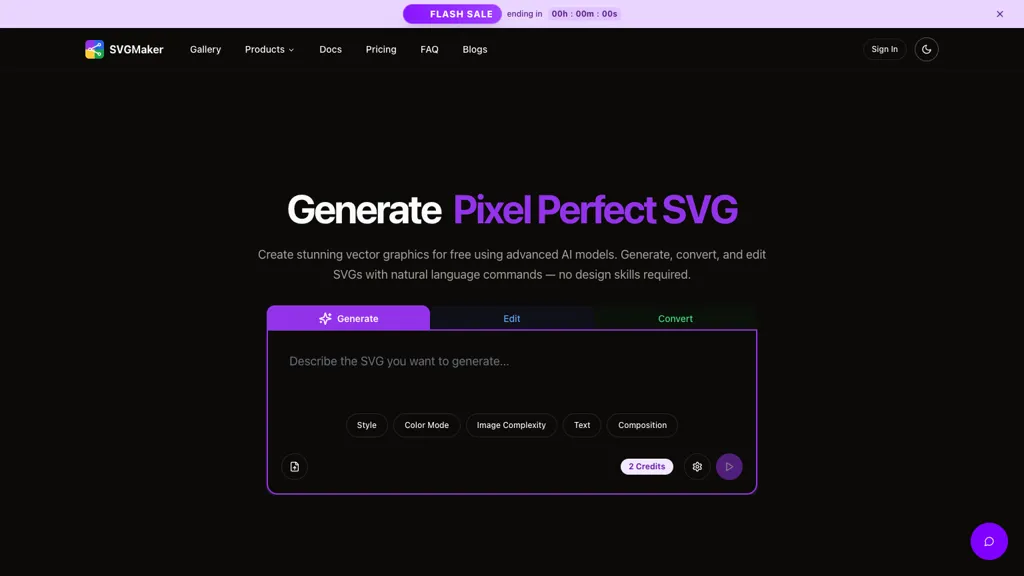
What is SVGMaker?
SVGMaker is an AI SVG generator built for anyone who needs fast, clean, scalable graphics—without all the hassle.Just type what you want, or upload an image or paste url of the image(and fetch), and SVGMaker turns it into professional-grade SVGs in seconds.
From text to SVG prompts to image to SVG conversions, svgmaker handles everything—logos, icons, crafts, and more.It even works as an AI logo generator, AI vector converter, and SVG image format converter all in one.
Plus, it's fully online—no installs, no learning curve.Need to edit? The built-in SVG editor makes customizing your vector art easy.Change colors, tweak shapes, or combine layers—all in your browser.Designers love it, developers use it for SVG for web design, and crafters use it to create SVG cut files for machines like Cricut and Silhouette.
And for more technical workflows, svgmaker supports SVG MCP servers—so you can integrate vector generation into custom pipelines or larger projects seamlessly.
SVGMaker tech specs
- Works with
- Anthropic / Claude Google / Nano Banana Qwen ByteDance / Seedream
- Integrations
- Shopify Figma
SVGMaker pricing
Freemium- Refund window
- 0 days
Verify on the official pricing page.
View plansSVGMaker's key features
-
Text to SVG generation
-
Image to SVG conversion
-
Raster to vector conversion
-
Visual effects and style presets
-
API programatic access
-
MCP server support
SVGMaker use cases
-
Generate unique logos for your brand instantly by simply describing your vision in natural language, using svgmaker's AI capabilities to create scalable vector graphics without the need for extensive design skills
-
Effortlessly convert your existing raster images such as PNG and JPG into high-quality SVG files, maintaining all intricate details while making them scalable for various applications
-
Customize web graphics by applying visual effects and style presets with ##svgmaker, allowing developers to enhance their projects with unique illustrations that align with modern design trends
SVGMaker user reviews
Based on 6 reviews, 100% of users recommend SVGMaker, rated highly for quality results.
Liked for
Would you recommend SVGMaker?
Who is SVGMaker for?
-
Graphic designers
-
Product designers
-
Content creators
-
Web designers
-
Illustrators
SVGMaker FAQ
Is SVGMaker free?
Partly. SVGMaker has a free plan with usage limits, and paid plans unlock the full feature set. Plans include Standard pack at $10 and Enhanced pack at $20.
What are the best alternatives to SVGMaker?
The closest alternatives to SVGMaker are VectorArt.ai, Canva AI, illustroke, Vectorizer AI and AI Generate SVG by SVG.la. You can compare them side by side in the alternatives section further down this page.
What does SVGMaker do with my data?
SVGMaker states that customer content may be used to train its models. Its privacy policy states that personal data is not sold or shared for marketing purposes. Data may be shared with third-party service providers that help run the product.
Does SVGMaker auto-renew or offer refunds?
SVGMaker states a 0-day refund window.
Does SVGMaker have an API?
Yes. SVGMaker offers an API, so you can call it from your own applications instead of using the interface directly.
Which AI models does SVGMaker use?
SVGMaker is built on Anthropic / Claude, Google / Nano Banana, Qwen and ByteDance / Seedream. Which models you can reach may depend on your plan.
What does SVGMaker integrate with?
SVGMaker connects with Shopify and Figma.
Compliance, privacy and billing terms are as stated in each product's own published documentation and have not been independently verified by TopAI.tools.


