
What is Svgtrace.com?
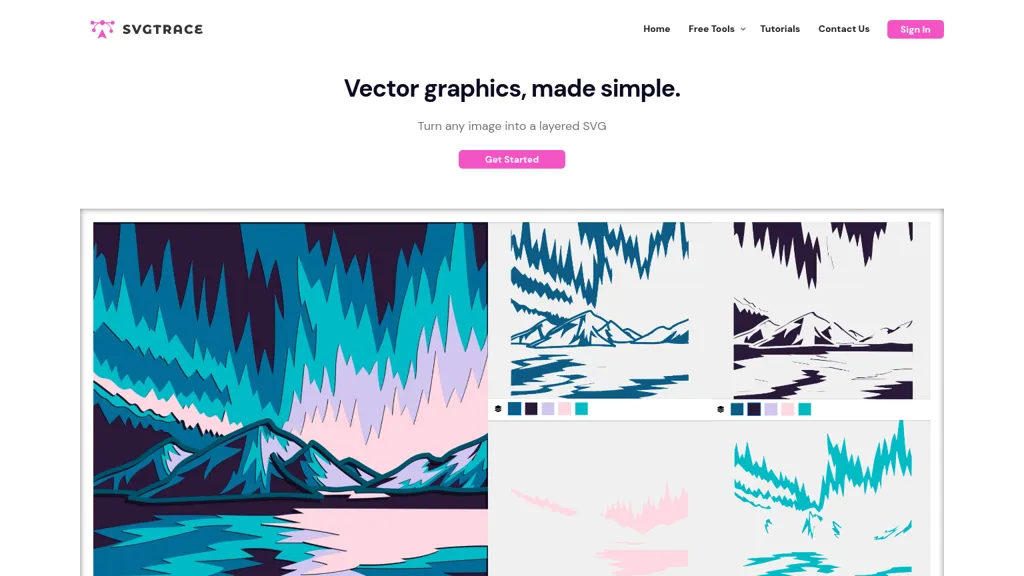
SvgTrace transforms raster images into vector graphics using AI‑driven conversion. The tool extracts every color into a separate layer, producing clean, multi‑layer SVGs suitable for screen printing, vinyl cutting, laser engraving, plywood or paper cutting, and 3‑D mandala projects.
Upscaling technology improves low‑resolution images, ensuring high‑quality output. A built‑in editor lets users adjust, cut, erase, or copy individual layers, giving designers full control over their final vector files. The web interface supports drag‑and‑drop uploads, browsing, or creating images from scratch, making the workflow accessible to beginners and experienced creators alike.
Svgtrace.com pricing
SubscriptionVerify on the official pricing page.
View plansSvgtrace.com's key features
-
Instant vector conversion of images
-
AI-powered upscaling for low resolution
-
Separate color layers per image
-
Manual SVG layer editing
-
Drag‑and‑drop image upload
-
Export to multiple file formats
Svgtrace.com use cases
-
Convert low-resolution product photos into high-quality, multi-layer SVGs for use in digital mockups, enabling designers to instantly edit colors and apply brand palettes
-
Create scalable vinyl cutting files from hand-drawn logos, automatically separating each color into its own layer for precise cutting paths
-
Generate laser engraving-ready SVGs from complex artwork, preserving details while upscaling resolution for crisp output on metal or wood surfaces
Svgtrace.com user reviews
Based on 1 review, 100% of users recommend Svgtrace.com, rated highly for quality results.
Liked for
Would you recommend Svgtrace.com?
Who is Svgtrace.com for?
-
Graphic designers
-
Digital creators
-
Svg editors
-
Visual artists
-
Creative designers
Svgtrace.com FAQ
How much does Svgtrace.com cost?
Svgtrace.com is a paid product with no free plan. Plans include Starter at $20, Print shop at $99, Production at $299 and Monthly at $12.99/mo.
What are the best alternatives to Svgtrace.com?
The closest alternatives to Svgtrace.com are Vectorizer AI, SVGconverter AI, SVG AI, AI Vector.ai and Dzine. You can compare them side by side in the alternatives section further down this page.
Is there a mobile app for Svgtrace.com?
Yes. Svgtrace.com has a mobile app alongside its web version.


