
Top 29 Templify Alternatives in 2026
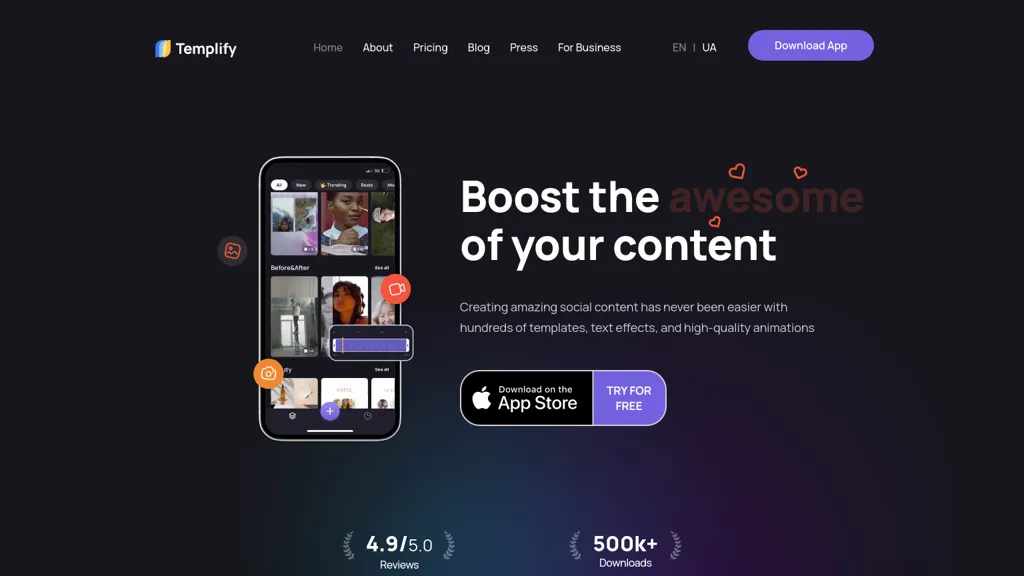
No user reviews yet FreemiumTemplify App automates video and photo editing for creators and small‑business teams. It offers a full‑featured editor, audio‑syncing, one‑tap background removal, a library of 1,000+ templates, overlays, and a carousel builder for quick, brand‑consistent posts.
We've ranked 29 Templify alternatives, including 23 with a free plan. Rankings are based on feature coverage and user feedbacks.
Top-rated alternatives include Storybeat, BeautyPlus, and CapCut.
29 Templify Alternatives & Competitors, Ranked by User Reviews
Click Compare on any tool to compare it side-by-side with Templify.
 #1
Storybeat
#1
Storybeat
Storybeat is an AI content platform that offers 300+ templates for reels, collages, and slideshows. It includes color filters, music, Beat Sync, auto captions, avatar transforms, and advanced editing for quick, polished social media assets.
 #2
BeautyPlus
#2
BeautyPlus
BeautyPlus - Versatile AI tool for effortless photo & video editing; offers face reshaping, filter & sticker additions; perfect for enhancing selfies & videos.

CapCut is an AI-powered video editor & design tool with social media templates, background removal, upscaling, color correction, portrait generation, text-to-speech, voice changers, and team collaboration support - accessible online and for Mac download.
 #4
Videoleap
#4
Videoleap
Videoleap is a cross‑platform editor with AI background removal, infinite‑zoom, text‑to‑video, audio cutting, subtitles, and built‑in filters. It offers templates for TikTok, Reels, Shorts, and ads, plus a drag‑and‑drop interface for quick professional videos on web or mobile.

Photoroom is an AI-powered tool for creating professional product visuals at scale, featuring automatic background removal, image generation, virtual staging, and batch editing capabilities for efficient high-quality output.
 #6
InShot
#6
InShot
InShot is a mobile video editor that lets users cut, trim, and layer clips, auto‑generate multilingual captions, add music, intros/outros, and apply AI‑driven, 3D, glitch, and lens transitions, text, stickers, and picture‑in‑picture overlays.
- Catch deals before they expire
- Unlock tools matched to you
- Show off your AI stacks
Already a member? Sign in

SnapEdit is an AI‑driven photo editor that removes objects, backgrounds, and text, provides 100+ background templates, upsamples images to HD/4K, and offers skin retouching, all accessible via web, iOS, and Android.
 #8
GStory.ai
#8
GStory.ai
GStory.ai is an AI-powered creative suite for video and photo editing. Its core features include automated subtitle generation, background removal, and tools for enhancing image quality and removing watermarks.
 #9
Edit on the Spot
#9
Edit on the Spot
Streamline your video editing process with Edit Spot AI tool. Automate trimming, branding, and enhance content creatively in minutes. Connect recordings or web conferencing platforms for instant editing. Coming soon: multi-segment social media clips.
 #10
VSCO
#10
VSCO
VSCO is a cross-platform photo and video editor combining 200+ presets, analog-style Film FX and precision exposure/color controls with AI-powered Remove and retouching, live in-app capture, clip-level video edits, and portfolio/workspace tools for creators.
 #11
Picsart
#11
Picsart
Picsart is a web and mobile photo editor and design app offering layers, filters, color correction, retouching, automatic background removal, collage and template tools, stickers and text overlays, basic social-video editing, and AI image generation with cross-device sync.
 #12
Movavi
#12
Movavi
Movavi Video Editor is a desktop app for Mac and Windows that lets users trim, crop, color‑grade footage and add titles, overlays, and filters. AI features automate subtitles, noise suppression, and motion tracking. It includes a screen recorder for tutorials.
 #13
Video Editor AI
#13
Video Editor AI
AI‑powered video editor trims, merges, and transforms footage with minimal effort. It offers background removal, automated image upscaling, and real‑time synthesis from text prompts, enabling quick video creation and batch processing via a Django web interface.
 #14
Clipfly
#14
Clipfly
Clipfly turns text prompts into videos, animates images, and adds lifelike touches to photos. With an AI storyboard, one‑click enhancer, background removal, subtitles, and audio integration, it streamlines branded content, social clips, and personal memories.
 #15
Photo AI Studio
#15
Photo AI Studio
AI Photo Studio delivers AI‑powered image and video creation, including generation, background removal, virtual try‑on, style libraries, advanced editing (skin, age, expression, eye color), outpainting, thumbnails, and direct social publishing via a web interface.
 #16
Text to Image by Photoleap
#16
Text to Image by Photoleap
Photoleap is an iOS‑only photo editing app that uses AI for quick enhancements, background removal, object deletion, collage creation, filters, text‑to‑image, video from stills, 4K upscaling, style transfer, portrait retouching, and hair color simulation.
 #17
Facetune
#17
Facetune
Facetune is an AI‑driven photo and video editor offering touch‑up, background removal, face and body reshaping, realistic makeup and hairstyle try‑on, background blur, and noise removal—enabling quick mobile edits for influencers, photographers, and stylists.
 #18
Vmake.ai
#18
Vmake.ai
Vmake automates UGC and viral video cloning, producing product, fitness, and real‑estate clips with AI editing tools—watermark removal, background swap, noise suppression, upscaling. It auto‑generates captions, hooks, thumbnails, supports batch processing, and offers a teleprompter for polished delivery.
 #19
AI Video Cut
#19
AI Video Cut
AI Video Cut uses prompt‑based AI to transform long videos into short, platform‑optimized clips. It auto‑detects faces, crops frames, adds multilingual captions, and supports multiple aspect ratios for fast, high‑quality content creation.
 #20
FlexClip
#20
FlexClip
FlexClip is an online video editor with templates, resources, and powerful tools to create and edit videos for various purposes, as well as integration with royalty-free stock media providers and easy social media sharing.
 #21
Clip Studio
#21
Clip Studio
Clip Studio is an AI platform for creating viral short-form videos, offering customizable templates, automated captions, and music selection. It enables scheduling posts across platforms and provides performance analytics to enhance content strategy.
 #22
Cutout Pro
#22
Cutout Pro
Cutout.pro is a powerful AI-based platform for creating and editing visual content that enhances e-commerce and marketing efforts.
 #23
FastCut
#23
FastCut
FastCut uses AI to transform raw footage into short‑form videos for TikTok, Reels, Shorts, and social ads. It trims clips, removes silence, adds captions, selects B‑rolls, and provides music and overlays, cutting editing time by up to 90%.
 #24
TopView.ai
#24
TopView.ai
AI Video Agent converts text, product images or URLs, and reference clips into full‑scripted, brand‑aligned videos, automatically planning scenes, adding visual effects, and allowing prompt‑based refinement for fast marketing and social content creation.
 #25
Wondershare Filmora ES
#25
Wondershare Filmora ES
Wondershare Filmora® is an AI-driven video editing software that offers intuitive drag-and-drop editing, automatic scene detection, and audio synchronization, alongside templates and effects, making it suitable for beginners and experienced editors alike.
 #26
PhotoEditor.ai
#26
PhotoEditor.ai
PhotoEditor.ai edits JPG, PNG, HEIC, and WEBP images up to 15 MB in a browser or mobile app. It offers portrait transformation, background removal, detail enhancement, and 4K upscaling, delivering instant downloads for photographers, marketers, and designers.
 #27
AI Photo Editor
#27
AI Photo Editor
AI Photo Editor lets users upload up to ten images or generate new ones from text prompts, instantly editing or converting images into short videos. All processing runs client‑side, supporting face completion and consistent character edits for design and work.
 #28
AutoPod
#28
AutoPod
AutoPod automates podcast editing in Premiere Pro, handling up to 10 cameras and microphones, offering customizable cuts, reusable presets, social‑media clip generation with auto‑reframe and batch export, and jump‑cut creation based on audio levels.
 #29
Aivideo
#29
Aivideo
AIVideo.com automates video production, creating music videos, lyric visuals, looping clips, and converting audio or images into video. It offers text‑to‑image/video, background removal, matchcut editing, and visual effects, enabling quick, professional media creation.