
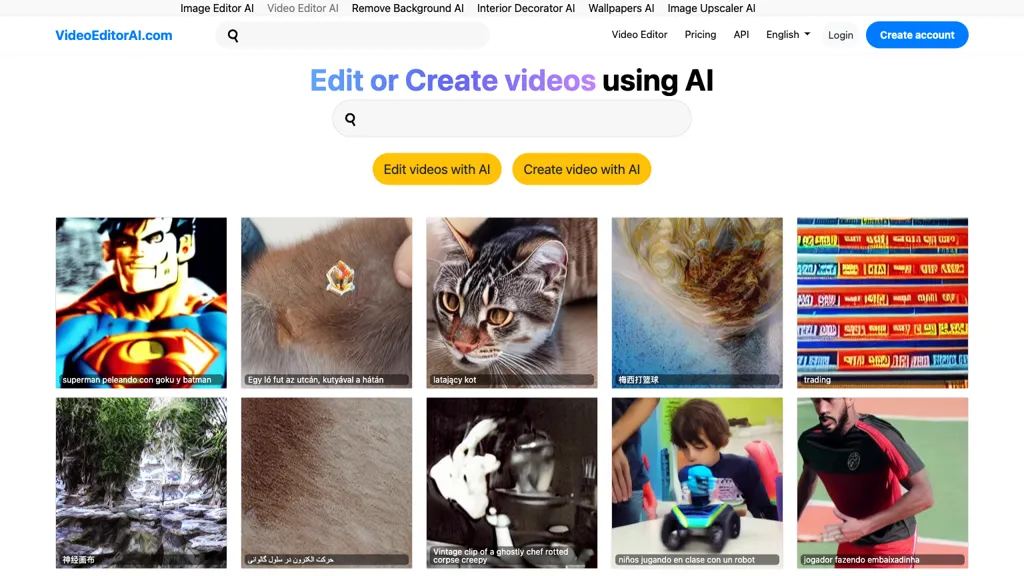
What is Video Editor AI?
Video Editor AI turns long videos into platform-ready short-form clips by automatically detecting highlights, generating captions and subtitles, removing silence and filler, and reframing footage for social formats.
It ranks segments by predicted watch-time, shareability, and hook strength to prioritize high-impact clips.The tool generates animated captions and synchronized subtitles, applies automated cropping and framing to keep subjects centered, and inserts relevant B-roll, overlays, and cutaways.
An end-to-end pipeline performs analysis, clipping, captioning, and layout generation to produce ready-to-export short videos.Export presets and formatting options streamline publishing to major short-form platforms.
Video Editor AI details
- Jurisdiction
- Connecticut
- Built for
- Businesses and teams
Video Editor AI pricing
FreemiumVideo Editor AI offers a free plan with paid upgrades available.
Verify on the official pricing page.
View plansVideo Editor AI's key features
-
Automatically detect and rank highlights by predicted watch-time, shareability, and hook strength
-
Generate animated captions and synchronized subtitles
-
Remove silence and filler from footage
-
Automated cropping and reframing to keep subjects centered for social formats
-
End-to-end pipeline for analysis, clipping, captioning, and layout generation to produce ready-to-export short videos
Video Editor AI use cases
-
Turn hour-long webinars and podcasts into a batch of platform-ready short clips using Video Editor AI's automatic highlight detection and engagement ranking, removing silence and filler, adding animated captions and B-roll, and exporting ready formats for Instagram Reels, TikTok and YouTube Shorts
-
Repurpose long livestreams and product demos into attention-grabbing marketing snippets by auto-reframing and cropping for vertical feeds, overlaying branded graphics and B-roll, generating animated subtitles for accessibility, and prioritizing the most shareable segments with Video Editor AI
-
Produce bite-sized training micro-lessons and internal knowledge clips from recorded meetings by trimming pauses and filler, auto-generating synced captions and subtitles, applying consistent branding overlays, and exporting multiple aspect ratios for LMS and mobile viewing with Video Editor AI
Video Editor AI user reviews
Based on 1 review, 100% of users recommend Video Editor AI, rated highly for quality results.
Liked for
Would you recommend Video Editor AI?
Who is Video Editor AI for?
-
Social media creators
-
Short-form video creators (tiktok/reels/shorts)
-
Influencers
-
Content marketers
-
Social media managers
-
Marketing and creative agencies
-
Video editors and post-production teams
-
Podcasters and long-form audio/video creators
-
Brands and product marketing teams
-
Small businesses and startups
-
Educators and online course creators
-
Newsrooms and journalists
-
Event organizers and speakers
-
E-commerce and retail marketers
Video Editor AI FAQ
Is Video Editor AI free?
Partly. Video Editor AI has a free plan with usage limits, and paid plans unlock the full feature set.
What are the best alternatives to Video Editor AI?
The closest alternatives to Video Editor AI are Opus Clip, Short AI, CapCut, Vizard and Nemovideo. You can compare them side by side in the alternatives section further down this page.


