Top 29 TabTabTab Alternatives in 2026
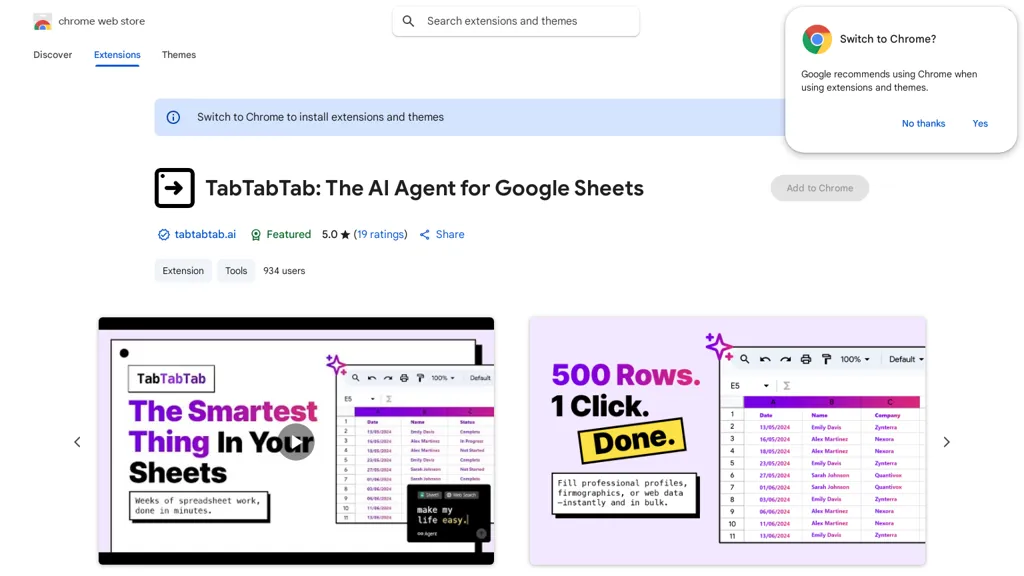
66.7% positive · 6 user reviews FreemiumTabTabTab is a Chrome extension AI agent for Google Sheets that automates web data extraction and cleaning. It performs lead enrichment, company lookups, and uses natural language commands to structure data for financial modeling and analysis.
We've ranked 29 TabTabTab alternatives, including 22 with a free plan. Rankings are based on feature coverage and user feedbacks.
Top-rated alternatives include AI Excel Bot, SheetXAI, and LeadGenSheet.
29 TabTabTab Alternatives & Competitors, Ranked by User Reviews
Click Compare on any tool to compare it side-by-side with TabTabTab.
#1
AI Excel Bot
AI Excel Bot translates natural‑language prompts into accurate Excel or Google Sheets formulas—SUMIF, VLOOKUP, array functions—providing step‑by‑step explanations and on‑demand VBA script generation. Available as a Chrome extension or add‑in for quick, in‑app access.
#2
SheetXAI
SheetXAI automates Google Sheets and Excel via natural-language commands to analyze data, generate formulas, and run workflows. It extracts tables and invoices via OCR, produces bulk multilingual content, and integrates with Notion, Stripe, HubSpot and Jira.
#3
LeadGenSheet
CapGo.AI is a Google Sheets add‑on that centralizes lead generation, enrichment, email automation, web searches, PDF data extraction, and contact verification. Users run AI‑driven commands like =GO(Prompt,“web”) or =GO(Prompt,“email”) directly within a sheet, streamlining sales and outreach workflows.
#4
AiAssistWorks
Access 50+ AI models in Google Sheets™ without writing functions or copy-pasting. Save and reuse prompts easily. Models from GPT, Claude, Google Gemini™, Openrouter, and Groq are available.
#5
Fill A Form AI
Fill A Form AI is a Chrome extension that auto‑detects form fields and populates them from a user’s stored submissions, learning from past entries. It supports multiple templates, team sharing, real‑time collaboration, and Google Sheets integration for streamlined data entry.
#6
Sheeter.ai
Sheeter converts natural‑language requests into Excel or Google Sheets formulas, supporting sums, conditionals, dates, text, and data extraction. It allows one‑click insertion, reduces formula‑error risks, and streamlines analysis for business and finance teams.
- Catch deals before they expire
- Unlock tools matched to you
- Show off your AI stacks
Already a member? Sign in
#7
Equals
AI Assist is a powerful AI-powered data analysis tool that offers features such as real-time collaboration, formula generation, SQL writing, visual charting, and integrations with popular platforms.
#8
spreadsheetdaddy.com
Spreadsheet Daddy is an AI add‑on for Google Sheets and Excel that automates formula creation, data analysis, and chart generation. It offers ready‑made templates for budgets, invoices, inventory, and projects, and supports natural‑language queries via GPT.
#9
GPT for Work
GPTforwork.com is a powerful AI add-on for Google Sheets and Excel that automates workflows using natural language. It enables formula generation, data cleaning, content creation, and web-data extraction to speed up reporting, analysis, and research.
#10
Sparkco AI Sheets
Sparkco Sheets converts text and documents into live spreadsheets with natural-language formulas, pivot tables, charts, automated reports and SQL generation; OCR extracts tables from PDFs, real-time connectors sync financial and healthcare systems, with export and compliance options.
#11
numerous
Numerous.ai embeds ChatGPT into Google Sheets and Excel via a simple =AI function, allowing users to generate bulk marketing content, summarize datasets, and prototype prompts directly in spreadsheets—no API keys needed, effortlessly.
#12
Superjoin.ai
Superjoin is an AI assistant for Google Sheets that connects to 30+ data sources—including SQL, Stripe, HubSpot, and Salesforce—to automate data pulls, scheduled refreshes, and natural‑language cleaning. It adds row‑level AI tasks, auto‑formula creation, two‑way sync, and error correction.
#13
UseMage
Google Sheets Mage is an AI-powered assistant that automates data entry tasks in Google Sheets, saving time and reducing errors. Increase efficiency and streamline workflows with this tool for working with large datasets.
#14
Browse AI
Browse AI enables code‑free web scraping and automation via a point‑and‑click interface. It captures dynamic, paginated, login‑protected data, auto‑detects site changes, exports to CSV/JSON/AWS S3, and streams into Google Sheets, Airtable, Zapier, APIs, and more.
#15
Tomat.AI
Tomat.AI is a desktop app that automates data analysis and enrichment for Excel, CSV, and database files. It loads datasets locally, lets users filter, sort, merge, pivot, and apply AI prompts in bulk, and exports reports to PDF.
#16
Charm AI
Charm is a Google Sheets add-on that cleans, transforms, and analyzes text data—normalizing addresses, splitting/merging columns, extracting entities, generating synthetic data, creating or rewriting content, summarizing and classifying text, and automating workflows via templates.
#17
Botsheets AI Writer
Botsheets automates marketing and data capture with chatbots that integrate directly with Google Sheets. Build code‑free bots to replace forms, store responses in real‑time, generate tables, charts, slides, and share via links or embeds.
#18
SheetSavvy AI
SheetSavvy AI is a spreadsheet plugin for Excel and Google Sheets that automates template creation, data analysis, summarization, charting, and natural‑language data cleanup. It generates formulas and imports live external data, reducing repetitive work.
#19
Excel-bot.com
Excel Bot is an AI assistant that integrates with Microsoft Excel and Google Sheets, translating formulas into natural‑language text and providing instant answers to data‑manipulation queries, reducing debugging time for analysts, finance professionals, and teams.
#20
Excelmatic
Excelmatic uses AI to analyze and visualize spreadsheet data via natural-language queries, offering one-click charting, KPI extraction, anomaly detection, PDF/image-to-Excel conversion, formula generation from plain English, and batch data-prep for .xlsx/.csv files.
#21
Graphy.app
Graphy transforms raw data from Google Sheets, CSV, Excel, or APIs into AI‑generated charts, auto‑highlighting insights. It supports multiple chart types, branding, annotations, real‑time updates, and export/embed options for marketing, finance, and consulting teams.
#22
Ajelix AI Excel Tools
Ajelix is an AI chatbot that stores up to 1 GB of spreadsheets, PDFs, and documents in a persistent workspace. It generates Excel formulas, VBA scripts, dashboards, and ready‑to‑share PowerPoint decks or web apps.
#23
Formula Generator
AI Prompts generates Excel and Google Sheets formulas from natural‑language prompts, supporting budgeting, forecasting, and reporting. It refines outputs via prompt engineering, debugs existing sheets, and integrates with Zapier, Make, and webhooks for real‑time automation.
#24
AskExcel
AskExcel uses AI to generate Excel formulas from natural language, automating data cleaning, formula insertion, and advanced analytics such as correlation, KPI tracking, and sentiment analysis. It supports CSV/XLSX uploads up to 10 MB for efficient spreadsheet workflows.
#25
AI Chat for Search
Browser extension that displays conversational AI answers and multi-model comparisons alongside search results, integrates with GPT-4/Claude and major search engines, and adds YouTube summaries, PDF/image/OCR processing and content-generation tools for research and creation.
#26
ScrapeGraphAI
ScrapeGraph AI is an automated web scraping tool that extracts structured data from various sources using natural language prompts. It supports multiple programming languages and adapts to website changes, producing clean data for analytics and AI training.
#27
PDF AI Sheet
PDF AI Sheet is a Google Sheets add-on that enables users to upload multiple PDFs, extract information in bulk, and query specific content easily. Its drag-and-drop interface enhances data management and accuracy for researchers and analysts.
#28
Bricks
Bricks AI transforms CSV, Excel, Google Sheets, and database files into instant interactive dashboards and reports. It auto‑creates charts, lets users edit data via natural‑language commands, refreshes with one click, and offers reusable templates with encrypted privacy.
#29
Bardeen AI
Bardeen automates lead generation by scraping web data, using AI to research and qualify prospects, and enriching contacts with verified emails and phone numbers. Export to CSV, Google Sheets, Airtable, Notion or integrate with CRMs and task tools.
Frequently Asked Questions
Why look for TabTabTab alternatives?
Common reasons users switch from TabTabTab:
- User satisfaction: TabTabTab holds a 66.7% positive rating — some users report unmet expectations.
- Feature gaps: teams needing specific capabilities like Extract Data may find a more focused alternative better suited to their workflow.
- Flexibility: exploring alternatives helps find tools that better match your team size, integrations, and budget.
What is the best alternative to TabTabTab?
Based on 1 user review, AI Excel Bot (50% positive) ranks as the top TabTabTab alternative. AI Excel Bot translates natural‑language prompts into accurate Excel or Google Sheets formulas—SUMIF, VLOOKUP, array functions—providing step‑by‑step It is available on a Freemium plan starting from $2.99/mo.
How do the top TabTabTab alternatives compare?
| Tool | Pricing | Starting Price | User Rating |
|---|---|---|---|
| TabTabTab this tool | Freemium | — | 66.7% (6) |
| AI Excel Bot | Freemium | $2.99/mo | 50% (1) |
| SheetXAI | Free trial | — | — |
| LeadGenSheet | Freemium | — | — |
| AiAssistWorks | Freemium | $4 | 33.3% (6) |
| Fill A Form AI | Freemium | — | 100% (1) |
Are there free TabTabTab alternatives?
Yes, 22 free alternatives found in our list: AI Excel Bot, SheetXAI, LeadGenSheet. and 19 more — use the pricing filter above to see them all.
What should I look for in a TabTabTab alternative?
- Core capabilities: confirm the tool supports Extract Data, Build Lists, Automate Research.
- Pricing transparency: look for clear free plan, trial period, or tiered pricing — avoid tools that hide costs.
- User reviews: check both the satisfaction percentage and the number of reviews; a high score from few users is less reliable.
- Integrations: verify it connects with your existing stack before committing.
- Support and updates: active development and responsive support are strong signals of a maintained product.
Which TabTabTab alternative has the highest user rating?
Fill A Form AI has the highest satisfaction score among TabTabTab alternatives, with 100% positive from 1 user review. It is available on a Freemium plan.
What are TabTabTab alternatives used for?
- Extract Data
- Build Lists
- Automate Research
- Generate Financial Models
- Enrich Customer Data