
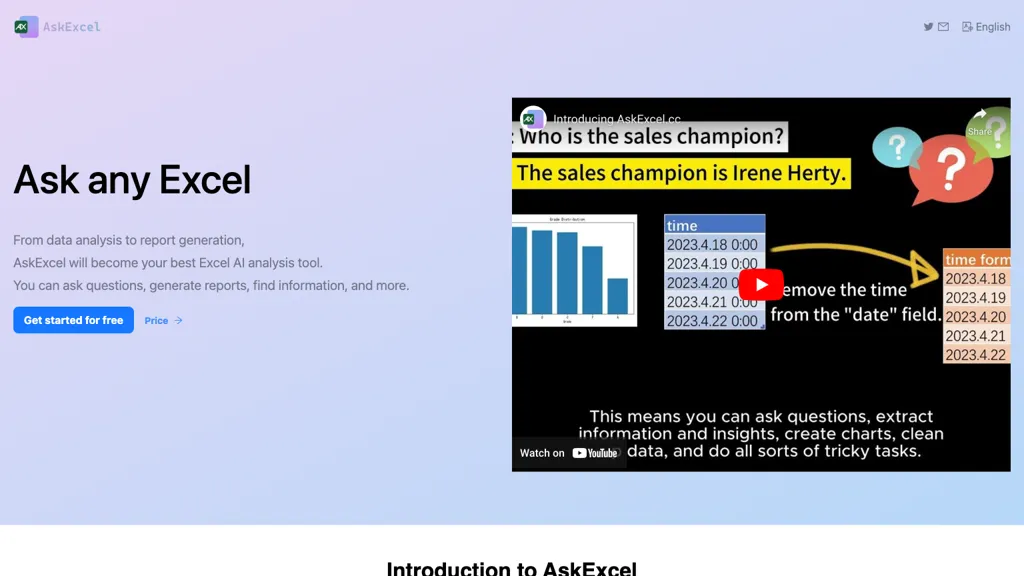
What is AskExcel?
AskExcel provides AI‑powered formula generation, allowing users to create complex Excel calculations through natural language commands. It automates repetitive tasks such as data cleaning and formula insertion, saving time for analysts and finance professionals.
Advanced analytics features include correlation analysis, exploratory data analysis, and KPI tracking, enabling users to uncover trends and measure performance efficiently. Sentiment analysis and web & media analysis tools help marketers interpret textual data for campaign insights.
Text extraction capabilities allow precise extraction of information from unstructured data, improving data preparation workflows. The platform supports CSV/XLSX uploads up to 10 MB and offers shared compute resources for collaborative projects. This tool is suitable for data analysts, sales teams, marketing specialists, and Excel power users seeking efficient, AI‑assisted spreadsheet solutions.
AskExcel details
- Company
- ALL LINE TECH LTD
- Jurisdiction
- California, United States
- Built for
- Individuals
AskExcel pricing
Freemium- Auto-renewal
- Yes
Verify on the official pricing page.
View plansAskExcel's key features
-
Automate Excel tasks with AI
-
Instant formula generation
-
Natural language data analysis
-
AI-powered text extraction
-
Correlation analysis feature
-
KPI tracking over time
AskExcel use cases
-
Automate monthly sales KPI reporting by uploading CSVs and having AskExcel generate formulas for growth, variance, and trend analysis without manual Excel coding
-
Clean and normalize raw survey data, then use AskExcel to compute sentiment scores and correlation matrices across demographic groups
-
Create a dynamic dashboard in Excel that pulls data from multiple CSV files and automatically calculates key metrics and visualizations using AskExcel-generated formulas
AskExcel user reviews
Would you recommend AskExcel?
Who is AskExcel for?
-
Data analysts
-
Academic researchers
-
Business students
-
Software developers
-
Report creators
AskExcel FAQ
Is AskExcel free?
Partly. AskExcel has a free plan with usage limits, and paid plans unlock the full feature set. Plans include Plus at $7/ mo and Plus at $70/ year.
Is AskExcel safe to use?
AskExcel is operated by ALL LINE TECH LTD, registered in California, United States.
What are the best alternatives to AskExcel?
The closest alternatives to AskExcel are Excelmatic, AI Excel Bot, Excel-bot.com, GPTExcel and Equals. You can compare them side by side in the alternatives section further down this page.
What does AskExcel do with my data?
Its privacy policy states that personal data is not sold or shared for marketing purposes.
Does AskExcel auto-renew or offer refunds?
AskExcel subscriptions renew automatically until you cancel.
Who made AskExcel?
AskExcel is built and operated by ALL LINE TECH LTD, a company registered in California, United States.
Compliance, privacy and billing terms are as stated in each product's own published documentation and have not been independently verified by TopAI.tools.


