
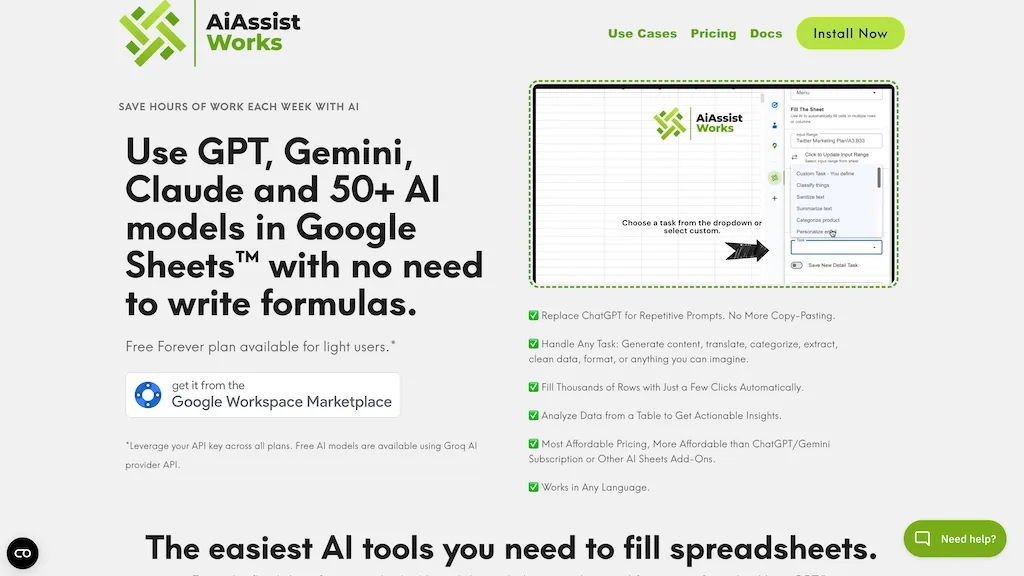
What is AiAssistWorks?
AiAssistWorks integrates AI directly into Google Sheets, Docs, and Slides, enabling users to perform actions and generate content through natural language input.Within Sheets, the “Smart Command” field allows users to create formulas, populate rows, build visualizations like pivot tables, and perform data validation—all with simple text prompts.
In Google Docs, it facilitates content generation, paraphrasing, translation, and summarization, all within the familiar document interface.For Google Slides, AiAssistWorks helps create presentations by generating outlines, populating slides with AI-written content, and adding visuals.
The tool supports connections to over 100 different AI models including OpenAI’s ChatGPT, Anthropic’s Claude, Google’s Gemini, and Meta’s Llama, allowing users to select the best model for each task.AiAssistWorks offers features like Smart Command in Sheets, AI-powered writing and translation in Docs, and AI-driven presentation tools in Slides.
It’s designed for users seeking efficiency across marketing, sales, analysis, and creative workflows, without requiring coding or switching applications.
AiAssistWorks details
- Built for
- Individuals
AiAssistWorks tech specs
- Works with
- OpenAI / GPT Anthropic / Claude Google / Gemini
- AI infrastructure
- Groq
- Payment Processors
- Paddle PayPal
- Integrations
- Google Workspace
AiAssistWorks pricing
FreemiumAiAssistWorks offers a free plan with paid upgrades available. Plans start from $4.
Verify on the official pricing page.
View plansAiAssistWorks's key features
-
Smart Command (Sheets - Formula Creation)
-
Row Population (Sheets)
-
Pivot Table/Column Chart Generation (Sheets)
-
Input Validation (Sheets)
-
Data Summarization & Tone Analysis (Sheets)
-
Blog Content/Outline Generation (Docs)
-
Paraphrasing & Tone Improvement (Docs)
-
Content Translation (Docs)
-
Article Summarization (Docs)
-
Legal Text Summarization (Docs)
-
Slide Title & Outline Generation (Slides)
-
AI-Generated Slide Content (Slides)
-
AI-Generated Visuals (Slides)
-
100+ AI Model Support
-
Bulk Automation Support (Sheets)
-
Data Labeling & Trend Extraction (Sheets)
-
Image to Text Conversion (Sheets)
AiAssistWorks use cases
-
Automating data analysis and reporting in Google Sheets with AI-generated insights.
-
Quickly creating marketing copy, presentations, and documents within Google Docs and Slides.
-
Streamlining data entry and validation tasks within Google Sheets with Smart Command.
AiAssistWorks user reviews
Based on 6 reviews, 33% of users recommend AiAssistWorks, rated highly for value for money.
Liked for
Disliked for
Would you recommend AiAssistWorks?
Who is AiAssistWorks for?
-
Content creators
-
E-commerce sellers
-
Data analysts
-
Product designers
-
Solo creators & entrepreneurs
AiAssistWorks FAQ
Is AiAssistWorks free?
Partly. AiAssistWorks has a free plan with usage limits, and paid plans unlock the full feature set. Paid plans start at $4.
What are the best alternatives to AiAssistWorks?
The closest alternatives to AiAssistWorks are GPT for Work, SheetAI, SheetGPT, GPTExcel and GPT For Sheets. You can compare them side by side in the alternatives section further down this page.
What does AiAssistWorks do with my data?
Its privacy policy states that personal data is not sold or shared for marketing purposes. Data may be shared with third-party service providers that help run the product.
Does AiAssistWorks have an API?
Yes. AiAssistWorks offers an API, so you can call it from your own applications instead of using the interface directly.
Which AI models does AiAssistWorks use?
AiAssistWorks is built on OpenAI / GPT, Anthropic / Claude and Google / Gemini. Which models you can reach may depend on your plan.
What does AiAssistWorks integrate with?
AiAssistWorks connects with Google Workspace.
Compliance, privacy and billing terms are as stated in each product's own published documentation and have not been independently verified by TopAI.tools.


