
Top 29 Superflex Alternatives in 2026
No user reviews yet FreemiumSuperflex is a front-end development tool that automates HTML and CSS generation from Figma designs, allowing for consistent coding style and efficient UI component creation while adapting to existing codebases for streamlined project development.
We've ranked 29 Superflex alternatives, including 22 with a free plan. Rankings are based on feature coverage and user feedbacks.
Top-rated alternatives include UX Magic, DesignCode UI, and UX Pilot.
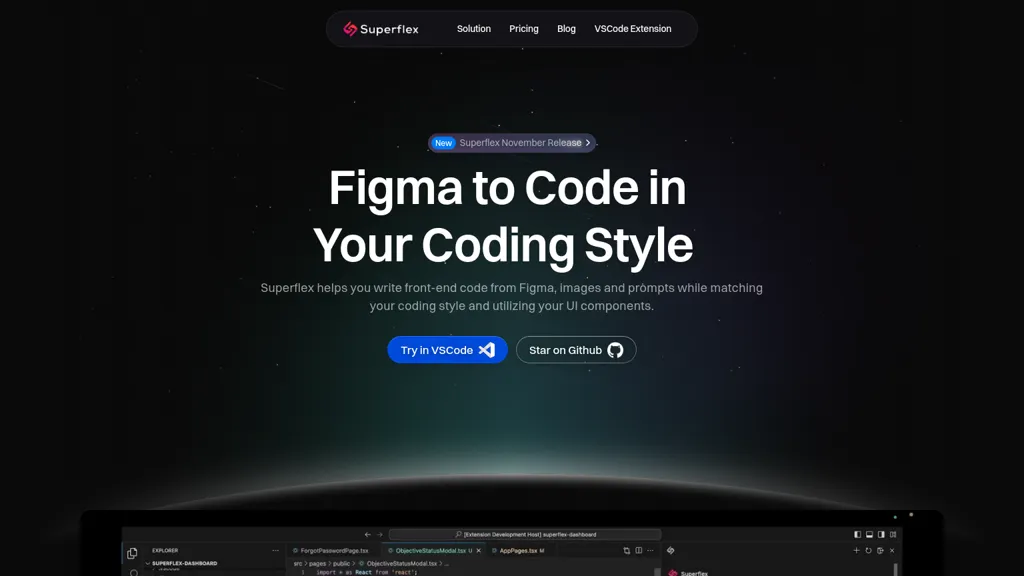
29 Superflex Alternatives & Competitors, Ranked by User Reviews
Click Compare on any tool to compare it side-by-side with Superflex.
 #1
UX Magic
#1
UX Magic
UX Magic.ai is an AI-powered design platform that generates high-fidelity wireframes, UI components, and production-ready code from prompts, sketches, or URLs. It enables collaborative workflows with intelligent editing and exports directly to tools like Figma, React, and Webflow.
 #2
DesignCode UI
#2
DesignCode UI
DesignCode UI offers 300+ ready components, 2,000+ Figma variants, and 2,116 icons with dark/light themes and customizable variables. It integrates with Figma and Framer, supports CSS, React, Tailwind, and auto‑layout for streamlined design‑to‑code handoffs.
 #3
UX Pilot
#3
UX Pilot
UX Pilot is an AI-powered UX/UI design tool that accelerates the design process, enabling users to create high-fidelity UI designs and wireframes in seconds. It integrates with Figma, streamlining UI generation, iteration, and design-to-development handoff.
 #4
Codia ai
#4
Codia ai
Codia AI transforms visual assets—Figma, PDF, Photoshop, Canva, Web, Office—into editable formats or code. It detects UI patterns, outputs JSON, SVG, or Figma layers, and generates responsive code, streamlining design‑to‑code workflows for teams.
 #5
Kombai
#5
Kombai
Kombai is an AI agent that automates front‑end development inside IDEs, supporting 400+ frameworks and applying best‑practice patterns to generate production‑ready code. It learns project structure, produces clean, reusable components, and integrates seamlessly into existing repositories while ensuring data privacy.
 #6
Uizard
#6
Uizard
Uizard converts text or screenshots into editable wireframes, mockups, and prototypes using AI. It offers screenshot and wireframe scanners, theme generation, ready‑made templates, a shared component library, real‑time collaboration, version control, and export to Figma and other tools.
- Catch deals before they expire
- Unlock tools matched to you
- Show off your AI stacks
Already a member? Sign in
 #7
AIUI.me
#7
AIUI.me
AIUI.me transforms UI screenshots into clean React.js components styled with TailwindCSS. Upload a design, get ready‑to‑use code that developers can copy or download, and designers can adjust colors, sizes, and layouts for rapid prototyping.
 #8
Anima
#8
Anima
Anima is a design-to-code tool that converts Figma designs into responsive web applications, enabling real-time iteration, seamless collaboration through shareable links, and integration of backend services to streamline the design development process.
 #9
CSS Picker
#9
CSS Picker
CSSPicker is an AI tool that transforms design screenshots into responsive HTML, CSS, or Tailwind code. With a real-time code editor and integration for frameworks like React, it aids both novice and experienced developers in UI coding tasks.
 #10
Locofy.ai
#10
Locofy.ai
Locofy.ai is an AI-driven tool that expedites design-to-code workflows using intelligent models. It provides a low-code interface, integrates with design tools, and offers one-click code export. Enhanced by features like instant previews, code syncing, and GitHub integration, Locofy streamlines frontend development and collaboration.
 #11
Screenshot Coder
#11
Screenshot Coder
Screenshot Coder transforms visual mockups into production‑ready frontend code in seconds, supporting Tailwind CSS, Bootstrap, and React. It delivers responsive, clean UI code directly from screenshots, accelerating prototyping for designers and developers.
 #12
Fronty
#12
Fronty
Fronti is an AI-powered tool that converts images to HTML/CSS code within minutes and features a no-code editor for creating complex websites with custom domains and high uptime.
 #13
Visily AI
#13
Visily AI
Visily is an AI‑powered UI design tool that lets users create wireframes, mockups, and prototypes via drag‑and‑drop, generate designs from text, convert screenshots, auto‑apply UI patterns, and support real‑time collaboration and Figma integration.
 #14
Codejet
#14
Codejet
Codejet converts Figma design systems into production‑ready websites with one click. It offers a library of 100+ templates, AI‑generated responsive code, an integrated visual editor, and built‑in unit‑testing scaffolding for a seamless design‑to‑deployment workflow.
 #15
Sketchflow AI
#15
Sketchflow AI
Generates AI-driven UI designs, editable interface pages and interactive prototypes from text or images, producing responsive web and native iOS/Android layouts plus one-click front-end code (React, Android Java, iOS Swift) for rapid prototyping and handoff.
 #16
components.ai
#16
components.ai
Components AI is an open‑source, no‑code platform that lets designers build responsive components and sites with visual generative modules. It provides theme‑based design tokens, 1000+ fonts, variable‑font control, export to React, SVG, CSS, and one‑click publishing with built‑in accessibility checks.
 #17
Baked Design Studio
#17
Baked Design Studio
An AI‑first design studio partners with founder‑led startups, turning Figma prototypes into MVPs in minutes and boosting developer productivity up to 70%. It delivers web, mobile, and marketing sprints, UI standardization, design system implementation, and Slack updates.
 #18
Vivid
#18
Vivid
Vivid is an AI tool that generates modular code from Figma designs, streamlines the design-to-production process, and enables auto-updating and smart collaboration. Users can sign up for early access by joining the waitlist with their work email.
 #19
Bilfrost
#19
Bilfrost
Bifrost automatically transforms Figma designs into production‑ready, fully typed React component sets, supporting default props and conditional rendering. It allows iterative updates from Figma, reuses components, and streamlines design‑to‑code handoffs, cutting front‑end development time.
 #20
100 ui/ux tips
#20
100 ui/ux tips
BuninUX supplies Figma and Framer UI kits, templates, and design systems for rapid interface design. It includes reusable component libraries, wireframe templates, and modular UI systems that reduce repetitive work, improve consistency, and speed developer handoff.
 #21
Uiquill
#21
Uiquill
UIQuill integrates with Figma to generate context‑aware copy for text layers, groups, frames, or pages, matching tone, length, and style. It automates copy editing, saves time, and updates with new AI models.
 #22
Webcrumbs Frontend AI
#22
Webcrumbs Frontend AI
Webcrumbs Frontend AI converts natural‑language prompts into ready‑to‑use code for React, Next.js, Tailwind, Material‑UI, and WordPress. It integrates with Figma, Replit, Wix, and Elementor, enabling designers to generate UI components, wireframes, and export code with an edit‑and‑refine interface.
 #23
Code Genius
#23
Code Genius
Code Genius is an AI‑powered assistant for React, Vue JS, and Tailwind CSS that generates reusable components, offers syntax analysis, optimization tips, automated unit tests, and a chat interface for code queries, while syncing with GitHub.
 #24
Text to Design
#24
Text to Design
Text to Design is a Figma plugin that turns prompts, screenshots, or sketches into UI components, offers a chat interface for style edits and accessibility guidance, converts designs to code snippets, and supports collaboration with auto‑layout and token management.
 #25
Figflow
#25
Figflow
Figflow bridges Figma and agile development by converting Figma files into collaborative backlogs. It streamlines user story creation, sprint preparation, and enhances team collaboration, refining stories smoothly between design and dev phases.
 #26
Frontitude's UX Writing Assistant
#26
Frontitude's UX Writing Assistant
Frontitude UX Writing Assistant is a Figma plugin that supplies AI‑generated copy suggestions and rewrites. It pulls context from design elements, uses onboarding data on business and audience, integrates style guidelines, and stores approved snippets for reuse, safeguarding privacy.
 #27
OpenUI
#27
OpenUI
OpenUI simplifies UI component creation by allowing instant visualization of changes. It supports HTML to React, Svelte, and Web Components conversion, aiding in rapid prototyping and testing. Developed by W&B, it's part of their next-gen tooling for LLM-based applications.
 #28
Tailwind AI
#28
Tailwind AI
CodeRocket is an AI‑powered tool that turns text or image prompts into production‑ready Tailwind v4 components for React, Vue, Svelte, Angular, and plain HTML. It supports design cloning, Figma integration, Supabase back‑end, and quick deployment.
 #29
Niral.ai
#29
Niral.ai
Niral.ai converts Figma designs into production‑ready code with deterministic generation, automatically enforcing usability, security, and architectural standards. It cuts manual coding by up to 95%, speeds delivery three‑fold, and embeds compliance for large, multi‑team modernization projects.
Frequently Asked Questions
Why look for Superflex alternatives?
Common reasons users switch from Superflex:
- Feature gaps: teams needing specific capabilities like Generate HTML may find a more focused alternative better suited to their workflow.
- Flexibility: exploring alternatives helps find tools that better match your team size, integrations, and budget.
What is the best alternative to Superflex?
Based on 7 user reviews, UX Magic (57.1% positive) ranks as the top Superflex alternative. UX Magic.ai is an AI-powered design platform that generates high-fidelity wireframes, UI components, and production-ready code from prompts, sketches, It is available on a Free trial plan.
How do the top Superflex alternatives compare?
| Tool | Pricing | Starting Price | User Rating |
|---|---|---|---|
| Superflex this tool | Freemium | — | — |
| UX Magic | Free trial | — | 57.1% (7) |
| DesignCode UI | Paid | $49 | 100% (1) |
| UX Pilot | Freemium | — | 68.8% (16) |
| Codia ai | Freemium | — | 100% (1) |
| Kombai | Freemium | $20/mo | — |
Are there free Superflex alternatives?
Yes, 22 free alternatives found in our list: UX Magic, UX Pilot, Codia ai. and 19 more — use the pricing filter above to see them all.
What should I look for in a Superflex alternative?
- Core capabilities: confirm the tool supports Generate HTML, Generate CSS, Analyze code.
- Pricing transparency: look for clear free plan, trial period, or tiered pricing — avoid tools that hide costs.
- User reviews: check both the satisfaction percentage and the number of reviews; a high score from few users is less reliable.
- Integrations: verify it connects with your existing stack before committing.
- Support and updates: active development and responsive support are strong signals of a maintained product.
Which Superflex alternative has the highest user rating?
DesignCode UI has the highest satisfaction score among Superflex alternatives, with 100% positive from 1 user review. It is available on a Paid plan starting from $49.
What are Superflex alternatives used for?
- Generate HTML
- Generate CSS
- Analyze code
- Create UI components
- Optimize codebase