
Top 14 OpenUI Alternatives in 2026
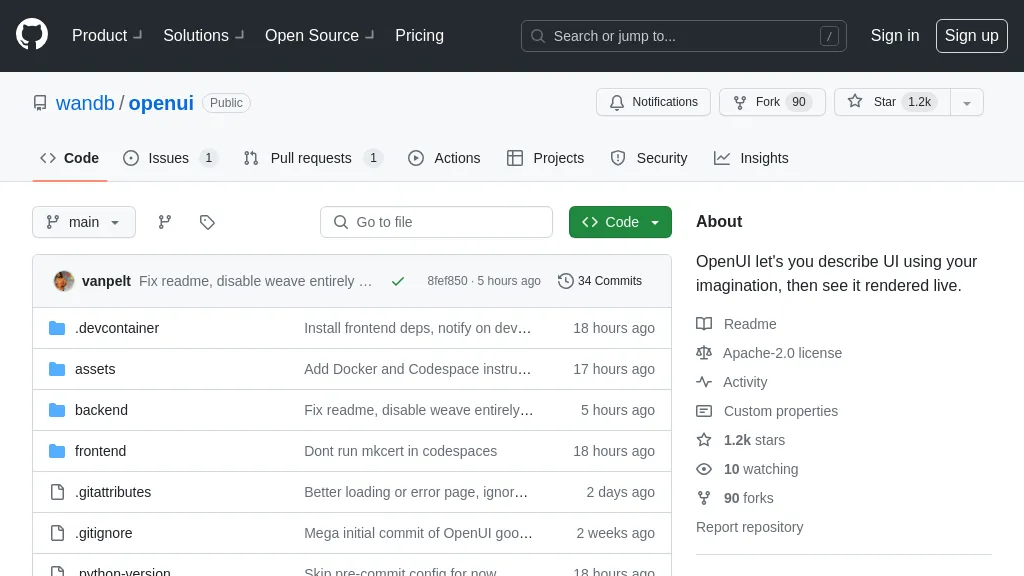
No user reviews yet FreeOpenUI simplifies UI component creation by allowing instant visualization of changes. It supports HTML to React, Svelte, and Web Components conversion, aiding in rapid prototyping and testing. Developed by W&B, it's part of their next-gen tooling for LLM-based applications.
We've ranked 14 OpenUI alternatives, including 14 with a free plan. Rankings are based on feature coverage and user feedbacks.
Top-rated alternatives include UX Magic, Visily AI, and components.ai.
14 OpenUI Alternatives & Competitors, Ranked by User Reviews
Click Compare on any tool to compare it side-by-side with OpenUI.
 #1
UX Magic
#1
UX Magic
UX Magic.ai is an AI-powered design platform that generates high-fidelity wireframes, UI components, and production-ready code from prompts, sketches, or URLs. It enables collaborative workflows with intelligent editing and exports directly to tools like Figma, React, and Webflow.
 #2
Visily AI
#2
Visily AI
Visily is an AI‑powered UI design tool that lets users create wireframes, mockups, and prototypes via drag‑and‑drop, generate designs from text, convert screenshots, auto‑apply UI patterns, and support real‑time collaboration and Figma integration.
 #3
components.ai
#3
components.ai
Components AI is an open‑source, no‑code platform that lets designers build responsive components and sites with visual generative modules. It provides theme‑based design tokens, 1000+ fonts, variable‑font control, export to React, SVG, CSS, and one‑click publishing with built‑in accessibility checks.
 #4
Uizard
#4
Uizard
Uizard converts text or screenshots into editable wireframes, mockups, and prototypes using AI. It offers screenshot and wireframe scanners, theme generation, ready‑made templates, a shared component library, real‑time collaboration, version control, and export to Figma and other tools.
 #5
Alloy.app
#5
Alloy.app
Alloy.app is an AI prototyping tool that enables product teams to create on-brand, production-like prototypes. It captures web components via a browser extension and integrates with design tools like Figma for rapid, seamless workflow.
 #6
Sketchflow AI
#6
Sketchflow AI
Generates AI-driven UI designs, editable interface pages and interactive prototypes from text or images, producing responsive web and native iOS/Android layouts plus one-click front-end code (React, Android Java, iOS Swift) for rapid prototyping and handoff.
- Catch deals before they expire
- Unlock tools matched to you
- Show off your AI stacks
Already a member? Sign in
 #7
LangUI
#7
LangUI
LangUI is an open‑source Tailwind CSS component library with 60+ ready‑made, responsive components in dark/light modes. Zero dependencies, simple copy‑paste, customizable slate/blue palette, MIT‑licensed, community‑driven, supports rapid AI UI prototyping.
 #8
Mokzu
#8
Mokzu
Mokzu converts design mockups into functional React components by automatically generating code from captured screen areas. This tool enhances collaboration between design and development teams, streamlining the transition from visual concepts to working code.
 #9
Screenshot Coder
#9
Screenshot Coder
Screenshot Coder transforms visual mockups into production‑ready frontend code in seconds, supporting Tailwind CSS, Bootstrap, and React. It delivers responsive, clean UI code directly from screenshots, accelerating prototyping for designers and developers.
 #10
Blaze.baby
#10
Blaze.baby
Blaze generates clean, framework-free HTML components and responsive website prototypes from prompts or specifications, producing export-ready markup for front-end developers, UX/UI designers, and product teams to integrate into existing workflows; desktop-optimized.
 #11
Tailwind AI
#11
Tailwind AI
CodeRocket is an AI‑powered tool that turns text or image prompts into production‑ready Tailwind v4 components for React, Vue, Svelte, Angular, and plain HTML. It supports design cloning, Figma integration, Supabase back‑end, and quick deployment.
 #12
Unshift AI
#12
Unshift AI
Unshift AI Website Builder allows developers to create production-ready websites using frameworks like Next.js and Svelte, featuring a user-friendly editor, AI-generated content, optimized code access, and a customizable design system for efficient and scalable web development.
 #13
Webcrumbs Frontend AI
#13
Webcrumbs Frontend AI
Webcrumbs Frontend AI converts natural‑language prompts into ready‑to‑use code for React, Next.js, Tailwind, Material‑UI, and WordPress. It integrates with Figma, Replit, Wix, and Elementor, enabling designers to generate UI components, wireframes, and export code with an edit‑and‑refine interface.
 #14
AI App Generator by UI Bakery
#14
AI App Generator by UI Bakery
AI App Generator by UI Bakery is a low‑code platform that creates web apps from a single text prompt using drag‑and‑drop UI, workflow automations, and API/database integrations, enabling rapid deployment of dashboards, admin panels, and custom solutions.
Frequently Asked Questions
Why look for OpenUI alternatives?
Common reasons users switch from OpenUI:
- Feature gaps: teams needing specific capabilities like Generate UI may find a more focused alternative better suited to their workflow.
- Flexibility: exploring alternatives helps find tools that better match your team size, integrations, and budget.
What is the best alternative to OpenUI?
Based on 7 user reviews, UX Magic (57.1% positive) ranks as the top OpenUI alternative. UX Magic.ai is an AI-powered design platform that generates high-fidelity wireframes, UI components, and production-ready code from prompts, sketches, It is available on a Free trial plan.
How do the top OpenUI alternatives compare?
| Tool | Pricing | Starting Price | User Rating |
|---|---|---|---|
| OpenUI this tool | Free | — | — |
| UX Magic | Free trial | — | 57.1% (7) |
| Visily AI | Freemium | — | 61.9% (21) |
| components.ai | Free | — | 100% (1) |
| Uizard | Freemium | $39/mo | 61.1% (18) |
| Alloy.app | Freemium | — | 80% (5) |
Are there free OpenUI alternatives?
Yes, 14 free alternatives found in our list: UX Magic, Visily AI, components.ai. and 11 more — use the pricing filter above to see them all.
What should I look for in a OpenUI alternative?
- Core capabilities: confirm the tool supports Generate UI, Convert HTML, Build components.
- Pricing transparency: look for clear free plan, trial period, or tiered pricing — avoid tools that hide costs.
- User reviews: check both the satisfaction percentage and the number of reviews; a high score from few users is less reliable.
- Integrations: verify it connects with your existing stack before committing.
- Support and updates: active development and responsive support are strong signals of a maintained product.
Which OpenUI alternative has the highest user rating?
components.ai has the highest satisfaction score among OpenUI alternatives, with 100% positive from 1 user review. It is available on a Free plan.
What are OpenUI alternatives used for?
- Generate UI
- Convert HTML
- Build components
- Create prototypes
- Optimize layouts