
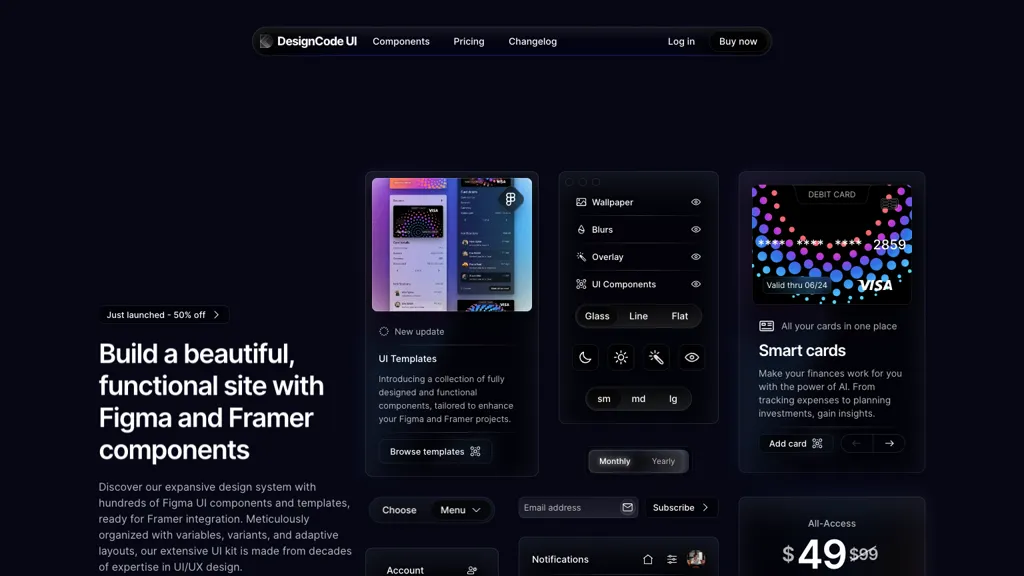
What is DesignCode UI?
DesignCode UI is a comprehensive design system that delivers more than 300 ready‑made components, 2,000+ Figma variants, and 2,116 unique icons for seamless integration with Figma and Framer. It features a library of buttons, controls, menus, and adaptive layouts, all available in dark and light modes with customizable themes and variables.
Designers can preview components directly in Figma and copy fully configured Framer elements for rapid prototyping. The kit supports CSS, React, and Tailwind, and includes styles such as glass, line, and flat, as well as responsive breakpoints and auto‑layout.
DesignCode UI pricing
PaidVerify on the official pricing page.
View plansDesignCode UI's key features
-
Figma and Framer components
-
Variables, variants, adaptive layouts
-
Auto Layout integration
-
Dark and light mode support
-
Customizable glass, outline, flat styles
-
CSS, React, Tailwind compatibility
-
2,116 unique icons included
DesignCode UI use cases
-
Create a high-fidelity web landing page in Figma using DesignCode UI's 300+ ready components, instantly export React, CSS, or Tailwind code and sync with Framer for interactive prototypes.
-
Rapidly build mobile app screens with DesignCode UI's 2,000 Figma variants, then hand off clean CSS and React component snippets via Framer integration for a fast developer workflow.
-
Design a dark/light themed admin panel, leveraging DesignCode UI's 2,116 icons and customizable variables, and generate auto‑layout code snippets in CSS, React, and Tailwind for quick implementation.
DesignCode UI user reviews
Based on 1 review, 100% of users recommend DesignCode UI, rated highly for quality results.
Liked for
Would you recommend DesignCode UI?
Who is DesignCode UI for?
-
Design system creators
-
Product designers
-
Frontend developers
-
Ui designers
-
Ux designers
DesignCode UI FAQ
How much does DesignCode UI cost?
DesignCode UI is a paid product with no free plan. Plans include All-access at $49 and Team at $149.
What are the best alternatives to DesignCode UI?
The closest alternatives to DesignCode UI are Frontender, Codia ai, components.ai, UX Magic and Uizard. You can compare them side by side in the alternatives section further down this page.


