
What is Visily AI?
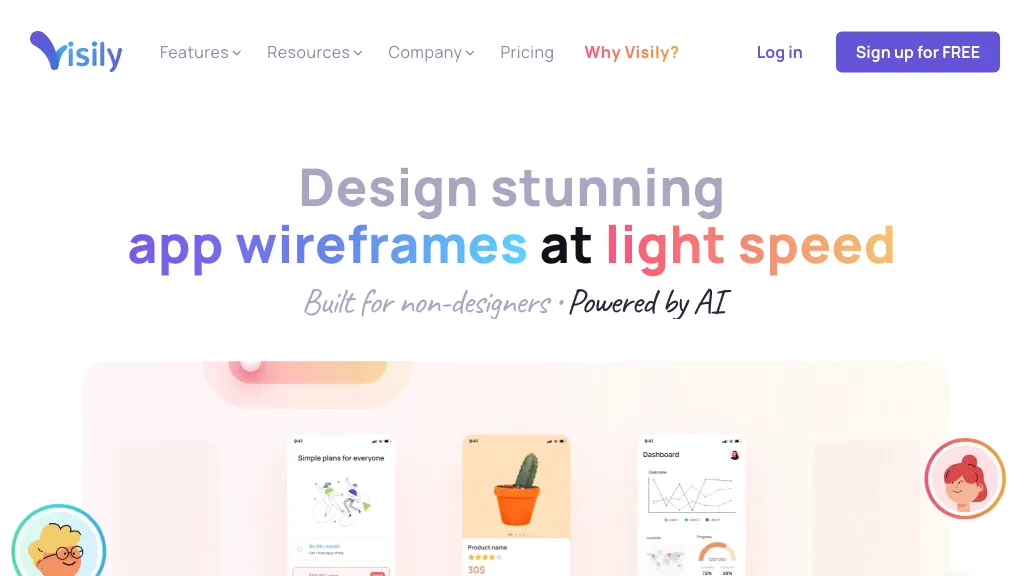
Visily is an AI‑driven UI design platform that lets users create wireframes, mockups, and prototypes using a drag‑and‑drop canvas.
The editor supports generation of wireframes from text prompts, conversion of diagram screenshots to UI screens, and AI‑assisted design edits.
Smart Components and auto‑prototyping automatically apply consistent UI patterns and generate interactive prototypes from static designs.
Pre‑built templates, premade themes, and a library of UI presets reduce the need for design experience.
Collaboration features include real‑time commenting, cursor‑chat, follower mode, and shared asset libraries that integrate with Figma.
Product managers, startup founders, and cross‑functional teams can quickly share high‑fidelity concepts with stakeholders without learning complex design software.
The platform is built for non‑designers, offering an intuitive interface that eliminates the learning curve common in professional design tools.
Visily AI details
- Built for
- Businesses and teams
Visily AI tech specs
- Integrations
- Figma
Visily AI pricing
Freemium- Auto-renewal
- Yes
Verify on the official pricing page.
View plansVisily AI's key features
-
AI-driven UI design generator
-
Smart Components auto layout
-
Auto-prototyping from text prompts
-
Drag-and-drop editor
-
Real-time commenting & chat
-
Shared asset libraries
-
Screenshot editor tool
Visily AI use cases
-
Rapidly prototype mobile app screens for a startup pitch deck, converting initial sketches into polished wireframes with auto UI patterns and real‑time collaboration with investors using Visily.
-
Convert legacy app screenshots into editable Figma components, allowing a design team to iterate quickly without manual re‑creation and auto‑apply UI patterns for consistency through Visily’s screenshot‑to‑UI feature.
-
Create interactive e‑learning course interfaces for a non‑designer educator by typing course outlines into Visily’s text‑to‑wireframe, producing a clickable prototype that can be shared with stakeholders via collaborative editor.
Visily AI user reviews
Based on 21 reviews, 62% of users recommend Visily AI, rated highly for value for money.
Liked for
Disliked for
Would you recommend Visily AI?
Who is Visily AI for?
-
Product designers
-
Web developers
-
Graphic designers
-
Content creators
-
Strategic managers
Visily AI FAQ
Is Visily AI free?
Partly. Visily AI has a free plan with usage limits, and paid plans unlock the full feature set. Plans include Business at $29 per editor/mo billed annually and Pro at $11 per editor/mo billed annually save 20%.
Is Visily AI safe to use?
Visily AI carries the TopAI.tools verified mark, which we award after a manual review of pricing transparency, published terms, public following and working functionality. It has a substantial audience that is independently measured month to month.
Is Visily AI good?
Visily AI has a 62% recommendation rate from 21 reviewers on TopAI.tools. Reviewers rate it highest on value for money and quality of results.
What are the best alternatives to Visily AI?
The closest alternatives to Visily AI are Uizard, UX Magic, UX Pilot, Banani and Sketchflow AI. You can compare them side by side in the alternatives section further down this page.
What does Visily AI do with my data?
Visily AI states that customer content is not used to train its models.
Does Visily AI auto-renew or offer refunds?
Visily AI subscriptions renew automatically until you cancel.
What does Visily AI integrate with?
Visily AI connects with Figma.
Compliance, privacy and billing terms are as stated in each product's own published documentation and have not been independently verified by TopAI.tools.


