Top 29 Readvox Alternatives in 2026
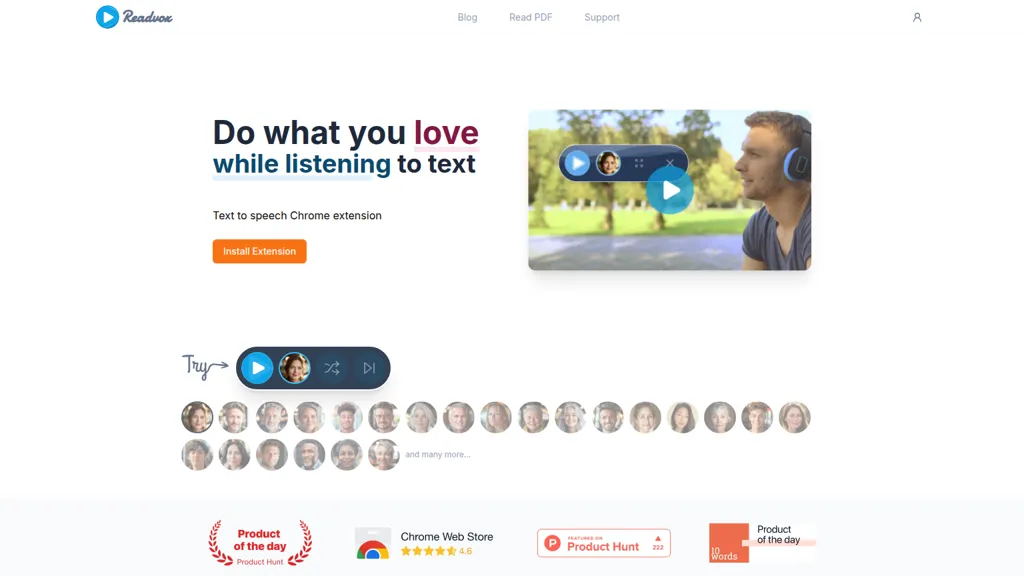
No user reviews yet FreeReadvox is a Chrome text-to-speech extension that converts web pages, PDFs, Google Docs, Kindle books and images (OCR) into audio, offering selectable voices, custom pronunciation, adjustable speed, pause/resume, and controls to support accessibility and language learning.
We've ranked 29 Readvox alternatives, including 23 with a free plan. Rankings are based on feature coverage and user feedbacks.
Top-rated alternatives include NaturalReader, Speechify, and Audioread.
29 Readvox Alternatives & Competitors, Ranked by User Reviews
Click Compare on any tool to compare it side-by-side with Readvox.
NaturalReader AI converts PDFs, Word, ePub, web pages, and OCR text into natural‑sounding audio in 90+ languages. It supports voice cloning, offline playback, mobile and Chrome extension access, and includes captions and dyslexia‑friendly fonts.
#2
Speechify
Speechify converts PDFs, DOCX, EPUB, web pages, and more into natural‑sounding audio on iOS, Android, macOS, Windows, and Chrome. It offers an AI assistant that summarizes documents while you listen, supports voice typing, and allows offline access.
#3
Audioread
Audioread transforms articles, PDFs, emails, URLs, and RSS feeds into natural‑sounding audio in 80+ languages, with adjustable speed, MP3 downloads, and private podcast feeds for cross‑device streaming. It offers AI summaries, privacy mode, Slack integration, and an API for developers.
#4
Free Text-To-Speech
A web‑based Microsoft AI TTS tool offering 330+ neural voices in 129 languages. Users can adjust rate, pitch, pauses, and style for news, scripts, or narration. Works across Chrome, Firefox, Edge, with an API for web integration.
#5
AnyToSpeech
AnyToSpeech converts text, PDFs, DOCX, URLs, and images into natural‑sounding audio across 16 languages, offering 100+ voices and voice‑cloning from a 30‑second clip. It transcribes and cleans audio, supports translation, and is available via web and Android.
#6
ttsMP3.com
ttsMP3.com converts text to spoken audio in over 28 languages with natural voices. Supports multiple speakers, SSML tags, and instant MP3 downloads. Ideal for e‑learning, slide decks, videos, and enhancing website accessibility.
- Catch deals before they expire
- Unlock tools matched to you
- Show off your AI stacks
Already a member? Sign in
#7
TTSMaker
Online TTS platform converts text into audio in 100+ languages with 148+ AI voices. Users can tweak speed, pitch, pause, add background music, and download MP3, OGG, AAC, OPUS, or WAV for dubbing, audiobooks, and language learning.
#8
FreeTTS
FreeTTS delivers browser‑based AI audio utilities: multilingual text‑to‑speech, accurate speech‑to‑text transcription, vocal isolation, voice enhancement, precise cut/join, and format conversion (MP3, WAV, FLAC, OGG, M4A). All processing is local and files auto‑delete after 12 hours.
#9
AudiowaveAI
AudiowaveAI turns articles, blogs, PDFs, ePubs, and other text into natural‑sounding audio in 100+ languages, offering up to ten distinct voices. Browser‑based playback, shareable files, and flexible pay‑per‑word credits suit creators and learners.
#10
Outtloud
Outtloud converts PDFs, EPUBs, DOCXs, web articles, and YouTube transcripts into natural‑sounding audio in over 50 languages. It supports adjustable speed, dyslexia‑friendly fonts, voice cloning from a short sample, OCR for scanned files, and built‑in bookmarking, annotation, and reading‑goal tracking.
#11
GPT Reader & Transcriber
gpt-reader.com is a community-driven AI development platform that enables open-source teams to manage projects through proposal voting, AI-assisted code reviews, and integrated CI/CD workflows.
#12
Speak4Me - Text to Speech
Speak4Me converts PDFs, e‑books, documents, websites, and scanned images into natural‑sounding audio with adjustable speed. It offers voice selection, searchable content via ChatWithMe, and accessibility support for dyslexia, ADHD, and visual impairments, suitable for students, educators, and businesses.
#13
Text-speech.net
Free Text to Speech Online converts unlimited text into audible speech across multiple languages, voices, and genders. Users can adjust speed with a slider, control playback, and the service works on all browsers and mobile devices without login.
#14
Clearly Reader
Clearly Reader cleans web pages by removing ads and distractions, offers adjustable readability settings, built‑in text‑to‑speech, clipping and bookmarking, AI‑driven summarization, and export to PDF, Word, Markdown, and third‑party services for students, researchers, and casual readers.
#15
Reader by Audeus
Audeus is a web-based text-to-speech tool that enhances reading efficiency by converting various document formats into audio, synchronizing highlighted text, and allowing users to customize playback speed for improved comprehension and focus.
#16
MicVoice.Ai
MicVoice.Ai converts written text into natural speech with advanced TTS, offering real‑time voice change, noise reduction, and multi‑language support. It extracts text from PDFs and JPGs, letting users adjust pitch, speed, and tone for clear, personalized audio.
#17
Text Reader AI
Text Reader is an AI Text-to-Speech tool with high-quality WaveNet voices, offering quick conversion of written text to lifelike audio in over 40 languages. Perfect for podcasts, videos, phone systems, and more.
#18
notevibes.com
Notevibes transforms text, PDFs, URLs, images, and audio into studio‑quality voiceovers, podcasts, and audiobooks using 550+ voices across 57 languages. It auto‑summarizes content, supports multi‑speaker dialogues, and delivers MP3/WAV downloads for commercial use.
#19
TTSvox
ttsvox is a web-based text-to-speech and AI voice generator that converts text into MP3 or WAV files using over 350 voices across 100+ languages and accents, with adjustable speed and volume. It supports unlimited browser-based conversions without downloads, making it ideal for video narration, e-learning, podcasts, and multilingual content production.
#20
TexttoSpeech.im
Text to Speech.im is a web‑based AI text‑to‑speech converter offering 150+ natural voices in multiple languages. Paste up to 2,000 characters, adjust rate and volume, and download MP3s or stream. API integration supports developers.
#21
SpeechGen
SpeechGen.io converts up to 2 million characters into high‑quality neural‑voice audio across 150 languages with 5,000 models. It allows voice, speed, pitch, volume control, SSML tags, background music, multi‑speaker tagging, downloadable formats, and a REST API.
#22
BlabbyAI
BlabbyAI is a speech-to-text tool that integrates with over 50,000 websites. It converts your speech into accurately formatted text with automatic punctuation and support for 90+ languages.
#23
Texttovoice.online
Online voice‑synthesis tool that converts text into spoken audio in multiple languages. It offers standard, Gen2, prompted, and voice‑cloned voices with emotional tones, adjustable gender, accent, speed, background levels, and MP3 export for creators and educators.
#24
Narrator: Audiobook Maker
Narrator converts ePub, PDF, DOCX, TXT, and RTF files into natural‑sounding speech in over 25 languages. Playback speed ranges from 0.5× to 3×, and audio can be exported as a single .m4a file. Works offline after voice download.
#25
TurboScribe
TurboScribe is an AI-powered transcription tool offering ultra-fast conversion of audio and video files to text. It supports over 98 languages, handles uploads up to 10 hours long, and features speaker recognition for meetings, interviews, and podcasts.
#26
AudioBookHub
AudioBookHub is a comprehensive audio learning platform that transforms text from PDFs, articles, URLs, and photos into narrated audio with 19+ AI voices, while also offering 10,000+ audiobook summaries and full public-domain titles. It enhances retention through quizzes, mind maps, and reflection prompts, and personalizes listening with per-book theme songs, seven music moods, and adjustable playback speeds.
#27
DocstoAudio
DocstoAudio is a browser-based tool that converts EPUB, PDF, DOCX, and TXT files into MP3 or M4B audiobooks with chapter marks, supporting batch and chapter-based conversion. It offers standard and premium voices across 30+ languages, with live progress tracking and downloadable single or zipped chapter outputs.
#28
Clipboard TTS
Clipboard TTS automatically reads clipboard changes with 49 languages and 100+ voices, supports translation, OCR, dictionary, text editing, history, experimental AI summaries, and user‑defined order for mutations on Windows and Linux.
#29
Filespeech
FileSpeech transforms PDFs, e‑books, webpages, and scanned documents into spoken audio in over a dozen languages. Users choose natural voice profiles, upload via cloud, URL, or camera, and download MP3s for offline use.
Frequently Asked Questions
Why look for Readvox alternatives?
Common reasons users switch from Readvox:
- Feature gaps: teams needing specific capabilities like Generate Audio may find a more focused alternative better suited to their workflow.
- Flexibility: exploring alternatives helps find tools that better match your team size, integrations, and budget.
What is the best alternative to Readvox?
Based on 28 user reviews, NaturalReader (78.6% positive) ranks as the top Readvox alternative. NaturalReader AI converts PDFs, Word, ePub, web pages, and OCR text into natural‑sounding audio in 90+ languages. It supports voice cloning, offline p It is available on a Freemium plan.
How do the top Readvox alternatives compare?
| Tool | Pricing | Starting Price | User Rating |
|---|---|---|---|
| Readvox this tool | Free | — | — |
| NaturalReader | Freemium | — | 78.6% (28) |
| Speechify | Free trial | $29/mo | 80.8% (26) |
| Audioread | Subscription | — | — |
| Free Text-To-Speech | Free | — | 100% (2) |
| AnyToSpeech | Subscription | — | — |
Are there free Readvox alternatives?
Yes, 23 free alternatives found in our list: NaturalReader, Speechify, Free Text-To-Speech. and 20 more — use the pricing filter above to see them all.
What should I look for in a Readvox alternative?
- Core capabilities: confirm the tool supports Generate Audio, translate texts, analyze text.
- Pricing transparency: look for clear free plan, trial period, or tiered pricing — avoid tools that hide costs.
- User reviews: check both the satisfaction percentage and the number of reviews; a high score from few users is less reliable.
- Integrations: verify it connects with your existing stack before committing.
- Support and updates: active development and responsive support are strong signals of a maintained product.
Which Readvox alternative has the highest user rating?
Free Text-To-Speech has the highest satisfaction score among Readvox alternatives, with 100% positive from 2 user reviews. It is available on a Free plan.
What are Readvox alternatives used for?
- Generate Audio
- translate texts
- analyze text