
Top 29 Outtloud Alternatives in 2026
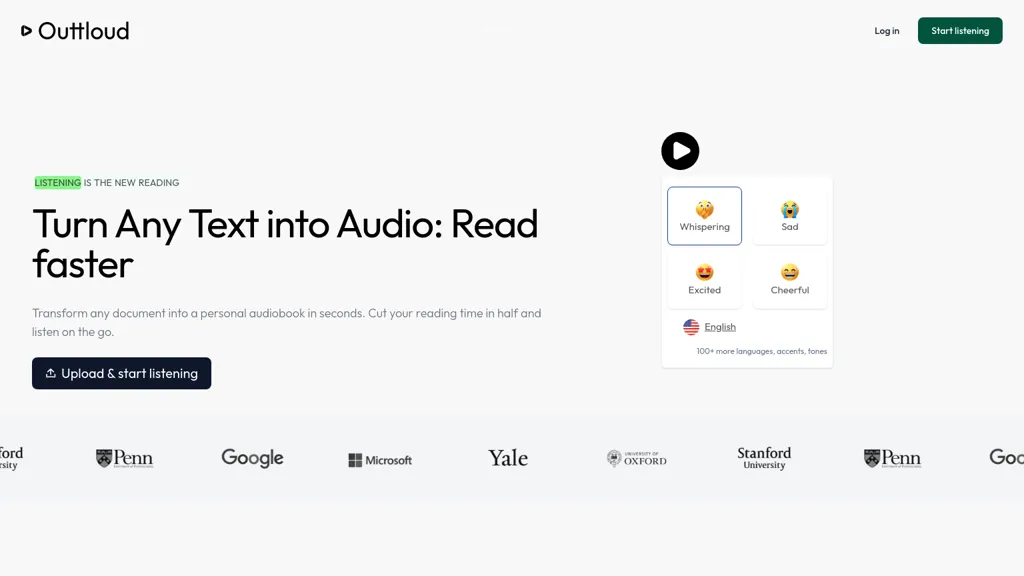
50% positive · 1 user review SubscriptionOuttloud converts PDFs, EPUBs, DOCXs, web articles, and YouTube transcripts into natural‑sounding audio in over 50 languages. It supports adjustable speed, dyslexia‑friendly fonts, voice cloning from a short sample, OCR for scanned files, and built‑in bookmarking, annotation, and reading‑goal tracking.
We've ranked 29 Outtloud alternatives, including 23 with a free plan. Rankings are based on feature coverage and user feedbacks.
Top-rated alternatives include Speechify, AnyToSpeech, and AudiowaveAI.
29 Outtloud Alternatives & Competitors, Ranked by User Reviews
Click Compare on any tool to compare it side-by-side with Outtloud.
 #1
Speechify
#1
Speechify
Speechify converts PDFs, DOCX, EPUB, web pages, and more into natural‑sounding audio on iOS, Android, macOS, Windows, and Chrome. It offers an AI assistant that summarizes documents while you listen, supports voice typing, and allows offline access.
 #2
AnyToSpeech
#2
AnyToSpeech
AnyToSpeech converts text, PDFs, DOCX, URLs, and images into natural‑sounding audio across 16 languages, offering 100+ voices and voice‑cloning from a 30‑second clip. It transcribes and cleans audio, supports translation, and is available via web and Android.
 #3
AudiowaveAI
#3
AudiowaveAI
AudiowaveAI turns articles, blogs, PDFs, ePubs, and other text into natural‑sounding audio in 100+ languages, offering up to ten distinct voices. Browser‑based playback, shareable files, and flexible pay‑per‑word credits suit creators and learners.
 #4
Audioread
#4
Audioread
Audioread transforms articles, PDFs, emails, URLs, and RSS feeds into natural‑sounding audio in 80+ languages, with adjustable speed, MP3 downloads, and private podcast feeds for cross‑device streaming. It offers AI summaries, privacy mode, Slack integration, and an API for developers.
 #5
Narrator: Audiobook Maker
#5
Narrator: Audiobook Maker
Narrator converts ePub, PDF, DOCX, TXT, and RTF files into natural‑sounding speech in over 25 languages. Playback speed ranges from 0.5× to 3×, and audio can be exported as a single .m4a file. Works offline after voice download.
 #6
Speak4Me - Text to Speech
#6
Speak4Me - Text to Speech
Speak4Me converts PDFs, e‑books, documents, websites, and scanned images into natural‑sounding audio with adjustable speed. It offers voice selection, searchable content via ChatWithMe, and accessibility support for dyslexia, ADHD, and visual impairments, suitable for students, educators, and businesses.
- Catch deals before they expire
- Unlock tools matched to you
- Show off your AI stacks
Already a member? Sign in
 #7
TranscribetoText.AI
#7
TranscribetoText.AI
TranscribeToText.AI turns audio and video files—up to 10 hours or 5 GB—into accurate text in 100+ languages, supporting MP3, MP4, WAV, OGG, etc. Export as DOCX, PDF, TXT, SRT, VTT or import from URLs, YouTube, Google Drive, Dropbox, or live meetings.
 #8
notevibes.com
#8
notevibes.com
Notevibes transforms text, PDFs, URLs, images, and audio into studio‑quality voiceovers, podcasts, and audiobooks using 550+ voices across 57 languages. It auto‑summarizes content, supports multi‑speaker dialogues, and delivers MP3/WAV downloads for commercial use.
 #9
ttsMP3.com
#9
ttsMP3.com
ttsMP3.com converts text to spoken audio in over 28 languages with natural voices. Supports multiple speakers, SSML tags, and instant MP3 downloads. Ideal for e‑learning, slide decks, videos, and enhancing website accessibility.
 #10
MicVoice.Ai
#10
MicVoice.Ai
MicVoice.Ai converts written text into natural speech with advanced TTS, offering real‑time voice change, noise reduction, and multi‑language support. It extracts text from PDFs and JPGs, letting users adjust pitch, speed, and tone for clear, personalized audio.
 #11
TurboScribe
#11
TurboScribe
TurboScribe is an AI-powered transcription tool offering ultra-fast conversion of audio and video files to text. It supports over 98 languages, handles uploads up to 10 hours long, and features speaker recognition for meetings, interviews, and podcasts.
 #12
Reader by Audeus
#12
Reader by Audeus
Audeus is a web-based text-to-speech tool that enhances reading efficiency by converting various document formats into audio, synchronizing highlighted text, and allowing users to customize playback speed for improved comprehension and focus.
 #13
Inpodcast AI
#13
Inpodcast AI
Inpodcast AI transforms PDFs, Word, Markdown, and TXT files into audio podcasts in seconds. It offers customizable script control, multi‑language TTS, over 70 voices, voice cloning, and corporate or educational use, delivering ready‑to‑publish audio episodes.
 #14
DocstoAudio
#14
DocstoAudio
DocstoAudio is a browser-based tool that converts EPUB, PDF, DOCX, and TXT files into MP3 or M4B audiobooks with chapter marks, supporting batch and chapter-based conversion. It offers standard and premium voices across 30+ languages, with live progress tracking and downloadable single or zipped chapter outputs.
 #15
PDF to MP3
#15
PDF to MP3
ListenDock converts PDFs, DOCX, EPUB, and web pages into MP3 audio, offering full text or summarized episodes in multiple languages, including technical and mathematical content, for mobile listening during commutes or study sessions.
 #16
AudioConvert
#16
AudioConvert
AudioConvertis a free AI tool that instantly transcribes audio files like mp3 and wav into text. It automatically identifies different speakers and provides timestamped transcripts for export.
 #17
AudioBookHub
#17
AudioBookHub
AudioBookHub is a comprehensive audio learning platform that transforms text from PDFs, articles, URLs, and photos into narrated audio with 19+ AI voices, while also offering 10,000+ audiobook summaries and full public-domain titles. It enhances retention through quizzes, mind maps, and reflection prompts, and personalizes listening with per-book theme songs, seven music moods, and adjustable playback speeds.
 #18
TTSMaker
#18
TTSMaker
Online TTS platform converts text into audio in 100+ languages with 148+ AI voices. Users can tweak speed, pitch, pause, add background music, and download MP3, OGG, AAC, OPUS, or WAV for dubbing, audiobooks, and language learning.
 #19
Text Reader AI
#19
Text Reader AI
Text Reader is an AI Text-to-Speech tool with high-quality WaveNet voices, offering quick conversion of written text to lifelike audio in over 40 languages. Perfect for podcasts, videos, phone systems, and more.
 #20
Free Text-To-Speech
#20
Free Text-To-Speech
A web‑based Microsoft AI TTS tool offering 330+ neural voices in 129 languages. Users can adjust rate, pitch, pauses, and style for news, scripts, or narration. Works across Chrome, Firefox, Edge, with an API for web integration.
 #21
AudioBot
#21
AudioBot
AudioBot converts written text to natural‑sounding MP3 audio using over 500 AI voices in multiple languages, including diverse Spanish accents. Users can tweak pitch, speed, and tone, making it useful for video, podcasts, and accessibility.
 #22
FreeTTS
#22
FreeTTS
FreeTTS delivers browser‑based AI audio utilities: multilingual text‑to‑speech, accurate speech‑to‑text transcription, vocal isolation, voice enhancement, precise cut/join, and format conversion (MP3, WAV, FLAC, OGG, M4A). All processing is local and files auto‑delete after 12 hours.
 #23
Myreader AI
#23
Myreader AI
Myreader is an AI reading assistant that accepts PDFs, EPUBs, YouTube videos, and web articles, enabling chat‑based queries, concise summaries, contextual citations, and text‑to‑speech in 50+ voices across 30 languages. Secure cloud storage supports large libraries.
 #24
makeaudio
#24
makeaudio
makeaudio.app transforms up to 100,000 characters of text into spoken audio in 16 languages, offering six natural‑sounding voice options. Export in MP3, WAV, or FLAC, making it suitable for writers, educators, and business content production.
 #25
Readvox
#25
Readvox
Readvox is a Chrome text-to-speech extension that converts web pages, PDFs, Google Docs, Kindle books and images (OCR) into audio, offering selectable voices, custom pronunciation, adjustable speed, pause/resume, and controls to support accessibility and language learning.
 #26
AudioTranscriber.io
#26
AudioTranscriber.io
Audio Transcriber AI is a browser-based tool that converts audio and video files into timestamped, speaker-labeled text. It supports major formats, large uploads up to 5 GB, automatic language recognition for 120+ languages, and includes TikTok MP3 conversion and YouTube audio extraction.
 #27
TTSvox
#27
TTSvox
ttsvox is a web-based text-to-speech and AI voice generator that converts text into MP3 or WAV files using over 350 voices across 100+ languages and accents, with adjustable speed and volume. It supports unlimited browser-based conversions without downloads, making it ideal for video narration, e-learning, podcasts, and multilingual content production.
 #28
SpeechGen
#28
SpeechGen
SpeechGen.io converts up to 2 million characters into high‑quality neural‑voice audio across 150 languages with 5,000 models. It allows voice, speed, pitch, volume control, SSML tags, background music, multi‑speaker tagging, downloadable formats, and a REST API.
 #29
AnySpeech.io
#29
AnySpeech.io
AnySpeech.io is an AI voice studio offering 100+ multilingual, style-controlled voices for content creation. It generates export-ready audio for videos, podcasts, and e-learning to save production time and ensure consistent quality.
Frequently Asked Questions
Why look for Outtloud alternatives?
Common reasons users switch from Outtloud:
- Cost: Outtloud is a Subscription tool starting from $14/mo — users often look for more affordable or free options.
- User satisfaction: Outtloud holds a 50% positive rating — some users report unmet expectations.
- Feature gaps: teams needing specific capabilities like Generate Audio may find a more focused alternative better suited to their workflow.
- Flexibility: exploring alternatives helps find tools that better match your team size, integrations, and budget.
What is the best alternative to Outtloud?
Based on 26 user reviews, Speechify (80.8% positive) ranks as the top Outtloud alternative. Speechify converts PDFs, DOCX, EPUB, web pages, and more into natural‑sounding audio on iOS, Android, macOS, Windows, and Chrome. It offers an AI assi It is available on a Free trial plan starting from $29/mo.
How do the top Outtloud alternatives compare?
| Tool | Pricing | Starting Price | User Rating |
|---|---|---|---|
| Outtloud this tool | Subscription | $14/mo | 50% (1) |
| Speechify | Free trial | $29/mo | 80.8% (26) |
| AnyToSpeech | Subscription | — | — |
| AudiowaveAI | Freemium | — | — |
| Audioread | Subscription | — | — |
| Narrator: Audiobook Maker | Free | — | 100% (1) |
Are there free Outtloud alternatives?
Yes, 23 free alternatives found in our list: Speechify, AudiowaveAI, Narrator: Audiobook Maker. and 20 more — use the pricing filter above to see them all.
What should I look for in a Outtloud alternative?
- Core capabilities: confirm the tool supports Generate Audio, translate texts, Analyze Documents.
- Pricing transparency: look for clear free plan, trial period, or tiered pricing — avoid tools that hide costs.
- User reviews: check both the satisfaction percentage and the number of reviews; a high score from few users is less reliable.
- Integrations: verify it connects with your existing stack before committing.
- Support and updates: active development and responsive support are strong signals of a maintained product.
Which Outtloud alternative has the highest user rating?
Narrator: Audiobook Maker has the highest satisfaction score among Outtloud alternatives, with 100% positive from 1 user review. It is available on a Free plan.
What are Outtloud alternatives used for?
- Generate Audio
- translate texts
- Analyze Documents
- Optimize Voice