
Top 29 Komandi Alternatives in 2026
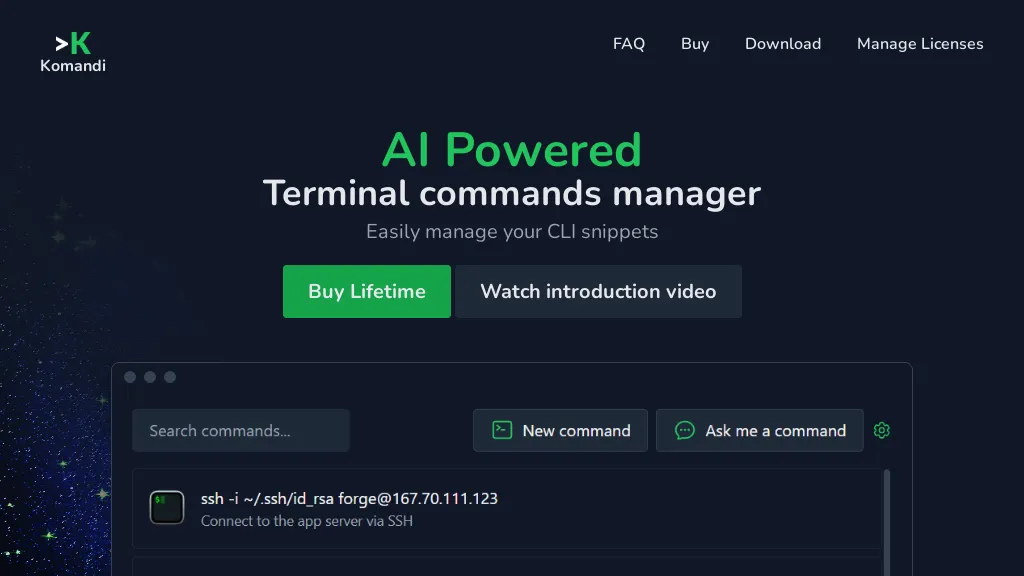
No user reviews yet PaidKomandi is an AI‑powered terminal command manager that lets developers and sysadmins organize, favorite, copy, and run CLI snippets. It generates commands from natural‑language prompts, supports macOS, Windows, Linux terminals, flags dangerous commands, and enables import/export of command sets.
We've ranked 29 Komandi alternatives, including 24 with a free plan. Rankings are based on feature coverage and user feedbacks.
Top-rated alternatives include Gemini CLI, CommandAI, and AI CLI.
29 Komandi Alternatives & Competitors, Ranked by User Reviews
Click Compare on any tool to compare it side-by-side with Komandi.
 #1
Gemini CLI
#1
Gemini CLI
Gemini CLI is a terminal-based AI agent that leverages Gemini's multimodal capabilities to automate coding tasks, manage codebases, and streamline GitHub operations. It enables developers to generate content, handle version control, and boost productivity through high-level tool integrations.
 #2
CommandAI
#2
CommandAI
CommandAI is a CLI that generates shell commands with AI, automates tasks, and offers code assistance. It integrates with npm, GitHub, Discord, and JSONScript, streamlining scripting for developers, DevOps, and sysadmins.
 #3
AI CLI
#3
AI CLI
Get answers for CLI commands from GPT3 directly in the terminal using AI-powered CLI tool.
 #4
Claude Code
#4
Claude Code
Claude Code is an AI-powered coding assistant that operates within the terminal, automating tasks like editing files, fixing bugs, executing tests, and managing git workflows. It enhances developer productivity through natural language commands and real-time support.
 #5
Programming Helper
#5
Programming Helper
AI Studio converts natural‑language prompts into working code across C++, Python, JavaScript, SQL, CSS, HTML, and regex. It translates snippets, adds typing hints, estimates complexity, offers git/command lookup, and provides plain‑English explanations, supporting collaboration and quick prototyping.
 #6
Command Code AI
#6
Command Code AI
commandcode.ai is a developer-centric CLI tool for interacting with multiple large language models, managing sessions with sliding-window memory, and automating long-running AI workflows. It supports model switching, vision tasks, background shell operations, and persisted, resumeable sessions for reproducible command-line AI interactions.
- Catch deals before they expire
- Unlock tools matched to you
- Show off your AI stacks
Already a member? Sign in
 #7
Trae AI
#7
Trae AI
Trae is an adaptive AI-powered IDE that boosts coding efficiency through dynamic task allocation, real-time previews, multimodal understanding of images, tailored code generation, and smart autocompletion, enhancing developer collaboration and workflow.
 #8
How2
#8
How2
How2 is an AI‑powered command‑line helper that suggests Unix shell commands directly from a terminal. It recommends concise Bash/Zsh sequences, can generate scripts, includes a StackOverflow search flag, supports PowerShell, and runs safely without auto‑execution.
 #9
Aider.chat
#9
Aider.chat
Aider is an AI-powered pair programming tool that helps developers collaborate with LLMs for editing, refactoring, and debugging code within Git repositories. It supports multiple languages and integrates with IDEs and editors for real-time updates.
 #10
AI Actions
#10
AI Actions
AI Actions is a powerful tool that provides additional AI-related actions and shortcuts on macOS, including the ability to interact with the ChatGPT API. It requires macOS 13 or higher and is not available in China.
 #11
gptcli
#11
gptcli
GPT CLI brings ChatGPT to the terminal, auto‑generating Git commit messages from diffs and translating natural‑language requests into shell commands. Plugins for translation, weather, Notion, etc. can be added via npm, fitting into dev and admin workflows.
 #12
MyPaste
#12
MyPaste
mypaste is an AI-powered code pasting tool for Github users. Upload pastes seamlessly from your terminal with CLI convenience. Customize expiration policies and programming languages for flexible and efficient workflow.
 #13
Command AI
#13
Command AI
Command AI delivers AI‑powered in‑app assistance, offering product tours, nudges, surveys, and checklists. Its Copilot agent provides real‑time walkthroughs and co‑browsing, while API integration ensures context‑aware responses. The platform supports mobile/web, integrates with 24+ tools, and prioritizes non‑annoying interactions.
 #14
Termdock
#14
Termdock
Termdock is a terminal-centric AI development environment that consolidates multi-workspace, multi-terminal workflows with resizable windows and picture-in-picture monitoring, AST-driven code analysis across 13+ languages, drag-and-drop CLI inputs, unified caching, search, and Git visualizations.
 #15
CodeMate
#15
CodeMate
CodeMate AI is a VS Code plugin that translates natural‑language prompts into code, providing pull‑request reviews, bug and security analysis, refactoring, debugging, optimization, and documentation generation. It supports GitHub, Bitbucket, GitLab, Azure DevOps, and runs locally for secure, scalable operation.
 #16
Alice App
#16
Alice App
Alice is an AI assistant for macOS, Windows, and Linux that launches via hotkey, stores context locally, supports multiple LLMs through API keys, offers keyboard shortcuts, custom commands via Zapier/Make, and handles files, web, images, and visuals for reliable responses.
 #17
Helper.im
#17
Helper.im
Ai Helper is a cross‑platform desktop client that brings ChatGPT, GPT‑4, and other AI engines to macOS, Windows, and Linux. It lets users chat on webpages, PDFs, or videos via shortcuts and generate content, code, or emails within native apps.
 #18
CodeCompanion
#18
CodeCompanion
CodeCompanion scans entire codebases to locate relevant files, providing an integrated terminal, browser, and shell execution. It auto‑corrects console errors, supports semantic search and custom instructions, stores data locally, and runs on Mac and Windows.
 #19
Promptaa
#19
Promptaa
Promptaa generates, enhances, and organizes prompts for ChatGPT, Claude, and other generative AI. Create category-based prompts, auto-improve wording and structure, save searchable versioned libraries, share or collaborate, and reuse templates across projects.
 #20
Prompt Box
#20
Prompt Box
PromptBox is an AI‑driven platform that lets users create, store, and reuse text prompts across mobile and desktop with cloud sync and team collaboration. It offers unlimited prompt generation, tagging, and keyboard shortcut integration.
 #21
MindMac
#21
MindMac
MindMac is a native macOS client that integrates ChatGPT, Azure OpenAI, Gemini, and Claude on the desktop. It offers inline prompts, a 150‑template library, customizable context modes, shortcuts, keychain storage, and 15 UI languages for developers, researchers, and teams.
 #22
CloudCLI AI
#22
CloudCLI AI
CloudCLI AI is a containerized remote development platform that provides persistent, cross-device coding sessions. It integrates AI coding agents, supports major IDEs, and offers team features for shared environments and configurations.
 #23
Omnipilot
#23
Omnipilot
Omnipilot is a macOS AI copilot that provides context‑aware typing assistance in any application. It auto‑completes emails, generates Bash commands, offers code suggestions, drafts documents, and creates meeting summaries, reducing typing and context switching.
 #24
AICommit.app
#24
AICommit.app
AICommit is a JetBrains IDE plugin that auto‑generates context‑aware commit messages from the staged diff with a single click. It processes diffs locally, offers preset or custom prompts, supports multiple AI back‑ends, and keeps history in the IDE.
 #25
CodeAI
#25
CodeAI
CodeAI turns plain‑English app concepts into editable code for frameworks like Next.js, auto‑generating components, routing, and deployment scripts. It integrates with GitHub and offers one‑click hosting on Vercel, Netlify, and Supabase, plus a template library.
 #26
Code Snippets AI
#26
Code Snippets AI
Code Snippets AI indexes full codebases to deliver contextual insights, auto‑generated comments, and precise snippet recommendations. It tracks LLM usage, supports multi‑model chat, offers role‑based collaboration, and integrates with macOS and Windows via API.
 #27
AIConsole
#27
AIConsole
AIConsole is an open-source desktop editor featuring a console interface for local code execution. It optimizes workflow, excels in automation and precise task handling via advanced prompt engineering and RAG system support. Collaborative domain-specific AI solutions are facilitated through its open-source capabilities.
 #28
BashBuddy
#28
BashBuddy
BashBuddy is an AI tool that converts natural language into shell commands, providing context-aware suggestions for command line tasks. It supports multiple platforms, ensures data privacy, and learns from user interactions for personalized assistance.
 #29
PromptAI Tools
#29
PromptAI Tools
Prompt AI Tools offers free AI utilities for text generation, grammar correction, email drafting, unit/currency conversion, DNS/IP lookup, code assistance, and productivity aids such as task planning. Useful for students, marketers, and IT professionals.
Frequently Asked Questions
Why look for Komandi alternatives?
Common reasons users switch from Komandi:
- Cost: Komandi is a Paid tool starting from $9/mo — users often look for more affordable or free options.
- Feature gaps: teams needing specific capabilities like Generate Commands may find a more focused alternative better suited to their workflow.
- Flexibility: exploring alternatives helps find tools that better match your team size, integrations, and budget.
What is the best alternative to Komandi?
Based on 15 user reviews, Gemini CLI (80% positive) ranks as the top Komandi alternative. Gemini CLI is a terminal-based AI agent that leverages Gemini's multimodal capabilities to automate coding tasks, manage codebases, and streamline Git It is available on a Free plan.
How do the top Komandi alternatives compare?
| Tool | Pricing | Starting Price | User Rating |
|---|---|---|---|
| Komandi this tool | Paid | $9/mo | — |
| Gemini CLI | Free | — | 80% (15) |
| CommandAI | Freemium | — | — |
| AI CLI | Free | — | — |
| Claude Code | Free | — | 78.1% (32) |
| Programming Helper | Freemium | — | 50% (1) |
Are there free Komandi alternatives?
Yes, 24 free alternatives found in our list: Gemini CLI, CommandAI, AI CLI. and 21 more — use the pricing filter above to see them all.
What should I look for in a Komandi alternative?
- Core capabilities: confirm the tool supports Generate Commands, Organize Commands, Execute Commands.
- Pricing transparency: look for clear free plan, trial period, or tiered pricing — avoid tools that hide costs.
- User reviews: check both the satisfaction percentage and the number of reviews; a high score from few users is less reliable.
- Integrations: verify it connects with your existing stack before committing.
- Support and updates: active development and responsive support are strong signals of a maintained product.
Which Komandi alternative has the highest user rating?
Command Code AI has the highest satisfaction score among Komandi alternatives, with 100% positive from 2 user reviews. It is available on a Freemium plan starting from $1/mo.
What are Komandi alternatives used for?
- Generate Commands
- Organize Commands
- Execute Commands
- Analyze Commands