
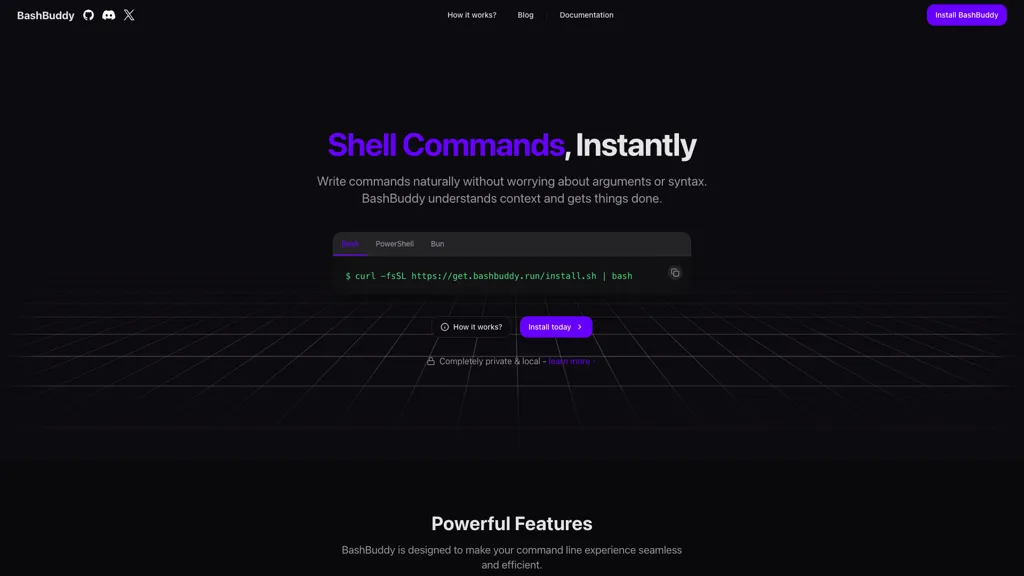
What is BashBuddy?
BashBuddy is an AI-driven tool designed to simplify the command line experience by enabling users to write shell commands in natural language. It understands the context of the current directory and integrates with git repositories, making command suggestions relevant to ongoing projects.
Users can type half-finished commands, and BashBuddy translates them into precise shell commands, alleviating concerns about syntax and arguments. The tool is cross-platform, functioning seamlessly on macOS, Linux, and Windows, and can operate both locally for enhanced privacy and in the cloud for faster command generation.
Furthermore, BashBuddy maintains data privacy by ensuring that commands and context never leave the user's device. With memory features that learn from user interactions, the tool aims to provide personalized command suggestions over time. Upcoming integrations with popular tools and intelligent workflow management enhancements are also in development, positioning BashBuddy as an adaptable command line assistant for developers and tech professionals.
BashBuddy tech specs
- Works with
- Meta
- Integrations
- GitHub
BashBuddy pricing
SubscriptionPricing details aren't listed here — check the official pricing page below.
Verify on the official pricing page.
View plansBashBuddy's key features
-
Natural language command input
-
Context awareness of current directory
-
Integration with git repositories
-
Cross-platform functionality (macOS, Linux, Windows)
-
Local and cloud operation options
BashBuddy use cases
-
Easily generate complex git commands by simply describing your intent in natural language, allowing developers to focus on collaboration without worrying about syntax errors.
-
Streamline multi-step command sequences by typing partial commands and letting BashBuddy complete them, improving workflow efficiency for tech professionals working on large projects.
-
Utilize BashBuddy's cross-platform functionality to execute shell commands seamlessly on any operating system, ensuring consistency and productivity across different development environments.
BashBuddy user reviews
Would you recommend BashBuddy?
Who is BashBuddy for?
-
Software developers
-
System administrators
-
Command line users
-
Data analysts
-
Technical writers
BashBuddy FAQ
Is BashBuddy free?
No. BashBuddy is a paid product and requires a paid plan to use.
What are the best alternatives to BashBuddy?
The closest alternatives to BashBuddy are ChatGPT, Gemini CLI, CommandAI, Command Code AI and Ask AI. You can compare them side by side in the alternatives section further down this page.
Which AI models does BashBuddy use?
BashBuddy is built on Meta. Which models you can reach may depend on your plan.
What does BashBuddy integrate with?
BashBuddy connects with GitHub.


