
Top 29 Helper Systems: kOS Alternatives in 2026
No user reviews yet FreemiumkOS lets users import PDFs and annotate them in one interface. An AI layer answers questions about any part of the document, distinguishes user vs. web content, auto‑generates slide decks and citation exports—all locally for privacy.
We've ranked 29 Helper Systems: kOS alternatives, including 28 with a free plan. Rankings are based on feature coverage and user feedbacks.
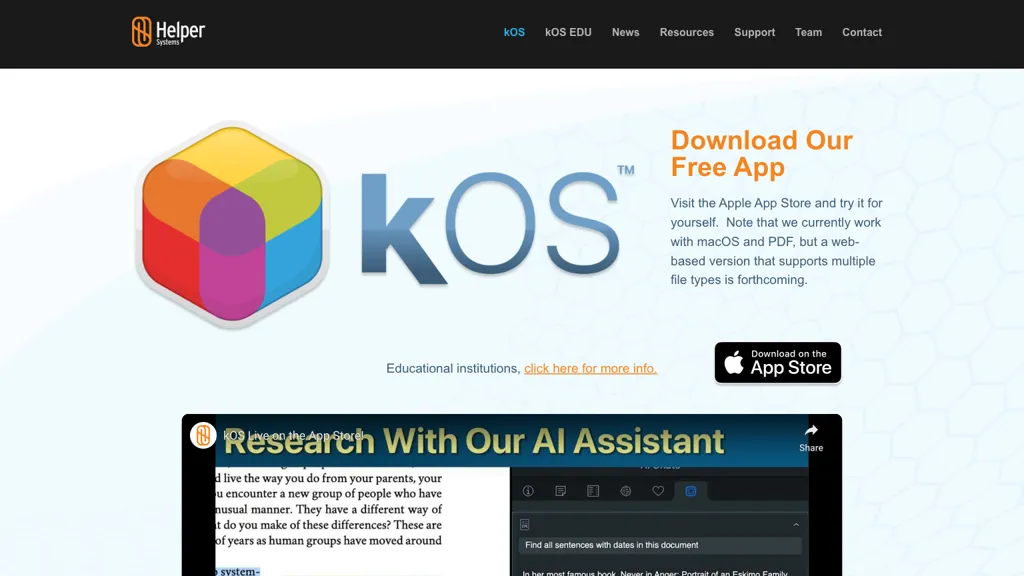
29 Helper Systems: kOS Alternatives & Competitors, Ranked by User Reviews
Click Compare on any tool to compare it side-by-side with Helper Systems: kOS.
 #1
Papers
#1
Papers
Papers manages research libraries by importing and auto‑matching bibliographic data, letting users tag, rate, and organize sources. AI offers article recommendations and chat queries, while inline annotations sync across Mac, Windows, and mobile. SmartCite supports 10,000+ styles and integrates impact metrics.
 #2
Knowee
#2
Knowee
Knowee Writer assists academic writing by generating outlines, auto‑completing sentences, refining drafts, and producing citation lists in APA, MLA, Chicago, Harvard, and IEEE. Users can upload PDFs or search Google Scholar for verified sources.
 #3
aiPDF
#3
aiPDF
aiPDF lets users upload PDFs, EPUBs, URLs or YouTube links to extract data, summarize content, and ask context‑specific questions. It returns source‑backed answers, supports any file size, auto‑deletes uploads, and offers response exports.
 #4
knowt.com
#4
knowt.com
Knowt turns uploaded PDFs, slides, videos, or audio into interactive study aids. AI generates summaries, flashcards, quizzes, and spaced‑repetition decks, supporting STEM, humanities, languages, and exam prep. Teachers can import Quizlet sets and track class progress.
 #5
Ask Your PDF
#5
Ask Your PDF
AskYourPDF lets users upload PDF or text files to ask questions and retrieve instant answers. It instantly summarizes long documents, supports keyword search across multiple files, and offers a shared library with mobile, Chrome, and plugin access, all GDPR‑compliant.
 #6
Youlearn
#6
Youlearn
AI tutor that transforms PDFs, videos, slides, and recordings into study notes, quizzes, podcasts, and personalized exams, providing key takeaways, answer breakdowns, progress tracking, and interactive chat support for learners and educators.
- Catch deals before they expire
- Unlock tools matched to you
- Show off your AI stacks
Already a member? Sign in
 #7
Koke AI
#7
Koke AI
Koke AI is an AI citation generator that creates citations in multiple formats and includes a research assistant for academic guidance. It also features an outline generator, content writer, and grammar checker to streamline the research and writing process.
 #8
AiPPT
#8
AiPPT
AiPPT turns PDFs, Word, text, or URLs into polished slide decks with 200k+ templates, AI‑generated outlines, and one‑click conversion. It supports Google Drive import, image insertion, multi‑format export, and collaborative editing.
 #9
iAsk.ai
#9
iAsk.ai
iAsk.Ai delivers instant, factual answers to natural‑language questions from authoritative web sources, and offers essay drafting, advanced grammar checks, academic summarization, PDF analysis, image generation, URL bullet‑point briefs, and one‑click grammar correction. Accessible via browser extension or mobile app.
 #10
ChatPDF
#10
ChatPDF
ChatPDF lets users upload PDFs for conversational queries, mapping content and providing cited answers. It supports folders for combined documents, side‑by‑side chat and source viewing, and offers multilingual input and output.
 #11
PDF2Anki
#11
PDF2Anki
Memo AI is a workspace that ingests PDFs, videos, websites, and text, extracting structured content into semantic chunks with vector embeddings for hybrid keyword‑semantic retrieval. It generates flashcards, tests, summaries, mind maps, and supports active‑recall, spaced repetition, multilingual AI models.
 #12
Mind Grasp
#12
Mind Grasp
Mindgrasp converts PDFs, documents, audio, video, and URLs into organized study assets. It auto‑creates notes, summaries, flashcards, and quizzes, and offers a 24/7 AI tutor and real‑time progress tracking across devices for students and professionals.
 #13
Student AI
#13
Student AI
StudentAI consolidates academic tools: auto‑generates practice tests, quizzes from PDFs, drafts papers with citations, summarizes documents, converts YouTube lectures to timestamped notes, offers mock interviews, APA referencing, 24/7 AI tutors across subjects, study planning, flashcards, and group collaboration.
 #14
Dokie AI
#14
Dokie AI
Dokie AI is a presentation maker that generates and edits slides from text, links, PDFs, and docs, converting them into structured decks with on-demand visuals and brand templates. It streamlines workflows for professionals by offering data visualization, interactive animations, and AI-driven content structuring for reports, pitches, and proposals.
 #15
anki-decks.com
#15
anki-decks.com
AnkiDecks automatically turns PDFs, PowerPoints, Word files, ePub, and YouTube videos into Anki flashcards in seconds. Supporting 50+ languages, it creates various card types, exports directly to Anki Desktop or Android, and offers in‑browser reviewing with FSRS scheduling.
 #16
EasyEssay
#16
EasyEssay
EasyEssay is an AI writing assistant with chat-style drafting, editing, PDF import for research integration, rephrase and paragraph modes, readability tools, assignment task management, and PPT export to streamline academic and professional writing workflows.
 #17
aidocmaker.com
#17
aidocmaker.com
AI Doc Maker produces PDFs, Word, PowerPoint, and Excel files from prompts or uploads, applying layouts, tables, and multilingual formatting. It provides templates for reports, contracts, proposals, and spreadsheets, streamlining document creation for professionals.
 #18
OmniBox
#18
OmniBox
OmniBox is an AI knowledge companion that streamlines content collection by saving web pages and documents with a single click. It transforms saved content into a searchable, question-answer format with source-traceable answers for efficient knowledge management.
 #19
Chatdoc
#19
Chatdoc
ChatDOC lets users ask questions about PDFs, DOCs, EPUBs, MD, and TXT while preserving layout, tables, formulas, and images. It returns answers with source citations, supports 25+ languages, and offers API/SDK integration.
 #20
ResearchPal
#20
ResearchPal
ResearchPal automates literature reviews, summarizing PDFs and extracting key insights. It offers citation management, integrates with Zotero/Mendeley, writes structured academic drafts, supports paraphrasing, translation, tone adjustment, domain‑specific search, and real‑time collaborative editing.
 #21
Anara AI
#21
Anara AI
Anara is an AI research assistant that extracts and summarizes PDFs, supports OCR and semantic image recognition, syncs with Zotero/Mendeley/Drive/Notion/OneDrive/SharePoint, offers multiple LLMs and configurable agents, and provides collaboration, citation-aware answers, and enterprise controls.
 #22
SlidesPilot
#22
SlidesPilot
SlidesPilot converts PDFs, Word docs, URLs, and text into editable PowerPoint decks with AI‑generated summaries, charts, tables, diagrams, and royalty‑free images. Users can edit layouts via a block editor and export to PPTX, Google Slides, PDF, PNG, or JPG.
 #23
Txyz.ai
#23
Txyz.ai
TXYZ offers AI‑powered help for reading, problem solving, and knowledge workflows, with file upload and analysis of academic papers, a searchable scholarly library, a writing agent for up to five pages, precise document citations, and private data handling.
 #24
ThesisAI
#24
ThesisAI
ThesisAI generates papers up to 80 pages from a single prompt, integrating inline citations and up to 500 reference files. It supports Semantic Scholar searches, multiple citation styles, 30+ languages, and exports to PDF, Word, LaTeX, BibTeX, and Overleaf.
 #25
pdfAssistant.ai
#25
pdfAssistant.ai
pdfassistant.ai is an AI chatbot that serves as your personal PDF assistant, available 24/7 to handle all your PDF processing tasks with ease. It helps with complex PDF workflows and tedious manual document handling as pdfassistant.ai lets you work smarter.
 #26
PDF.ai
#26
PDF.ai
PDF.ai lets users upload PDFs and chat for questions, summaries, and data extraction. It parses documents into structured JSON, detects sections, tables, and figures, and supplies source‑cited answers via a RESTful API for rapid, secure analysis.
 #27
Paperguide
#27
Paperguide
Paperguide is an AI research assistant that searches 200 million papers, delivers cited answers, and automates literature reviews with structured summaries, tables, and figures. It offers a full‑document writer, reference manager, OCR, citation formatting, and collaboration tools.
 #28
DokieAI.com
#28
DokieAI.com
Dokie AI converts text, notes, Word/PDF files and YouTube content into structured, branded PowerPoint-compatible slide decks, offering automated slide creation, layouts, visuals and charts, speaker notes, in-browser editing, exportable PPTX, and multi-language support.
 #29
Atlas
#29
Atlas
Atlas automatically generates lecture notes, flashcards, and quizzes from course materials, offers step‑by‑step problem explanations and essay drafting, and answers specific class queries, integrating with common learning platforms for seamless syllabus access.
Frequently Asked Questions
Why look for Helper Systems: kOS alternatives?
Common reasons users switch from Helper Systems: kOS:
- Feature gaps: teams needing specific capabilities like Analyze Documents may find a more focused alternative better suited to their workflow.
- Flexibility: exploring alternatives helps find tools that better match your team size, integrations, and budget.
What is the best alternative to Helper Systems: kOS?
Papers ranks as the top Helper Systems: kOS alternative. Papers manages research libraries by importing and auto‑matching bibliographic data, letting users tag, rate, and organize sources. AI offers article It is available on a Freemium plan starting from $7/mo.
How do the top Helper Systems: kOS alternatives compare?
| Tool | Pricing | Starting Price | User Rating |
|---|---|---|---|
| Helper Systems: kOS this tool | Freemium | — | — |
| Papers | Freemium | $7/mo | — |
| Knowee | Freemium | — | — |
| aiPDF | Subscription | $9/mo | — |
| knowt.com | Free | — | 69.2% (26) |
| Ask Your PDF | Free | — | 100% (4) |
Are there free Helper Systems: kOS alternatives?
Yes, 28 free alternatives found in our list: Papers, Knowee, knowt.com. and 25 more — use the pricing filter above to see them all.
What should I look for in a Helper Systems: kOS alternative?
- Core capabilities: confirm the tool supports Analyze Documents, Generate Presentations, Organize Folders.
- Pricing transparency: look for clear free plan, trial period, or tiered pricing — avoid tools that hide costs.
- User reviews: check both the satisfaction percentage and the number of reviews; a high score from few users is less reliable.
- Integrations: verify it connects with your existing stack before committing.
- Support and updates: active development and responsive support are strong signals of a maintained product.
Which Helper Systems: kOS alternative has the highest user rating?
Ask Your PDF has the highest satisfaction score among Helper Systems: kOS alternatives, with 100% positive from 4 user reviews. It is available on a Free plan.
What are Helper Systems: kOS alternatives used for?
- Analyze Documents
- Generate Presentations
- Organize Folders
- summarize text
- Automate Citations