
What is ThesisAI?
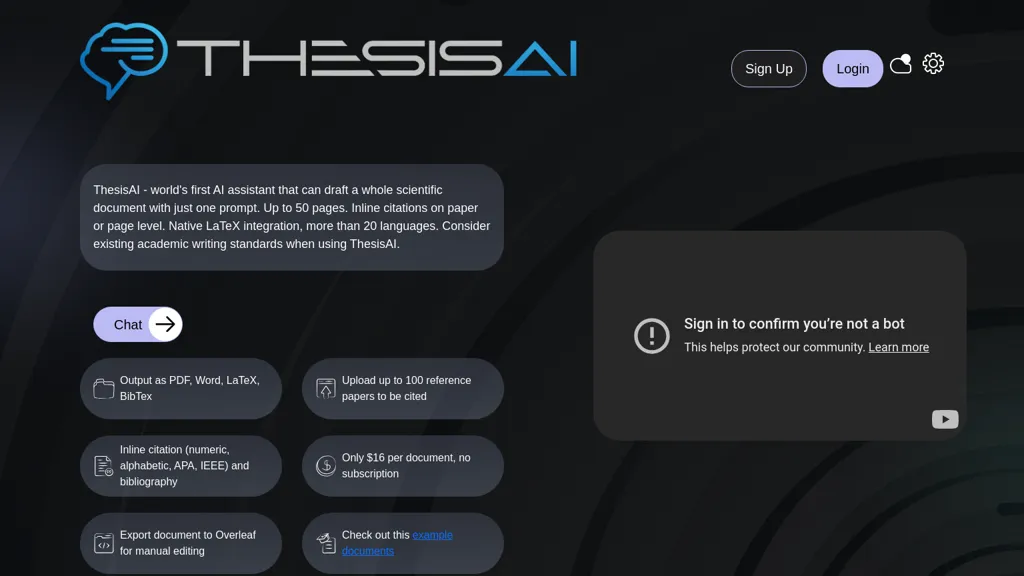
ThesisAI is an academic writing assistant that generates scientific documents from a single prompt. It can produce 8‑80 pages with inline citations and supports up to 500 reference files, including PDFs and citation managers like Zotero and Mendeley. The tool offers automated literature search through Semantic Scholar and allows authors to import or upload up to 500 papers for citation integration.
Output formats include PDF, Word, LaTeX, and BibTeX, and documents can be exported to Overleaf for manual editing. Users can specify page length, choose from multiple citation styles (APA, IEEE, Harvard, Chicago, etc.), and select among 30+ languages for drafting or sourcing references.
ThesisAI details
- Company
- SIRIUS NLP LLC
- Jurisdiction
- Florida, USA
- Built for
- Individuals
ThesisAI tech specs
- Works with
- Anthropic / Claude
- Payment Processors
- Stripe
ThesisAI pricing
Freemium- Auto-renewal
- Yes
Verify on the official pricing page.
View plansThesisAI's key features
-
Generate full paper from one prompt
-
80-page inline citations
-
Import 500 papers for citations
-
Export to Overleaf for editing
-
Output in PDF, Word, LaTeX, BibTeX
-
Multiple citation styles supported
ThesisAI use cases
-
Create a fully formatted, 80-page thesis in multiple languages from a single prompt, with inline citations automatically linked to up to 500 reference files and exportable directly to Overleaf for seamless submission.
-
Generate a detailed literature review by importing up to 500 sources from Semantic Scholar, automatically compiling citations in your chosen style (APA, Chicago, IEEE) and delivering the manuscript in PDF, Word, or LaTeX format.
-
Develop a multilingual research paper ready for conference submission by leveraging ThesisAI's 30+ language support, inline citation integration, and export to LaTeX/BibTeX for quick formatting compliance.
ThesisAI user reviews
Based on 2 reviews, 50% of users recommend ThesisAI, rated highly for quality results.
Liked for
Disliked for
Would you recommend ThesisAI?
Who is ThesisAI for?
-
Scientific researchers
-
Academic authors
-
Content creators
-
Product designers
-
Strategic managers
ThesisAI FAQ
Is ThesisAI free?
Partly. ThesisAI has a free plan with usage limits, and paid plans unlock the full feature set. Plans include Basic at $3/mo billed annually at 84 and Pro at $10/mo billed annually at 120.
Is ThesisAI safe to use?
ThesisAI is operated by SIRIUS NLP LLC, registered in Florida, USA. It has a substantial audience that is independently measured month to month.
What are the best alternatives to ThesisAI?
The closest alternatives to ThesisAI are Writeless, AI-Writer, Writefull, EssayWriter and EssayWriter io. You can compare them side by side in the alternatives section further down this page.
What does ThesisAI do with my data?
ThesisAI states that customer content is not used to train its models. Data may be shared with third-party service providers that help run the product.
Does ThesisAI auto-renew or offer refunds?
ThesisAI subscriptions renew automatically until you cancel.
Who made ThesisAI?
ThesisAI is built and operated by SIRIUS NLP LLC, a company registered in Florida, USA.
Which AI models does ThesisAI use?
ThesisAI is built on Anthropic / Claude. Which models you can reach may depend on your plan.
Compliance, privacy and billing terms are as stated in each product's own published documentation and have not been independently verified by TopAI.tools.


