
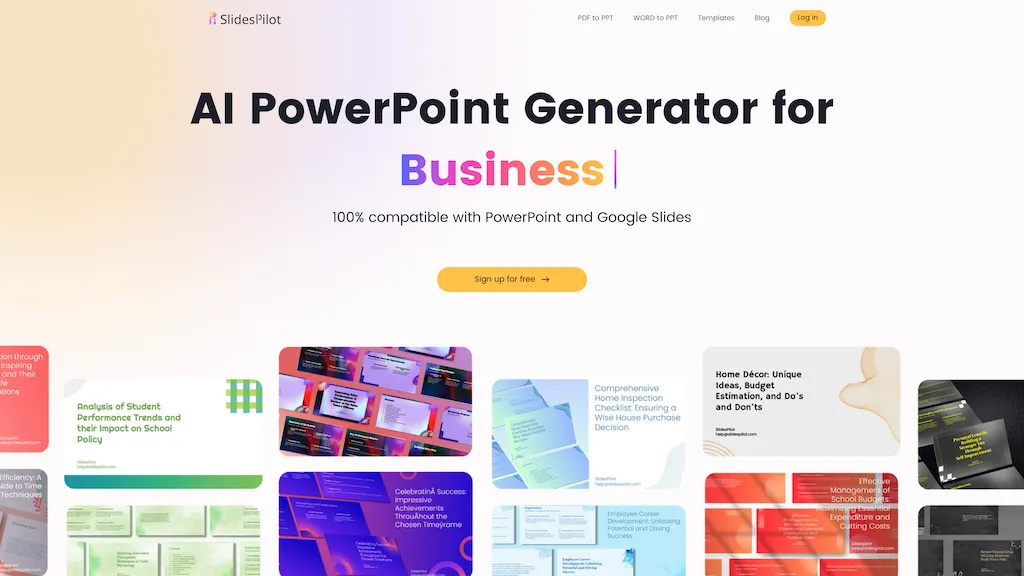
What is SlidesPilot?
SlidesPilot is an AI‑powered presentation generator that converts PDFs, Word documents, URLs, and plain text into fully editable PowerPoint files. The tool uses OCR and semantic analysis to extract context, then applies a layout engine to produce slide decks that include AI‑generated summaries, charts, tables, and diagrams such as Venn, mind maps, and SWOT analyses.
Images are produced with a royalty‑free AI image engine that matches slide content. Users can edit the generated decks with a block‑based editor, adjusting layout, design, and content via chat or direct manipulation. Export options include PowerPoint (PPTX), Google Slides, PDF, PNG, and JPG, ensuring compatibility with common presentation platforms.
The service supports professionals, educators, students, marketers, consultants, and content creators who need quick, polished decks while preserving full editability. All uploads are kept private and secure, with presentations stored as private by default.
SlidesPilot details
- Company
- SlidesPilot Tech, Inc.
- Jurisdiction
- Ohio
SlidesPilot pricing
Free trialSlidesPilot offers a free trial before requiring payment.
- Auto-renewal
- Yes
Verify on the official pricing page.
Start free trialSlidesPilot's key features
-
AI-Driven Word to PPT conversion
-
Customizable presentation length and tone
-
Block-based intuitive editor
-
Export to PPTX, PDF, PNG
-
Advanced encryption for file privacy
-
Predefined theme library selection
-
AI-generated executive summaries
SlidesPilot use cases
-
Convert a detailed PDF policy manual into a polished PowerPoint training deck, complete with AI‑generated summaries, charts, and royalty‑free images, so internal workshops run smoothly without manual slide design
-
Turn a research paper PDF into an engaging conference presentation, automatically pulling tables into charts, generating method diagrams, and adding concise summaries to keep audiences focused
-
Turn a marketing proposal Word document into a visually striking Google Slides pitch deck, inserting royalty‑free images, auto‑creating diagrammatic flowcharts, and exporting to PPTX for easy sharing
SlidesPilot user reviews
Based on 8 reviews, 75% of users recommend SlidesPilot, rated highly for quality results.
Liked for
Disliked for
Would you recommend SlidesPilot?
Who is SlidesPilot for?
-
Presentation designers
-
Business managers
-
Marketing analysts
-
Content producers
-
Language learners
SlidesPilot FAQ
Is SlidesPilot free?
Not permanently. SlidesPilot gives you a free trial, after which a paid plan is required.
Is SlidesPilot safe to use?
SlidesPilot is operated by SlidesPilot Tech, Inc., registered in Ohio. It has a substantial audience that is independently measured month to month.
What are the best alternatives to SlidesPilot?
The closest alternatives to SlidesPilot are SlideSpeak, AI PowerPoint Maker, PPT.AI, MagicSlides App and Smallppt. You can compare them side by side in the alternatives section further down this page.
What does SlidesPilot do with my data?
Its privacy policy states that personal data is not sold or shared for marketing purposes. Data may be shared with third-party service providers that help run the product.
Does SlidesPilot auto-renew or offer refunds?
SlidesPilot subscriptions renew automatically until you cancel.
Who made SlidesPilot?
SlidesPilot is built and operated by SlidesPilot Tech, Inc., a company registered in Ohio.
Compliance, privacy and billing terms are as stated in each product's own published documentation and have not been independently verified by TopAI.tools.


Can SlidesPilot pull in my company's brand guidelines (fonts, colors) automatically, or do I need to set those manually each time?