Top 29 Excelbot Alternatives in 2026
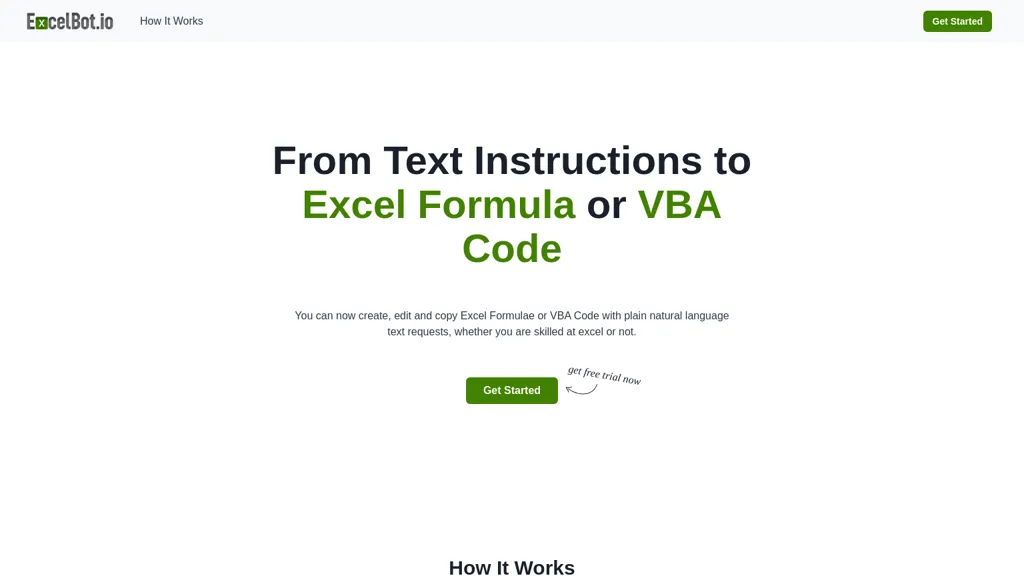
50% positive · 1 user review Free trialExcelBot is an AI tool that generates Excel formulas and VBA code from natural language input. It simplifies complex tasks, supports multiple languages, and enhances productivity by streamlining spreadsheet management for users of all skill levels.
We've ranked 29 Excelbot alternatives, including 22 with a free plan. Rankings are based on feature coverage and user feedbacks.
Top-rated alternatives include Excel-bot.com, Excel Master, and Vba code generator.
29 Excelbot Alternatives & Competitors, Ranked by User Reviews
Click Compare on any tool to compare it side-by-side with Excelbot.
#1
Excel-bot.com
Excel Bot is an AI assistant that integrates with Microsoft Excel and Google Sheets, translating formulas into natural‑language text and providing instant answers to data‑manipulation queries, reducing debugging time for analysts, finance professionals, and teams.
#2
Excel Master
Excelmaster.ai streamlines complex Excel tasks with intuitive formula creation, automatic VBA code generation, and intelligent automation. It supports both Windows and web platforms, catering to users of varying skill levels in managing data effectively.
#3
Vba code generator
VBA Code Generator transforms plain text descriptions into ready‑to‑use VBA scripts for Excel and Access, automatically generating formulas, macros, and automation routines. It supports nested functions, conditional logic, multi‑sheet operations, and offers optional code review for optimization.
#4
ExcelMaster.ai
ExcelMaster.ai enhances productivity by automating Excel tasks through advanced formula generation and VBA code creation. It supports real-time data processing, enabling users to efficiently manage data analysis without requiring coding skills. Suitable for various professionals.
#5
Formulas HQ
Formulas HQ automates Excel, Google Sheets, VBA, and Apps Script formula, regex, and script creation, explains each step, and offers multilingual support with a ChatGPT assistant for troubleshooting. It speeds up data cleaning, analysis, and automation for analysts and developers.
#6
Excelmatic
Excelmatic uses AI to analyze and visualize spreadsheet data via natural-language queries, offering one-click charting, KPI extraction, anomaly detection, PDF/image-to-Excel conversion, formula generation from plain English, and batch data-prep for .xlsx/.csv files.
- Catch deals before they expire
- Unlock tools matched to you
- Show off your AI stacks
Already a member? Sign in
#7
Sheeter.ai
Sheeter converts natural‑language requests into Excel or Google Sheets formulas, supporting sums, conditionals, dates, text, and data extraction. It allows one‑click insertion, reduces formula‑error risks, and streamlines analysis for business and finance teams.
#8
SheetXAI
SheetXAI automates Google Sheets and Excel via natural-language commands to analyze data, generate formulas, and run workflows. It extracts tables and invoices via OCR, produces bulk multilingual content, and integrates with Notion, Stripe, HubSpot and Jira.
#9
AskExcel
AskExcel uses AI to generate Excel formulas from natural language, automating data cleaning, formula insertion, and advanced analytics such as correlation, KPI tracking, and sentiment analysis. It supports CSV/XLSX uploads up to 10 MB for efficient spreadsheet workflows.
#10
Formula Generator
AI Prompts generates Excel and Google Sheets formulas from natural‑language prompts, supporting budgeting, forecasting, and reporting. It refines outputs via prompt engineering, debugs existing sheets, and integrates with Zapier, Make, and webhooks for real‑time automation.
#11
Formulai
FormulAI is an AI assistant that streamlines spreadsheet tasks in Excel and Google Sheets. It explains formulas step‑by‑step, builds formulas from natural language, converts sheets into a queryable database, and generates synthetic data for testing.
#12
Ajelix AI Excel Tools
Ajelix is an AI chatbot that stores up to 1 GB of spreadsheets, PDFs, and documents in a persistent workspace. It generates Excel formulas, VBA scripts, dashboards, and ready‑to‑share PowerPoint decks or web apps.
#13
GPTExcel
GPTExcel automates spreadsheet tasks in Excel, Google Sheets, LibreOffice, and Airtable. It generates formulas, scripts, SQL, regex, builds pivot tables, charts, and reports, offers conversational data queries, and OCR table conversion across 50+ languages.
#14
Equals
AI Assist is a powerful AI-powered data analysis tool that offers features such as real-time collaboration, formula generation, SQL writing, visual charting, and integrations with popular platforms.
#15
SheetGod
Sheetgod converts plain‑English queries into Excel, VBA, and Google Apps Script code, automating complex spreadsheet tasks, generating PDFs, sending emails, and creating custom add‑ons, reducing manual effort and boosting productivity for analysts and finance professionals.
#16
AI Perfect Assistant
AI Perfect Assistant adds ChatGPT, Gemini, Claude, and 60+ LLMs to Office 365 apps, delivering real‑time grammar, style checks, drafting, summarization, translation, and formula generation to streamline writing, analysis, and teamwork across Word, Excel, PowerPoint, Outlook, Teams, and OneNote.
#17
Neural Formula
Neural Formula is an AI tool that generates, explains, modifies and translates formulas in Excel and Google Sheets.
#18
GPT for Work
GPTforwork.com is a powerful AI add-on for Google Sheets and Excel that automates workflows using natural language. It enables formula generation, data cleaning, content creation, and web-data extraction to speed up reporting, analysis, and research.
#19
AiAssistWorks
Access 50+ AI models in Google Sheets™ without writing functions or copy-pasting. Save and reuse prompts easily. Models from GPT, Claude, Google Gemini™, Openrouter, and Groq are available.
#20
SheetAI
SheetAI adds AI-driven functions to Google Sheets, enabling list, table, and image creation via formulas. It supports models like OpenAI, Claude, xAI, integrates external services (Replicate, OCR, audio), and allows custom training for context-aware responses and API automation.
#21
Sparkco AI Sheets
Sparkco Sheets converts text and documents into live spreadsheets with natural-language formulas, pivot tables, charts, automated reports and SQL generation; OCR extracts tables from PDFs, real-time connectors sync financial and healthcare systems, with export and compliance options.
#22
Botsheets AI Writer
Botsheets automates marketing and data capture with chatbots that integrate directly with Google Sheets. Build code‑free bots to replace forms, store responses in real‑time, generate tables, charts, slides, and share via links or embeds.
#23
spreadsheetdaddy.com
Spreadsheet Daddy is an AI add‑on for Google Sheets and Excel that automates formula creation, data analysis, and chart generation. It offers ready‑made templates for budgets, invoices, inventory, and projects, and supports natural‑language queries via GPT.
#24
ArrayAssistant.ai
Array Assistant automates spreadsheet tasks by generating formulas, cleaning and summarizing data, and triggering automations on changes. It offers these AI‑driven features to analysts, students, and casual users without requiring technical expertise.
#25
SheetSavvy AI
SheetSavvy AI is a spreadsheet plugin for Excel and Google Sheets that automates template creation, data analysis, summarization, charting, and natural‑language data cleanup. It generates formulas and imports live external data, reducing repetitive work.
#26
Excel Dashboard Ai
ExcelDashboard AI transforms Excel data into interactive dashboards and reports with minimal effort. Users can generate insights using plain English, automate visualizations, and customize analyses, making it suitable for both beginners and experienced data analysts.
#27
Sheety
Sheety.ai is an AI-powered tool that creates formulas for your spreadsheets, saving you time and effort. Easily tackle tasks like converting text or trimming characters with precision. Streamline your workflow and boost productivity today.
#28
SearchGPT
SearchGPT Spreadsheet Generator turns natural‑language prompts into fully structured spreadsheets, automatically adding columns, formulas, pivot tables and conditional formatting. It speeds up analysis for analysts and non‑technical users, handling large datasets in seconds and outputting ready‑to‑download files.
#29
Tomat.AI
Tomat.AI is a desktop app that automates data analysis and enrichment for Excel, CSV, and database files. It loads datasets locally, lets users filter, sort, merge, pivot, and apply AI prompts in bulk, and exports reports to PDF.
Frequently Asked Questions
Why look for Excelbot alternatives?
Common reasons users switch from Excelbot:
- Cost: Excelbot is a Free trial tool starting from $5 — users often look for more affordable or free options.
- User satisfaction: Excelbot holds a 50% positive rating — some users report unmet expectations.
- Feature gaps: teams needing specific capabilities like Generate Excel formulas may find a more focused alternative better suited to their workflow.
- Flexibility: exploring alternatives helps find tools that better match your team size, integrations, and budget.
What is the best alternative to Excelbot?
Based on 1 user review, Excel-bot.com (100% positive) ranks as the top Excelbot alternative. Excel Bot is an AI assistant that integrates with Microsoft Excel and Google Sheets, translating formulas into natural‑language text and providing ins It is available on a Freemium plan starting from $99/mo.
How do the top Excelbot alternatives compare?
| Tool | Pricing | Starting Price | User Rating |
|---|---|---|---|
| Excelbot this tool | Free trial | $5 | 50% (1) |
| Excel-bot.com | Freemium | $99/mo | 100% (1) |
| Excel Master | Free trial | — | — |
| Vba code generator | Freemium | — | 100% (1) |
| ExcelMaster.ai | Free trial | — | — |
| Formulas HQ | Freemium | $433/mo | 100% (1) |
Are there free Excelbot alternatives?
Yes, 22 free alternatives found in our list: Excel-bot.com, Excel Master, Vba code generator. and 19 more — use the pricing filter above to see them all.
What should I look for in a Excelbot alternative?
- Core capabilities: confirm the tool supports Generate Excel formulas, Generate VBA code, Translate natural language.
- Pricing transparency: look for clear free plan, trial period, or tiered pricing — avoid tools that hide costs.
- User reviews: check both the satisfaction percentage and the number of reviews; a high score from few users is less reliable.
- Integrations: verify it connects with your existing stack before committing.
- Support and updates: active development and responsive support are strong signals of a maintained product.
Which Excelbot alternative has the highest user rating?
Excel-bot.com has the highest satisfaction score among Excelbot alternatives, with 100% positive from 1 user review. It is available on a Freemium plan starting from $99/mo.
What are Excelbot alternatives used for?
- Generate Excel formulas
- Generate VBA code
- Translate natural language
- Analyze Excel data
- Automate Excel tasks