
Top 29 Chatgpt Work Alternatives in 2026
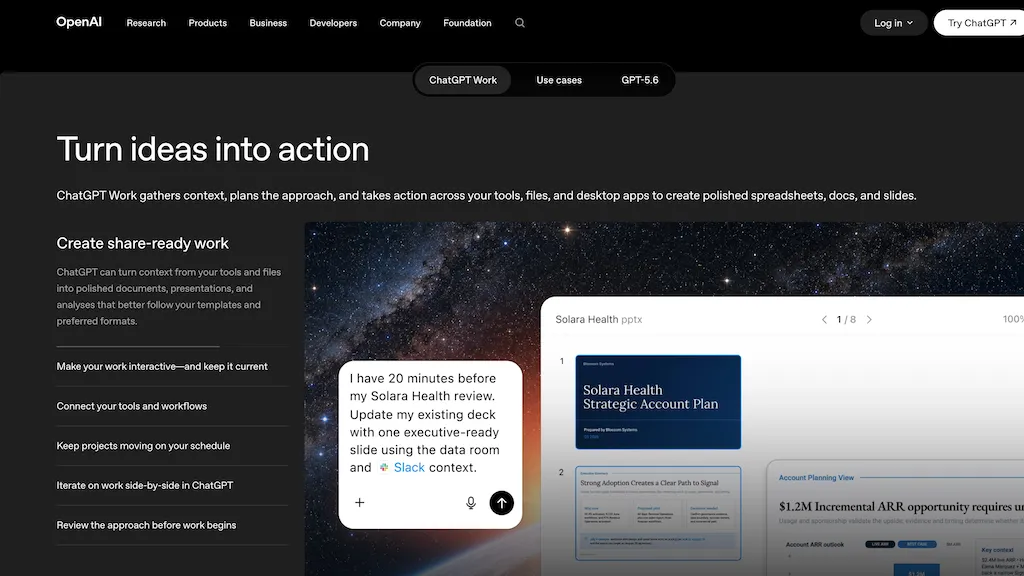
100% positive · 2 user reviews FreemiumChatGPT Work (GPT-5.6) consolidates context from files, apps, and 1,400+ plugins to generate documents, spreadsheets, presentations, dashboards, and prototypes, automate workflows, schedule tasks, and publish interactive reports for cross-team collaboration.
We've ranked 29 Chatgpt Work alternatives, including 23 with a free plan. Rankings are based on feature coverage and user feedbacks.
Top-rated alternatives include GPT-Workspace, ChatGPT Images, and GPTChat.
29 Chatgpt Work Alternatives & Competitors, Ranked by User Reviews
Click Compare on any tool to compare it side-by-side with Chatgpt Work.
 #1
GPT-Workspace
#1
GPT-Workspace
GPT Workspace enhances productivity within Google Workspace by automating tasks such as email composition, content generation, and presentation creation. It offers smart features for data analysis in Sheets and writing assistance in Docs while ensuring user data privacy.

OpenAI’s ChatGPT Images, powered by GPT Image 1.5, elevates creative workflows by offering rapid, precise image generation and editing directly within ChatGPT. It’s a versatile tool for visual content creation and design.
 #3
GPTChat
#3
GPTChat
GPTChat for Slack connects to a workspace via API keys, offering real‑time AI help to draft emails, articles, lists, code snippets, and locate best‑practice resources directly in channels or DMs. Logs are retained for 30 days, then deleted.
 #4
PowerBrain
#4
PowerBrain
ChatGPT is an AI-powered chat app that uses advanced NLP technology to provide fast answers and automate tasks.
 #5
Genspark.ai
#5
Genspark.ai
Genspark unifies inbox, workflows, and collaboration into one AI workspace, offering a 1‑million‑token context window, voice‑to‑text, auto‑meeting notes, and Chrome extensions for instant summarization and task automation across WhatsApp, Slack, and Teams.
 #6
GlobalGPT
#6
GlobalGPT
GlobalGPT is a comprehensive AI service hub providing over 100 specialized agents for tasks like content creation, social media management, academic assistance, and software development, including advanced features like text-to-video conversion and personalized planning tools.
- Catch deals before they expire
- Unlock tools matched to you
- Show off your AI stacks
Already a member? Sign in
 #7
GPT for Work
#7
GPT for Work
GPTforwork.com is a powerful AI add-on for Google Sheets and Excel that automates workflows using natural language. It enables formula generation, data cleaning, content creation, and web-data extraction to speed up reporting, analysis, and research.
 #8
YourGPT
#8
YourGPT
YourGPT builds and deploys AI agents across chat, email, and voice. It supports GPT‑4, Claude, Gemini, DeepSeek, trains on PDFs, CSVs, Markdown, and integrates with Intercom, Slack, Shopify, Twilio, Zapier. SOC 2, GDPR, SSO, it automates FAQs, appointments, orders, invoices, leads.
 #9
CodeGPT
#9
CodeGPT
The CodeGPT IntelliJ IDE Plugin is an AI-driven coding tool that offers text completion, chat functionality, custom prompts and code actions, reviewing past conversations, restoring previous sessions, and privacy settings.
 #10
SiteGPT
#10
SiteGPT
SiteGPT builds a custom AI customer support agent from a company’s website and documents. It can be embedded across pages, syncs updates, supports 95+ languages, integrates with Intercom and Zendesk, and delivers analytics and lead capture.
 #11
ChatGPT Add-in for Outlook
#11
ChatGPT Add-in for Outlook
ChatGPT for Outlook embeds OpenAI’s ChatGPT into Microsoft Outlook, enabling custom prompts on emails to generate summaries, highlights or revisions, and allowing users to replace content or flag messages. Administrators can deploy it across Office 365 with tailored prompts for teams.
 #12
MyGPT
#12
MyGPT
A free and fast Chat interface powered by ChatGPT API with prompts support, which can be enhanced by installing plugins via MyGPT, requiring an OpenAI API key.
 #13
FileGPT
#13
FileGPT
FileGPT lets users query PDFs, DOCs, text, audio, YouTube, and web pages via GPT, extracting and consolidating information across multiple sources. It supports large documents, handwritten text, and delivers concise, cross‑source answers for researchers, students, and managers.
 #14
ChatGPT Prompt Generator
#14
ChatGPT Prompt Generator
The ChatGPT Prompt Generator from webutility.io is an online tool that streamlines prompt creation for engaging and insightful conversations with ChatGPT, allowing users to define their desired action, focus, subject, and context.
 #15
GPTunneL
#15
GPTunneL
GPTunneL aggregates ChatGPT, Claude, Gemini, MidJourney, Suno and other models into a single interface for Russian-language text, image, audio and video generation. It offers assistants, prompt libraries, APIs, usage tracking and creative tools.
 #16
Open GPT
#16
Open GPT
OpenGPT lets users build ChatGPT‑based applications instantly using a library of ready‑made AI tools for productivity, copywriting, coding, entertainment, and education. The platform offers prompt‑to‑code conversion, regex creation, and tools that refine prompts and transform requests into actionable outputs.
 #17
OpenAssistantGPT
#17
OpenAssistantGPT
OpenAssistantGPT is an open‑source SaaS that lets you build no‑code AI chatbots for websites. It auto‑crawls a URL, supports GPT‑4/3.5, handles file attachments, SAML/SSO, API calls, and web search, with GitHub source and Vercel SDK.
 #18
SlidesGPT
#18
SlidesGPT
SlidesGPT converts blog posts, PDFs, or custom prompts into polished slide decks in seconds. It auto‑formats slides, generates visuals, and exports to PowerPoint, Google Slides, or PDF. Developers can integrate bulk creation through an API.
 #19
GPTAgent
#19
GPTAgent
Agent is a no‑code AI builder that lets users create and deploy web apps, Discord bots, and workflow automations by stacking visual blocks. It supports web search, HTTP requests, and multiple LLM chains, enabling rapid prototyping and sharing.
 #20
TypingMind
#20
TypingMind
TypingMind unifies ChatGPT, Gemini, Claude, and other LLMs in one interface, enabling parallel chats, project folders, tagging, search, and built‑in tools for documents, images, and code, plus features like agent building, prompt chaining, RAG, voice, canvas, and plugins.
 #21
Text GPT
#21
Text GPT
TextGPT is an AI-powered question and answer app that can generate realistic images from simple text inputs, and provides quick and accurate responses to various queries on a wide range of topics.
 #22
ChatGPT Text Formatter
#22
ChatGPT Text Formatter
AI Text Formatter converts raw AI output into readable text by inserting line breaks, headings, bullets, and spacing while preserving meaning. It supports multiple languages and lets users quickly copy the formatted text to Word, Docs, Excel, or other apps.
 #23
BotGPT
#23
BotGPT
BotGPT is a data‑driven chatbot that embeds in minutes, pulling content from PDFs or website crawls to create a virtual assistant. It integrates with messaging platforms, offers 24/7 support, and preserves privacy by storing no personal data.
 #24
CustomGPT.AI
#24
CustomGPT.AI
CustomGPT.ai is a no‑code platform that builds AI agents from existing documents, sites, and knowledge bases. It supports 1,400+ file types, 100+ integrations, and 92 languages, offering secure, citation‑enabled, context‑aware responses for customer support and internal knowledge search.
 #25
ChatGPT Notepad
#25
ChatGPT Notepad
ChatGPT Notepad is a browser‑based plain‑text editor that lets users create, edit, and manage multiple notes without registration. It offers undo, redo, cut/copy/paste, find‑replace, spell check, real‑time word count, AI‑content cleanup, and .txt export, compatible with major browsers.
 #26
ChatPDFGPT
#26
ChatPDFGPT
ChatPDFGPT is an AI tool that enables natural language interaction with PDF documents, allowing users to extract insights, summarize content, and navigate easily. It supports multiple languages and facilitates collaboration, making it useful for students and professionals.
 #27
Finechat.ai
#27
Finechat.ai
FineChat.ai offers free access to GPT-4 technology for generating high-quality content. Its extended context length and multimodal capabilities enhance interactions through text, images, and documents, while its API supports integration into various applications.
 #28
MobileGPT
#28
MobileGPT
MobileGPT is an AI tool that provides document services through WhatsApp with advanced AI capabilities.
 #29
editGPT
#29
editGPT
editGPT is a Chrome extension that turns ChatGPT into a writing assistant. It provides real‑time grammar, style, and rewriting support in 80+ languages, preserves formatting, tracks changes, and manages revisions.