
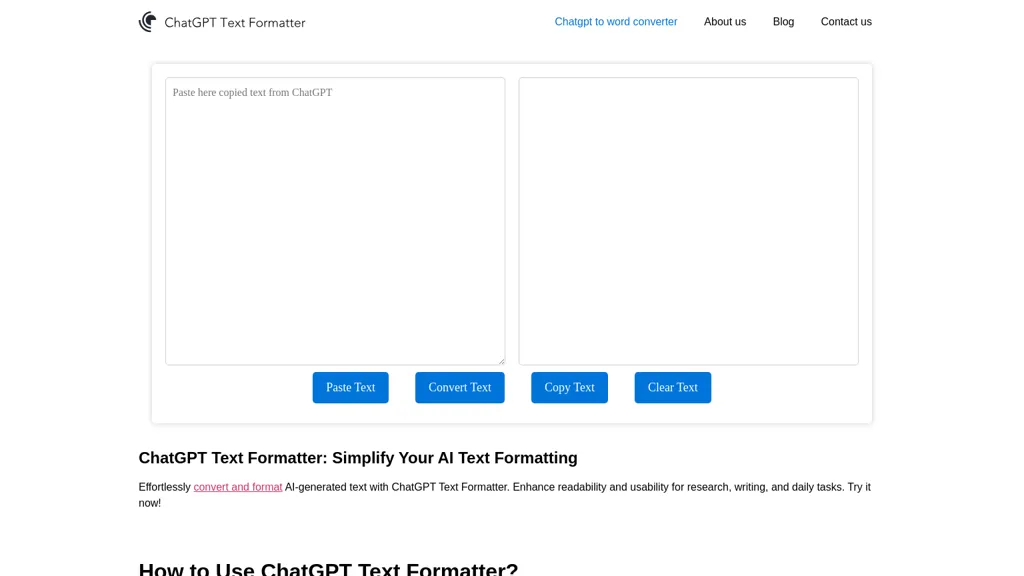
What is ChatGPT Text Formatter?
AI Text Formatter transforms AI‑generated text into a readable, structured format. Copy the AI output with the provided button, paste it into the left pane, and click Convert to automatically apply line breaks, headings, bullet points, and paragraph spacing.
The tool retains the original meaning while improving readability and consistency for research reports, academic papers, blog drafts, and business documents. After conversion, copy the refined text from the right pane and paste it into Microsoft Word, Google Docs, Excel, or any other application.
ChatGPT Text Formatter tech specs
- Works with
- OpenAI / GPT
- Integrations
- Shopify
ChatGPT Text Formatter pricing
FreeThis tool is free to use, with no credit card required.
Verify on the official pricing page.
Get started freeChatGPT Text Formatter's key features
-
Copy text via AI button
-
Paste into formatter input
-
Convert button transforms text
-
Copy button copies formatted output
-
Supports multiple languages
-
Works in word processors, Excel, Docs
ChatGPT Text Formatter use cases
-
Transform raw AI-generated research summaries into neatly sectioned, citation‑ready Word documents in minutes, saving researchers hours of manual formatting
-
Convert unstructured chat GPT outputs into clean, bullet‑pointed Excel sheets for instant data analysis, supporting multiple languages without extra scripting
-
Format multilingual academic manuscripts from plain text into publication‑ready LaTeX or Word templates, preserving headings, equations, and references for seamless submission
ChatGPT Text Formatter user reviews
Would you recommend ChatGPT Text Formatter?
Who is ChatGPT Text Formatter for?
-
Content creators
-
Product designers
-
Founders
-
Analysts
-
Students
ChatGPT Text Formatter FAQ
Is ChatGPT Text Formatter free?
Yes. ChatGPT Text Formatter is free to use and does not require a credit card.
What are the best alternatives to ChatGPT Text Formatter?
The closest alternatives to ChatGPT Text Formatter are HumanizeAI, AI Text Generator, Humanize AI Text, AI Writer by Picsart and AI Humanize. You can compare them side by side in the alternatives section further down this page.
Which AI models does ChatGPT Text Formatter use?
ChatGPT Text Formatter is built on OpenAI / GPT. Which models you can reach may depend on your plan.
What does ChatGPT Text Formatter integrate with?
ChatGPT Text Formatter connects with Shopify.


