
Top 29 FileGPT Alternatives in 2026
No user reviews yet FreemiumFileGPT lets users query PDFs, DOCs, text, audio, YouTube, and web pages via GPT, extracting and consolidating information across multiple sources. It supports large documents, handwritten text, and delivers concise, cross‑source answers for researchers, students, and managers.
We've ranked 29 FileGPT alternatives, including 22 with a free plan. Rankings are based on feature coverage and user feedbacks.
Top-rated alternatives include PDFGPT, AI Chat for Search, and Notegpt.
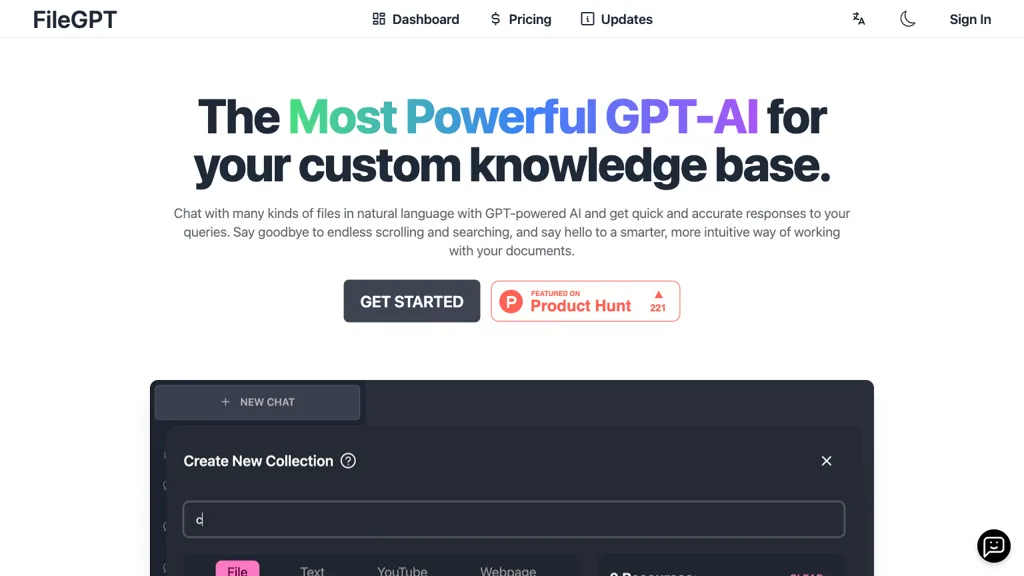
29 FileGPT Alternatives & Competitors, Ranked by User Reviews
Click Compare on any tool to compare it side-by-side with FileGPT.
 #1
PDFGPT
#1
PDFGPT
PdfGPT summarizes PDFs and folders, structures and links documents, supports conversational search for questions, comparisons, clause spotting. Built‑in agents perform compliance, risk, fact‑checking, and export results as notes, citations, or redlined docs.
 #2
AI Chat for Search
#2
AI Chat for Search
Browser extension that displays conversational AI answers and multi-model comparisons alongside search results, integrates with GPT-4/Claude and major search engines, and adds YouTube summaries, PDF/image/OCR processing and content-generation tools for research and creation.
 #3
Notegpt
#3
Notegpt
NoteGPT transcribes and summarizes lectures, meetings, and recordings in any language, offering PDF/PPT/book/video overviews, translation, and AI drafting tools. It also supports text‑to‑speech, voice cloning, infographics, slide generation, and multi‑model chat assistance.
 #4
Ask Your PDF
#4
Ask Your PDF
AskYourPDF lets users upload PDF or text files to ask questions and retrieve instant answers. It instantly summarizes long documents, supports keyword search across multiple files, and offers a shared library with mobile, Chrome, and plugin access, all GDPR‑compliant.
 #5
AI ChatDocs
#5
AI ChatDocs
ChatDocs lets users upload PDFs, DOCX, TXT, PPT, websites, and YouTube videos to chat with GPT‑4 for document summarization, extraction, and Q&A. It retains chat history, supports multi‑document workflows, aiding researchers, legal, project managers, and writers.

ChatGPT is an AI chatbot based on large language models family created by OpenAI for general purpose chat that allows users to ask any question or prompt to AI, making it a useful tool for many writing processes.
- Catch deals before they expire
- Unlock tools matched to you
- Show off your AI stacks
Already a member? Sign in
 #7
Innerai.com
#7
Innerai.com
All‑in‑one platform integrating GPT‑4o, Claude, Gemini, and others for unified text, image, video, and document AI. Offers summarizing, translation, prompt templates, workflow tools, quiz creation, SCORM export, web search, subtitles, dubbing. SOC II‑compliant with field‑level encryption and data isolation.
 #8
Ask AI
#8
Ask AI
Chat & Ask AI combines web search, image generation, link analysis, document chat, and YouTube summarization in one interface. It offers up‑to‑date answers, multilingual support, file uploads, and a prompt library, powered by GPT‑5.2, Gemini, Claude, and Stable Diffusion XL.
 #9
ChatPDFGPT
#9
ChatPDFGPT
ChatPDFGPT is an AI tool that enables natural language interaction with PDF documents, allowing users to extract insights, summarize content, and navigate easily. It supports multiple languages and facilitates collaboration, making it useful for students and professionals.
 #10
GPTGO
#10
GPTGO
GPTGO blends Google search with ChatGPT, presenting results and AI‑generated summaries in 100+ languages. Users get concise answers beside each result, can copy or download, and access the tool on desktop, mobile, or tablet without registering.
 #11
ChatPdf.so
#11
ChatPdf.so
Chatpdf.so is an AI tool for efficiently extracting information from PDF documents. It uses GPT-4 for questions, summaries, and interactive learning. With multi-language support and robust data security features, it helps users generate reports and essays effortlessly.
 #12
CheatGPT
#12
CheatGPT
CheatGPT is an AI‑powered study assistant that blends web search, PDF analysis, and quiz creation into one interface. It offers specialized modes for focused learning, coding help, and quick question generation to streamline academic research and exam prep.
 #13
aiPDF
#13
aiPDF
aiPDF lets users upload PDFs, EPUBs, URLs or YouTube links to extract data, summarize content, and ask context‑specific questions. It returns source‑backed answers, supports any file size, auto‑deletes uploads, and offers response exports.
 #14
GPT Translator
#14
GPT Translator
GPT Translator offers real-time translation for text, documents, and websites in 95+ languages. It supports various file formats, preserves formatting, includes automatic language detection, and features batch processing for efficient multilingual content management.
 #15
GlobalGPT
#15
GlobalGPT
GlobalGPT is a comprehensive AI service hub providing over 100 specialized agents for tasks like content creation, social media management, academic assistance, and software development, including advanced features like text-to-video conversion and personalized planning tools.
 #16
PDF GPT
#16
PDF GPT
PDF GPT reads PDFs and instantly generates summaries, page‑referenced excerpts, and highlights. It supports multi‑file searches, tagging, collaboration, and 90+ languages, enabling efficient research, data extraction, and citation for professionals, students, and teams.
 #17
Chatdoc
#17
Chatdoc
ChatDOC lets users ask questions about PDFs, DOCs, EPUBs, MD, and TXT while preserving layout, tables, formulas, and images. It returns answers with source citations, supports 25+ languages, and offers API/SDK integration.
 #18
PDF.ai
#18
PDF.ai
PDF.ai lets users upload PDFs and chat for questions, summaries, and data extraction. It parses documents into structured JSON, detects sections, tables, and figures, and supplies source‑cited answers via a RESTful API for rapid, secure analysis.
 #19
Chat PDF AI online
#19
Chat PDF AI online
Chat PDF AI lets users upload PDFs up to 50 MB, then chat with GPT‑4o or Claude‑3 to ask questions, summarize, extract text or tables, translate, and generate mind maps. It keeps documents encrypted and private.
 #20
BotGPT
#20
BotGPT
BotGPT is a data‑driven chatbot that embeds in minutes, pulling content from PDFs or website crawls to create a virtual assistant. It integrates with messaging platforms, offers 24/7 support, and preserves privacy by storing no personal data.
 #21
SiteGPT
#21
SiteGPT
SiteGPT builds a custom AI customer support agent from a company’s website and documents. It can be embedded across pages, syncs updates, supports 95+ languages, integrates with Intercom and Zendesk, and delivers analytics and lead capture.
 #22
PortableDocs
#22
PortableDocs
PortableDocs is an AI tool that allows users to engage with PDF documents through conversation, enabling quick extraction of insights and summarization. Its intuitive interface and advanced algorithms enhance productivity, particularly for technical, legal, and academic documents.
 #23
TaxGPT
#23
TaxGPT
TaxGPT automates tax preparation by parsing source documents and integrating with existing tax software. It delivers source‑backed answers, generates client memos and audit‑risk analysis, while securely storing documents and maintaining filing history.
 #24
ChatPDF
#24
ChatPDF
ChatPDF lets users upload PDFs for conversational queries, mapping content and providing cited answers. It supports folders for combined documents, side‑by‑side chat and source viewing, and offers multilingual input and output.
 #25
GPT Reader & Transcriber
#25
GPT Reader & Transcriber
gpt-reader.com is a community-driven AI development platform that enables open-source teams to manage projects through proposal voting, AI-assisted code reviews, and integrated CI/CD workflows.
 #26
FactGPT
#26
FactGPT
Longshot AI's FactGPT feature generates user-sourced and factually accurate content for current events, opinions, product reviews, comparisons and more, with personalization options and access to citations.
 #27
Filepower AI
#27
Filepower AI
FilePower AI lets users chat with PDFs, PPTs, Excel, and Word files, summarizing, translating, and organizing them into a searchable library. It uses a large‑language model with extended memory and encryption, speeding information extraction for researchers, educators, and analysts.
 #28
SearchPlus
#28
SearchPlus
Search+ AI enables users to interact with PDF documents through conversational queries, providing immediate answers and insights. It supports collaborative dialogue, ensures document privacy with encryption, and streamlines workflows for enhanced decision-making across multiple languages.
 #29
SearchMyDocs.ai
#29
SearchMyDocs.ai
SearchMyDocs.ai is an AI research assistant that searches PDFs, Word, Excel and other file types. It extracts key data, auto‑organizes content, and delivers instant, context‑aware answers via chat. Military‑grade encryption ensures privacy.
Frequently Asked Questions
Why look for FileGPT alternatives?
Common reasons users switch from FileGPT:
- Feature gaps: teams needing specific capabilities like Analyze Documents may find a more focused alternative better suited to their workflow.
- Flexibility: exploring alternatives helps find tools that better match your team size, integrations, and budget.
What is the best alternative to FileGPT?
Based on 1 user review, PDFGPT (100% positive) ranks as the top FileGPT alternative. PdfGPT summarizes PDFs and folders, structures and links documents, supports conversational search for questions, comparisons, clause spotting. Built‑ It is available on a Subscription plan starting from $4.99/mo.
How do the top FileGPT alternatives compare?
| Tool | Pricing | Starting Price | User Rating |
|---|---|---|---|
| FileGPT this tool | Freemium | — | — |
| PDFGPT | Subscription | $4.99/mo | 100% (1) |
| AI Chat for Search | Free | — | — |
| Notegpt | Free trial | $9/mo | 83.3% (12) |
| Ask Your PDF | Free | — | 100% (4) |
| AI ChatDocs | Subscription | $9.99/mo | 100% (1) |
Are there free FileGPT alternatives?
Yes, 22 free alternatives found in our list: AI Chat for Search, Notegpt, Ask Your PDF. and 19 more — use the pricing filter above to see them all.
What should I look for in a FileGPT alternative?
- Core capabilities: confirm the tool supports Analyze Documents, Extract Texts, Generate Answers.
- Pricing transparency: look for clear free plan, trial period, or tiered pricing — avoid tools that hide costs.
- User reviews: check both the satisfaction percentage and the number of reviews; a high score from few users is less reliable.
- Integrations: verify it connects with your existing stack before committing.
- Support and updates: active development and responsive support are strong signals of a maintained product.
Which FileGPT alternative has the highest user rating?
PDFGPT has the highest satisfaction score among FileGPT alternatives, with 100% positive from 1 user review. It is available on a Subscription plan starting from $4.99/mo.
What are FileGPT alternatives used for?
- Analyze Documents
- Extract Texts
- Generate Answers
- Organize Files
- Integrate Informations