
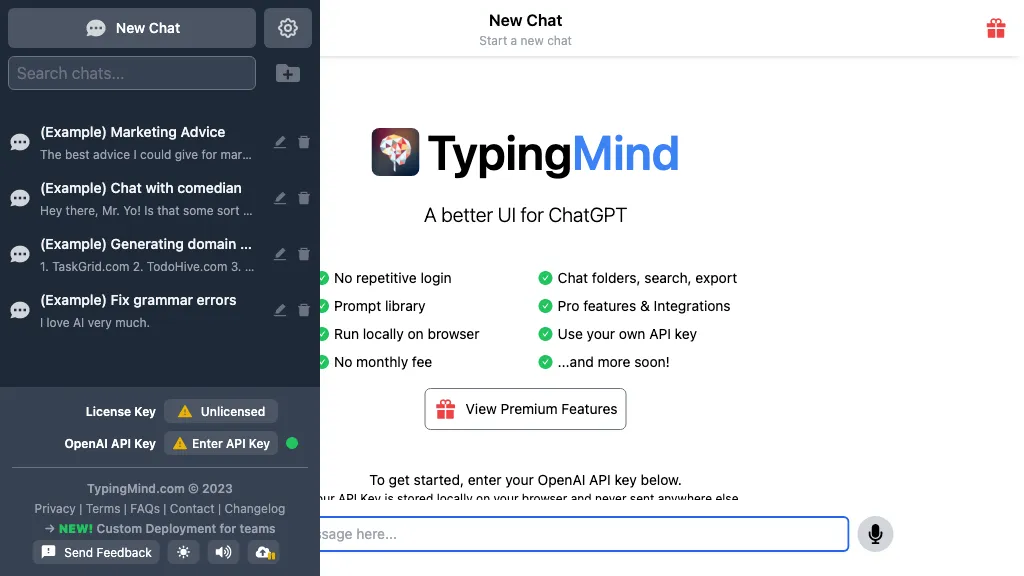
What is TypingMind?
TypingMind is an AI workspace that unifies access to ChatGPT, Gemini, Claude, and other large language models within a single interface. It supports multi‑model parallel chats, allowing users to compare responses in real time and switch providers as needed.
Users can import their own API keys and pay only for actual usage, with all conversation data stored locally to maintain privacy and avoid training on private content. The platform offers project folders, tagging, and search for organizing and retrieving chats, while built‑in tools generate interactive artifacts such as documents, images, charts, and code snippets.
Advanced features include an AI agent builder, prompt chaining, RAG for document‑based retrieval, voice input/TTS, an interactive canvas for live coding, and a plugin ecosystem that connects to services like Slack, Google Calendar, and Azure OpenAI. These capabilities make the tool suitable for developers, researchers, educators, and teams that require a secure, flexible, and feature‑rich environment for working with multiple LLMs.
TypingMind details
- Company
- Typing Technology Co. Ltd.
- Jurisdiction
- Singapore
- Built for
- Individuals
- Stated compliance
- GDPR
Compliance as stated in TypingMind's own published documentation.
TypingMind tech specs
- Works with
- OpenAI / GPT OpenAI / DALL-E OpenAI / Whisper Anthropic / Claude Google / Gemini Stability AI Perplexity ElevenLabs
- AI infrastructure
- Fireworks AI Groq
- Cloud
- AWS Google Cloud Azure Vercel
- Integrations
- Zapier Slack Google Workspace Figma GitHub GitLab
TypingMind pricing
Paid- Refund window
- 14 days
- Auto-renewal
- Yes
Verify on the official pricing page.
View plansTypingMind's key features
-
Multi-model chat with single interface
-
Plugin-based extensibility for external services
-
AI agent builder with prompt chaining
-
Retrieval‑augmented generation via document upload
-
Interactive canvas for code and diagrams
-
Local private storage with encryption
TypingMind use cases
-
Create a cross‑model AI assistant to prototype a chatbot by running parallel conversations with ChatGPT, Gemini, and Claude, comparing responses in real time within a shared project folder
-
Use TypingMind’s prompt‑chaining workflow to automate data extraction from scanned documents, integrating RAG for context‑aware summaries and exporting the results to a CSV file
-
Build an AI‑powered code review agent that parses your repository, visualizes diffs on the interactive canvas, and uses voice commands to walk through suggested fixes—all within a private local workspace
TypingMind user reviews
Would you recommend TypingMind?
Main competitors of TypingMind
Here are some of the major competitors comparisons vs. TypingMind.

Who is TypingMind for?
-
Digital marketers
-
Content creators
-
Product designers
-
E-commerce sellers
-
Business owners
TypingMind FAQ
How much does TypingMind cost?
TypingMind is a paid product with no free plan. Plans include Standard at $39, Extended at $79, Premium at $99 and Premium ( discounted ) at $198.
Is TypingMind safe to use?
TypingMind states GDPR compliance in its own published documentation. TypingMind is operated by Typing Technology Co. Ltd., registered in Singapore. It has a substantial audience that is independently measured month to month.
What are the best alternatives to TypingMind?
The closest alternatives to TypingMind are MultipleChat, Google Gemini, Claude AI, ChatGPT and Monica. You can compare them side by side in the alternatives section further down this page.
What does TypingMind do with my data?
Its privacy policy states that personal data is not sold or shared for marketing purposes. Data may be shared with third-party service providers that help run the product.
Does TypingMind auto-renew or offer refunds?
TypingMind subscriptions renew automatically until you cancel. It states a 14-day refund window.
Does TypingMind have an API?
Yes. TypingMind offers an API, so you can call it from your own applications instead of using the interface directly.
Who made TypingMind?
TypingMind is built and operated by Typing Technology Co. Ltd., a company registered in Singapore.
Which AI models does TypingMind use?
TypingMind is built on OpenAI / GPT, OpenAI / DALL-E, OpenAI / Whisper, Anthropic / Claude, Google / Gemini, Stability AI, Perplexity and ElevenLabs. Which models you can reach may depend on your plan.
What does TypingMind integrate with?
TypingMind connects with Zapier, Slack, Google Workspace, Figma, GitHub and GitLab.
Compliance, privacy and billing terms are as stated in each product's own published documentation and have not been independently verified by TopAI.tools.


