
Top 29 Chartfast Alternatives in 2026
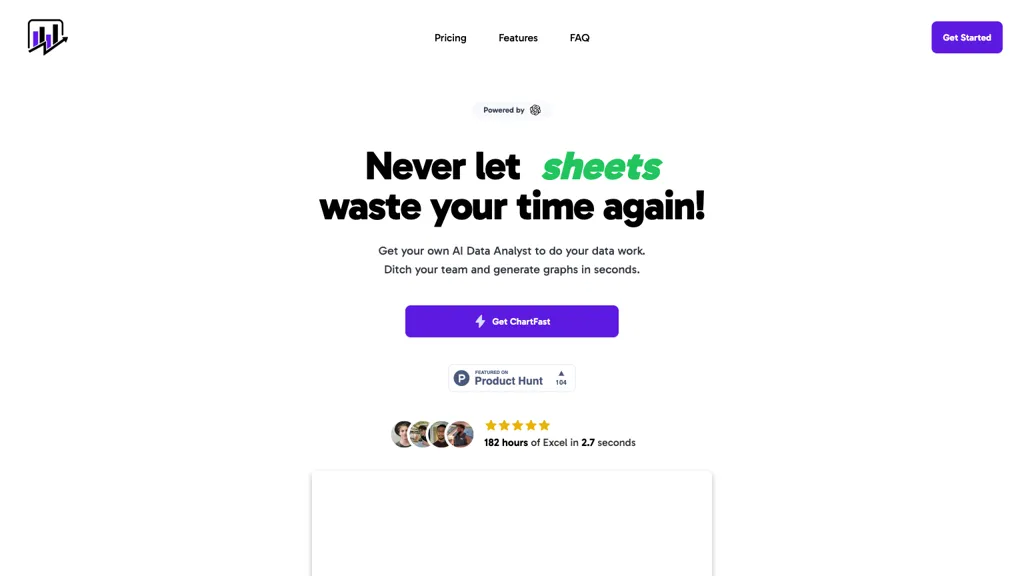
No user reviews yet SubscriptionChartFast uses GPT‑4o to clean, normalize, and analyze datasets, then instantly generates customizable charts via natural‑language queries. Exportable to CSV/Excel, it supports Python scripts for large‑scale analysis, streamlining workflows for analysts and non‑technical users.
We've ranked 29 Chartfast alternatives, including 22 with a free plan. Rankings are based on feature coverage and user feedbacks.
Top-rated alternatives include GPT for Work, GPTExcel, and ChartGen.ai.
29 Chartfast Alternatives & Competitors, Ranked by User Reviews
Click Compare on any tool to compare it side-by-side with Chartfast.
 #1
GPT for Work
#1
GPT for Work
GPTforwork.com is a powerful AI add-on for Google Sheets and Excel that automates workflows using natural language. It enables formula generation, data cleaning, content creation, and web-data extraction to speed up reporting, analysis, and research.
 #2
GPTExcel
#2
GPTExcel
GPTExcel automates spreadsheet tasks in Excel, Google Sheets, LibreOffice, and Airtable. It generates formulas, scripts, SQL, regex, builds pivot tables, charts, and reports, offers conversational data queries, and OCR table conversion across 50+ languages.
 #3
ChartGen.ai
#3
ChartGen.ai
ChartGen.ai is an AI chart generator that converts CSV/Excel data or pasted text into presentation-ready visualizations using plain-English prompts. It supports numerous chart types, offers live data sync, and exports in multiple formats with enterprise-grade security.
 #4
Graphy.app
#4
Graphy.app
Graphy transforms raw data from Google Sheets, CSV, Excel, or APIs into AI‑generated charts, auto‑highlighting insights. It supports multiple chart types, branding, annotations, real‑time updates, and export/embed options for marketing, finance, and consulting teams.
 #5
vizGPT
#5
vizGPT
vizGPT turns natural‑language queries and drag‑and‑drop into live dashboards and charts, retaining context for follow‑ups. It includes data tables for profiling and transforms, and design tools that generate Lottie JSON and SVG animations, enabling team collaboration.
 #6
SearchGPT
#6
SearchGPT
SearchGPT Spreadsheet Generator turns natural‑language prompts into fully structured spreadsheets, automatically adding columns, formulas, pivot tables and conditional formatting. It speeds up analysis for analysts and non‑technical users, handling large datasets in seconds and outputting ready‑to‑download files.
- Catch deals before they expire
- Unlock tools matched to you
- Show off your AI stacks
Already a member? Sign in
 #7
GPT-Workspace
#7
GPT-Workspace
GPT Workspace enhances productivity within Google Workspace by automating tasks such as email composition, content generation, and presentation creation. It offers smart features for data analysis in Sheets and writing assistance in Docs while ensuring user data privacy.
 #8
ChartPixel
#8
ChartPixel
ChartPixel is an AI tool that generates charts and insights from messy data files or webpages using AI algorithms to clean and engineer new features, provide AI-assisted annotations and statistics to explore patterns and quirks in the data.
 #9
BankGPT
#9
BankGPT
BankGPT.io is an AI-powered financial automation platform that extracts and processes data from bank statements, invoices, and receipts. It delivers structured outputs to eliminate manual entry, speed up reconciliation, and ensure compliance.
 #10
Bricks
#10
Bricks
Bricks AI transforms CSV, Excel, Google Sheets, and database files into instant interactive dashboards and reports. It auto‑creates charts, lets users edit data via natural‑language commands, refreshes with one click, and offers reusable templates with encrypted privacy.
 #11
FactGPT
#11
FactGPT
Longshot AI's FactGPT feature generates user-sourced and factually accurate content for current events, opinions, product reviews, comparisons and more, with personalization options and access to citations.
 #12
SheetGPT
#12
SheetGPT
SheetGPT adds GPT‑powered text and image generation to Google Sheets via GPT, GPTLIST, and GPTIMAGE functions. No API key is needed. It enables content lists, social‑media drafts, ad copy, keyword extraction, summarization, and dataset cleaning with multi‑user collaboration and caching.
 #13
FreedomGPT
#13
FreedomGPT
FreedomGPT unifies access to 400+ AI models, showing side‑by‑side answers for voting and auto‑selection via leaderboard. It keeps privacy safe, runs on Windows/macOS, and is open‑source for community contribution and collaboration.
 #14
SlidesGPT
#14
SlidesGPT
SlidesGPT converts blog posts, PDFs, or custom prompts into polished slide decks in seconds. It auto‑formats slides, generates visuals, and exports to PowerPoint, Google Slides, or PDF. Developers can integrate bulk creation through an API.
 #15
GPT4o.so
#15
GPT4o.so
GPT‑4o is a multimodal AI that processes text, images, and audio in real time, delivering fast, context‑aware responses for dialogue, image analysis, and voice recognition. It supports developers, content creators, researchers, and enterprises across devices.
 #16
GPT for Slides
#16
GPT for Slides
GPT for Slides is a Google Slides add‑on that builds complete decks from a topic, URL, PDF, or text in under a minute, adding AI‑generated images, data visuals, quizzes, and multilingual translation, saving design time.
 #17
Excelmatic
#17
Excelmatic
Excelmatic uses AI to analyze and visualize spreadsheet data via natural-language queries, offering one-click charting, KPI extraction, anomaly detection, PDF/image-to-Excel conversion, formula generation from plain English, and batch data-prep for .xlsx/.csv files.
 #18
Gentables
#18
Gentables
Gentables simplifies the extraction of unstructured data, converting it into organized tables from images and URLs. With its intuitive interface, users can interact, clean, and analyze data effortlessly, powered by AI for insights and smart search capabilities.
 #19
numerous
#19
numerous
Numerous.ai embeds ChatGPT into Google Sheets and Excel via a simple =AI function, allowing users to generate bulk marketing content, summarize datasets, and prototype prompts directly in spreadsheets—no API keys needed, effortlessly.
 #20
ChartAI
#20
ChartAI
ChartAI auto‑creates diverse visualizations—mind maps, flowcharts, timelines, Gantt charts, ER diagrams, etc.—by converting data into polished diagrams. It offers templates, quick start, and dataset generation, aiding analysts, researchers, educators, and managers.
 #21
GPT-4V
#21
GPT-4V
ChatGPT‑4o accepts text, audio, video, and images, using GPT‑4V vision for OCR, handwriting recognition, and visual analysis. It delivers fast conversational replies, enabling article creation, data extraction, and content translation across devices.
 #22
Quadratic Multiplayer
#22
Quadratic Multiplayer
Quadratic is an AI‑enabled spreadsheet that connects to CSV, Excel, PDFs, and databases like Postgres and Snowflake. It lets users filter, clean, and analyze data in a grid, ask natural‑language queries, and generate editable Python and SQL code for visualizations.
 #23
Tomat.AI
#23
Tomat.AI
Tomat.AI is a desktop app that automates data analysis and enrichment for Excel, CSV, and database files. It loads datasets locally, lets users filter, sort, merge, pivot, and apply AI prompts in bulk, and exports reports to PDF.
 #24
ChatCSV
#24
ChatCSV
ChatCSV lets users upload CSV files from computer, URL, or clipboard and query data with natural language. It auto‑generates common questions and returns charted answers (bar, pie, custom). Interactions are saved, shareable, used for team collaboration across retail, finance, marketing.
 #25
Adzviser
#25
Adzviser
Adzviser is an AI‑driven marketing analytics platform that aggregates data from 40+ sources, delivering real‑time campaign analysis via ChatGPT/Claude and dynamic spreadsheets for budgeting, reporting, and KPI dashboards for agencies.
 #26
STAT.AI
#26
STAT.AI
Stat.ai enhances Stata workflow with AI-driven tools, including Stata GPT for instant support and converters for Python/R scripts. It speeds up data analysis, automates code generation, and aids users in mastering Stata efficiently.
 #27
FinanceGPT Chat
#27
FinanceGPT Chat
FinanceGPT Chat lets finance professionals create AI agents for balance sheet analysis, cash flow forecasting, risk assessment, and fraud detection. Drag‑and‑drop interface selects data sources and defines tasks, with semantic search, and integrations to accounting, market feeds, and payment systems.
 #28
AI graph maker
#28
AI graph maker
Free AI Graph Maker enables users to create interactive charts and graphs, including bar, pie, and line charts. It supports Gantt charts, flowcharts, and mind maps, facilitating effective data visualization for various sectors like education and finance.
 #29
Finechat.ai
#29
Finechat.ai
FineChat.ai offers free access to GPT-4 technology for generating high-quality content. Its extended context length and multimodal capabilities enhance interactions through text, images, and documents, while its API supports integration into various applications.
Frequently Asked Questions
Why look for Chartfast alternatives?
Common reasons users switch from Chartfast:
- Cost: Chartfast is a Subscription tool starting from $9/mo — users often look for more affordable or free options.
- Feature gaps: teams needing specific capabilities like Analyze Data may find a more focused alternative better suited to their workflow.
- Flexibility: exploring alternatives helps find tools that better match your team size, integrations, and budget.
What is the best alternative to Chartfast?
Based on 4 user reviews, GPT for Work (50% positive) ranks as the top Chartfast alternative. GPTforwork.com is a powerful AI add-on for Google Sheets and Excel that automates workflows using natural language. It enables formula generation, dat It is available on a Free trial plan.
How do the top Chartfast alternatives compare?
| Tool | Pricing | Starting Price | User Rating |
|---|---|---|---|
| Chartfast this tool | Subscription | $9/mo | — |
| GPT for Work | Free trial | — | 50% (4) |
| GPTExcel | Freemium | — | — |
| ChartGen.ai | Freemium | — | 80% (5) |
| Graphy.app | Freemium | $16/mo | — |
| vizGPT | Paid | $10/mo | 60% (5) |
Are there free Chartfast alternatives?
Yes, 22 free alternatives found in our list: GPT for Work, GPTExcel, ChartGen.ai. and 19 more — use the pricing filter above to see them all.
What should I look for in a Chartfast alternative?
- Core capabilities: confirm the tool supports Analyze Data, Generate Visualizations, Optimize Datasets.
- Pricing transparency: look for clear free plan, trial period, or tiered pricing — avoid tools that hide costs.
- User reviews: check both the satisfaction percentage and the number of reviews; a high score from few users is less reliable.
- Integrations: verify it connects with your existing stack before committing.
- Support and updates: active development and responsive support are strong signals of a maintained product.
Which Chartfast alternative has the highest user rating?
ChartPixel has the highest satisfaction score among Chartfast alternatives, with 100% positive from 5 user reviews. It is available on a Freemium plan.
What are Chartfast alternatives used for?
- Analyze Data
- Generate Visualizations
- Optimize Datasets
- Handle Spreadsheets