
Top 29 CalcGen AI Alternatives in 2026
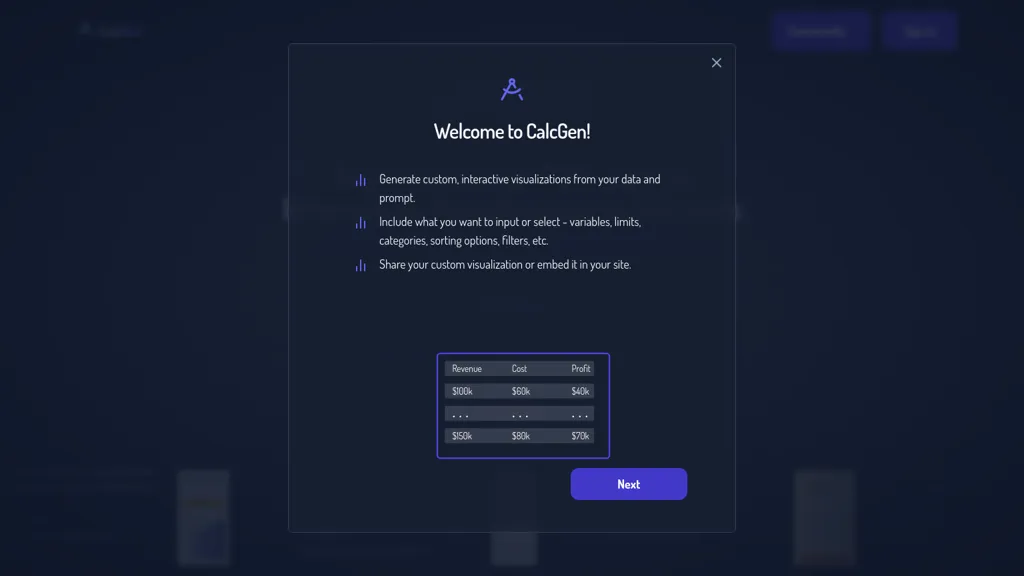
100% positive · 1 user review SubscriptionCalcgen AI enables users to create custom interactive charts, graphs, and calculators for data visualization. It includes tools for financial analysis, scientific calculations, and educational purposes, catering to a broad range of professional needs.
We've ranked 29 CalcGen AI alternatives, including 24 with a free plan. Rankings are based on feature coverage and user feedbacks.
Top-rated alternatives include AI graph maker, SciDraw AI, and Graphy.app.
29 CalcGen AI Alternatives & Competitors, Ranked by User Reviews
Click Compare on any tool to compare it side-by-side with CalcGen AI.
 #1
AI graph maker
#1
AI graph maker
Free AI Graph Maker enables users to create interactive charts and graphs, including bar, pie, and line charts. It supports Gantt charts, flowcharts, and mind maps, facilitating effective data visualization for various sectors like education and finance.
 #2
SciDraw AI
#2
SciDraw AI
SciDraw AI is a scientific illustration and data visualization tool that converts text prompts, sketches, or images into publication-ready figures. It generates editable SVG/PPTX exports, data-driven charts from CSV/Excel, and supports journal style presets and colorblind-friendly palettes for reproducible graphics.
 #3
Graphy.app
#3
Graphy.app
Graphy transforms raw data from Google Sheets, CSV, Excel, or APIs into AI‑generated charts, auto‑highlighting insights. It supports multiple chart types, branding, annotations, real‑time updates, and export/embed options for marketing, finance, and consulting teams.
 #4
ChartAI
#4
ChartAI
ChartAI auto‑creates diverse visualizations—mind maps, flowcharts, timelines, Gantt charts, ER diagrams, etc.—by converting data into polished diagrams. It offers templates, quick start, and dataset generation, aiding analysts, researchers, educators, and managers.
 #5
ChartGPT
#5
ChartGPT
ChartGPT is an AI tool that facilitates easy creation and customization of multiple chart types for enhanced data visualization. It provides versatility in displaying data through various charts, ensuring clear and captivating presentations for diverse projects.
 #6
Infograph.app
#6
Infograph.app
AI Infographic Generator converts text and data into customizable graphics like infographics and flowcharts. With over 500 templates and multi-language support, it enables editing and downloading in multiple formats, all while supporting 4K resolution.
- Catch deals before they expire
- Unlock tools matched to you
- Show off your AI stacks
Already a member? Sign in
 #7
Piktochart
#7
Piktochart
Piktochart is an AI‑powered visual creation platform that turns text into infographics, charts, and videos within seconds. It offers templates, a brand kit, collaborative editing, interactive graphics, and export options for print and digital use.
 #8
MathGPT
#8
MathGPT
MathGPT delivers step‑by‑step solutions for algebra, calculus, geometry, physics, and more. Users upload text, photos, or PDFs to receive instant explanations, animated video tutorials, adaptive quizzes, and graphing tools—available 24/7 on web and mobile.
 #9
AI Infographic Generator
#9
AI Infographic Generator
InfographAI converts text, URLs, PDFs, Word docs, and spreadsheets into AI-generated infographics. It extracts key points, auto-places charts and visuals, offers customizable templates and a drag-and-drop editor, and exports PNG or PDF for reports and social media.
 #10
ChartPixel
#10
ChartPixel
ChartPixel is an AI tool that generates charts and insights from messy data files or webpages using AI algorithms to clean and engineer new features, provide AI-assisted annotations and statistics to explore patterns and quirks in the data.
 #11
Genaraera
#11
Genaraera
Genaraera is an AI tool that creates infographics from user-provided data, offering various formats like charts and timelines. Users can upload reference images and generate high-resolution visuals without requiring design expertise.
 #12
Make Infographic AI
#12
Make Infographic AI
MakeInfographic.ai converts text prompts into structured infographics using templates (timelines, comparisons, processes, etc.), selectable visual styles and aspect ratios, exports channel-specific variations for social, presentations, and educational materials with inline editing.
 #13
Graphicinfo
#13
Graphicinfo
Transforms raw data into instant infographics with a single AI‑click workflow. Auto‑generates captions, offers full editing of text, images, colors, and real‑time online search. Ideal for designers, marketers, educators, and social media managers.
 #14
Aijourney
#14
Aijourney
Julius AI is a data analyst assistant that connects to Excel, Google Sheets, and PostgreSQL to generate bar charts, histograms, heat maps automatically. It offers interactive, customizable visualizations, embeddable into reports, and exports cleaned data for stakeholders.
 #15
Equals
#15
Equals
AI Assist is a powerful AI-powered data analysis tool that offers features such as real-time collaboration, formula generation, SQL writing, visual charting, and integrations with popular platforms.
 #16
GRID 2.0
#16
GRID 2.0
GRID embeds a native spreadsheet engine in apps for real‑time calculation and data management. With optional editor/viewer UI, it supports AI/LLM integration, improves reliability, scales workflows, streamlines development, and offers a familiar spreadsheet experience.
 #17
Line Graph maker
#17
Line Graph maker
Line Graph Maker lets users input comma‑separated data to produce line charts in PNG, JPG, or SVG. Adjust titles, axis labels, Y‑axis scaling, line tension, legend, grids, colors, and download for reports or presentations.
 #18
CalcLeads
#18
CalcLeads
Calcleads is an AI-powered online calculator generator that simplifies creating interactive and custom calculators for websites without coding. Boost engagement, lead generation, and SEO performance by offering personalized calculations to visitors.
 #19
Get Worksheet
#19
Get Worksheet
Worksheet Generator lets teachers create custom math, English, science, or social studies worksheets in seconds, setting grade level, question type, and difficulty. It supports PDF export and cloud storage for easy access from any device.
 #20
Study Point AI
#20
Study Point AI
Study Point AI delivers instant, step‑by‑step math solutions, AI‑assisted writing feedback, and tutoring across math, science, programming, and history. It includes graph plotting, an interactive periodic table, 3‑D solar explorer, custom quizzes, mind‑maps, progress analytics, and adaptive learning.
 #21
Excel Dashboard Ai
#21
Excel Dashboard Ai
ExcelDashboard AI transforms Excel data into interactive dashboards and reports with minimal effort. Users can generate insights using plain English, automate visualizations, and customize analyses, making it suitable for both beginners and experienced data analysts.
 #22
AI math solver
#22
AI math solver
AI Math Solver is a browser‑based tool that accepts text, typed input, or images of math problems and delivers step‑by‑step solutions across algebra, calculus, geometry, trigonometry, linear algebra, and word problems, with adaptive difficulty and a learning history.
 #23
Market Genius AI
#23
Market Genius AI
Market‑Genius.ai turns natural‑language questions into interactive dashboards with real‑time data on equities, crypto, and macro assets. It offers 16 chart types, drag‑and‑drop layout, live watchlists, company deep dives, AI insights, and export options.
 #24
vizGPT
#24
vizGPT
vizGPT turns natural‑language queries and drag‑and‑drop into live dashboards and charts, retaining context for follow‑ups. It includes data tables for profiling and transforms, and design tools that generate Lottie JSON and SVG animations, enabling team collaboration.
 #25
AI Diagram Generator
#25
AI Diagram Generator
dg diagram-generator converts text prompts into structured diagrams — flowcharts, UML, ER, network, Gantt and infographics — offers quick drafts, 4K renders, editable Mermaid export, style templates, and Pro web grounding with layout-aware rendering.
 #26
aiflowchart
#26
aiflowchart
AI Flowchart is a diagram generation tool that creates various visual formats, such as flowcharts and pie charts, from different data sources. It offers customization options and an iterative recreation feature for enhanced diagram design efficiency.

GenPPT AI is an AI-powered presentation generator that creates complete, editable slide decks from text prompts, notes, or uploaded files. It automates design, generates visuals and charts, and exports to multiple formats to streamline professional presentation creation.
 #28
Grapha AI
#28
Grapha AI
Grapha.ai is an AI-enabled data exploration tool that swiftly reveals hidden trends and provides intuitive visualizations & insights from complex datasets without requiring any coding knowledge.
 #29
AI Infographics
#29
AI Infographics
AI Infographics converts text into customizable visuals, such as roadmaps and timelines, enhancing data presentation for reports and presentations. Its intuitive interface streamlines the creation process, allowing users to download in formats like PNG and SVG for easy sharing.
Frequently Asked Questions
Why look for CalcGen AI alternatives?
Common reasons users switch from CalcGen AI:
- Cost: CalcGen AI is a Subscription tool — users often look for more affordable or free options.
- Feature gaps: teams needing specific capabilities like Generate charts may find a more focused alternative better suited to their workflow.
- Flexibility: exploring alternatives helps find tools that better match your team size, integrations, and budget.
What is the best alternative to CalcGen AI?
Based on 1 user review, AI graph maker (50% positive) ranks as the top CalcGen AI alternative. Free AI Graph Maker enables users to create interactive charts and graphs, including bar, pie, and line charts. It supports Gantt charts, flowcharts, It is available on a Freemium plan.
How do the top CalcGen AI alternatives compare?
| Tool | Pricing | Starting Price | User Rating |
|---|---|---|---|
| CalcGen AI this tool | Subscription | — | 100% (1) |
| AI graph maker | Freemium | — | 50% (1) |
| SciDraw AI | Free trial | — | — |
| Graphy.app | Freemium | $16/mo | — |
| ChartAI | Free | — | 50% (2) |
| ChartGPT | Freemium | — | 100% (1) |
Are there free CalcGen AI alternatives?
Yes, 24 free alternatives found in our list: AI graph maker, SciDraw AI, Graphy.app. and 21 more — use the pricing filter above to see them all.
What should I look for in a CalcGen AI alternative?
- Core capabilities: confirm the tool supports Generate charts, Create graphs, Generate visualizations.
- Pricing transparency: look for clear free plan, trial period, or tiered pricing — avoid tools that hide costs.
- User reviews: check both the satisfaction percentage and the number of reviews; a high score from few users is less reliable.
- Integrations: verify it connects with your existing stack before committing.
- Support and updates: active development and responsive support are strong signals of a maintained product.
Which CalcGen AI alternative has the highest user rating?
ChartGPT has the highest satisfaction score among CalcGen AI alternatives, with 100% positive from 1 user review. It is available on a Freemium plan.
What are CalcGen AI alternatives used for?
- Generate charts
- Create graphs
- Generate visualizations
- Analyze data
- Build calculators