
Top 29 ScreenApp Alternatives in 2026
75% positive · 12 user reviews SubscriptionScreenApp records and transcribes audio/video meetings, extracts key points and action items, and delivers searchable summaries and exports. It integrates with Zoom, Google Meet, YouTube and supports real‑time translation, helping teams quickly locate information.
We've ranked 29 ScreenApp alternatives, including 20 with a free plan. Rankings are based on feature coverage and user feedbacks.
Top-rated alternatives include tl;dv, Happy Scribe, and Otter AI.
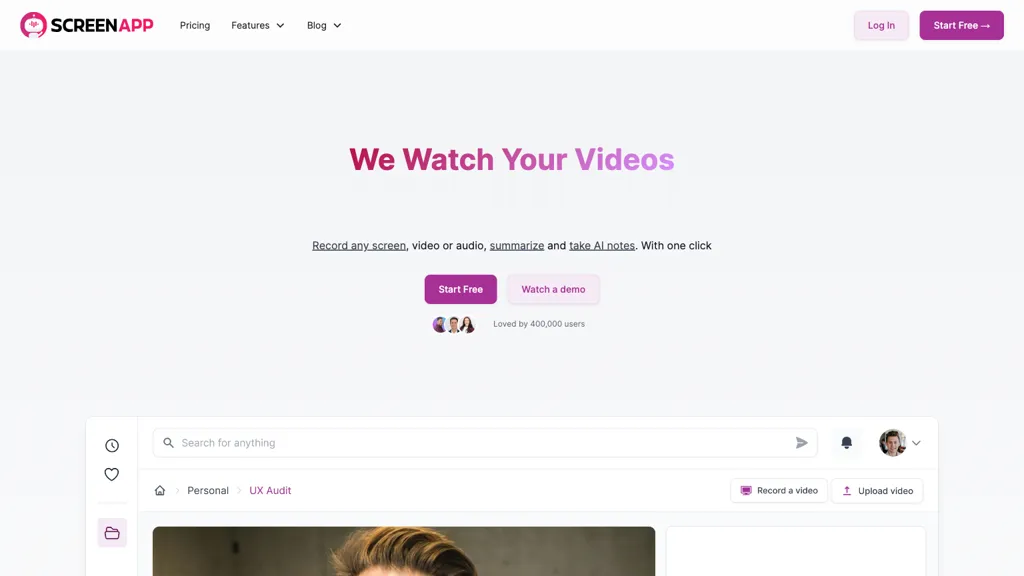
29 ScreenApp Alternatives & Competitors, Ranked by User Reviews
Click Compare on any tool to compare it side-by-side with ScreenApp.
 #1
tl;dv
#1
tl;dv
AI‑powered meeting assistant that records, transcribes, and summarizes Zoom, Google Meet, and Teams calls, extracting action items and sentiment. It auto‑logs notes into CRMs, ticketing, and project tools, supports 30+ languages, and offers automated follow‑up workflows.
 #2
Happy Scribe
#2
Happy Scribe
HappyScribe captures audio from Google Meet, Teams, and Zoom, providing AI transcription, instant meeting notes, summaries, and action items. It supports over 120 languages, offers human‑edited reviews, secure GDPR‑compliant cloud storage, collaboration, integrations, and usage analytics.
 #3
Otter AI
#3
Otter AI
Otter Meeting Agent records, transcribes, and summarizes meetings in real time, offering speaker recognition and multi‑language support. It extracts action items, integrates with Zoom, Google Meet, Slack, and CRM platforms, and automatically syncs insights to systems like Salesforce.
 #4
Mymeet.ai
#4
Mymeet.ai
MyMeet.ai automates meeting tasks by providing note-taking, discussion summaries, and action item tracking. It integrates with Google Meet and Zoom, supports 70+ languages, and ensures secure transcripts with AES-256 encryption for streamlined productivity.
 #5
Minutes AI
#5
Minutes AI
Minutes AI automatically transcribes audio into structured headings and bullet points, supporting live capture, file uploads, and YouTube links in over 50 languages. Users can edit, query, export as PDF or text, and delete data securely.
 #6
Tactiq
#6
Tactiq
Tactiq.io captures real‑time, speaker‑identified transcripts for Google Meet, Zoom, and Teams without adding a bot. It auto‑generates AI summaries, lets users ask questions, and exports insights to Linear, HubSpot, Slack, etc., supporting 60+ languages and compliance standards.
- Catch deals before they expire
- Unlock tools matched to you
- Show off your AI stacks
Already a member? Sign in
 #7
Echo AI
#7
Echo AI
meetecho.app is an AI meeting assistant that automatically joins, transcribes, and summarizes calls from platforms like Zoom and Teams. It provides searchable notes, action items, and speaker analytics in a central dashboard for teams.
 #8
Klu
#8
Klu
Automates meeting capture by recording, transcribing, and extracting action items, syncing notes and tasks to apps like Notion, Slack, Asana, and Google Drive. Provides instant searchable summaries and CRM integration for sales, support, and product teams.
 #9
hynote.ai
#9
hynote.ai
HyNote transcribes meetings, audio, video, PDFs, web pages and images into searchable transcripts and concise summaries with speaker identification, OCR, highlight/action-item extraction, knowledge-graph search and integrations for export and collaboration.
 #10
Transkriptor
#10
Transkriptor
Transkriptor converts audio/video files into editable, timestamped transcripts in 100+ languages, auto‑detecting speakers. It extracts summaries, action items, and sentiment, and integrates via Zapier with CRMs and PM tools for automated workflow routing.
 #11
Magical
#11
Magical
timeOS automatically transcribes and summarizes meetings, extracts action items, and drafts follow‑up emails. It syncs minutes and tasks to Notion, monday.com, Google Drive, and more, offering real‑time translation, speaker labeling, and SOC II‑compliant security.
 #12
TranscribetoText.AI
#12
TranscribetoText.AI
TranscribeToText.AI turns audio and video files—up to 10 hours or 5 GB—into accurate text in 100+ languages, supporting MP3, MP4, WAV, OGG, etc. Export as DOCX, PDF, TXT, SRT, VTT or import from URLs, YouTube, Google Drive, Dropbox, or live meetings.
 #13
Jamie
#13
Jamie
Jamie is a privacy‑first AI note‑taker that automatically transcribes, summarizes, and organizes meetings in over 100 languages, identifies speakers, creates action items, and syncs notes to Notion, Google Docs, OneNote, and HubSpot. Audio is encrypted and GDPR‑compliant.
 #14
Video Transcriber AI
#14
Video Transcriber AI
Video Transcriber AI is a tool that instantly converts videos from MP4, YouTube, or Zoom into text. It offers speaker recognition and accuracy modes for transcriptions up to 1GB, with no sign-up required.
 #15
SpeakNotes
#15
SpeakNotes
SpeakNotes transcribes and summarizes audio and video into structured text, supporting over 50 languages and 15+ formats with 95%+ accuracy. It auto‑detects speakers, offers customizable summary styles, and integrates with Notion, Slack, and Obsidian for workflow automation.
 #16
Meetsummary
#16
Meetsummary
MeetSummary records meetings, transcribes the conversation, and automatically generates concise summaries with action items. Delivered to the organizer’s inbox, it deletes recordings afterward to maintain confidentiality, allowing teams to focus on discussion instead of note‑taking.
 #17
Notely
#17
Notely
Notely AI transcribes audio and YouTube into searchable notes and summaries in 50+ languages, creates headings, bullet points and action items, lets you chat with transcripts for insights, exports PDFs/emails, syncs across devices, and offers end-to-end encryption.
 #18
VOMO AI
#18
VOMO AI
VOMO transcribes audio and video into searchable, high‑accuracy text in 50+ languages. It auto‑applies templates, extracts key points, produces concise meeting summaries, offers AI query support, and stores all content in unlimited cloud storage for easy sharing.
 #19
Notegpt
#19
Notegpt
NoteGPT transcribes and summarizes lectures, meetings, and recordings in any language, offering PDF/PPT/book/video overviews, translation, and AI drafting tools. It also supports text‑to‑speech, voice cloning, infographics, slide generation, and multi‑model chat assistance.
 #20
Fellow.ai
#20
Fellow.ai
Fellow.ai is an AI meeting assistant that records, transcribes, and summarizes meetings across major platforms, creating searchable notes and action items. It automates workflows by syncing data to CRMs and project tools and offers enterprise-grade security, analytics, and multi-language support.
 #21
Noty.ai
#21
Noty.ai
Noty.ai automatically transcribes, summarizes, and extracts action items from meetings. It generates editable to‑do lists, stores transcripts for review, and syncs outputs to workspaces, reducing follow‑up and improving accountability across teams.
 #22
Bubbles
#22
Bubbles
Bubbles records Zoom, Meet, and Teams meetings, provides real-time or post-meeting transcripts, AI-generated summaries highlighting decisions, takeaways, and action items, links notes to Google/Microsoft calendars, and syncs with Slack, email, and PM tools.
 #23
AudioScribe.io
#23
AudioScribe.io
Audioscribe.io is an AI-driven transcription service that converts audio and video content into text, featuring automated meeting joining, full-text search, sentiment analysis, and support for various export formats, catering to diverse user needs.
 #24
TakeNote
#24
TakeNote
TakeNote AI accurately transcribes audio and video with automatic punctuation, delivers concise meeting summaries, and identifies speakers. It offers sentiment analysis, supports multiple languages, handles noisy backgrounds and strong accents, and operates securely in browsers like Chrome and Edge.
 #25
MeetGeek
#25
MeetGeek
meetgeek simplifies meeting management by automatically recording, transcribing, and summarizing meetings. It facilitates team collaboration, provides insights for performance tracking, and enables meeting automation for enhanced productivity.
 #26
Scribewave AI
#26
Scribewave AI
Scribewave converts audio and video up to 5 GB and 5 hours into accurate transcripts in over 90 languages. The platform offers real‑time editing, export to Word, Docs, SRT/VTT, subtitle burning, AI‑generated summaries, chapter markers, and GDPR‑compliant European data storage.
 #27
AudioTranscriber.io
#27
AudioTranscriber.io
Audio Transcriber AI is a browser-based tool that converts audio and video files into timestamped, speaker-labeled text. It supports major formats, large uploads up to 5 GB, automatic language recognition for 120+ languages, and includes TikTok MP3 conversion and YouTube audio extraction.
 #28
Fathom AI
#28
Fathom AI
Fathom.video is a free AI-powered tool that automatically transcribes, highlights, summarizes, generates call notes and integrates with various communication and organization platforms for Zoom calls.
 #29
TalkNotes
#29
TalkNotes
TalkNotes records audio, accurately transcribes it, and formats the text into meeting notes, task lists, email drafts, blog posts, or flashcards. It supports 50+ languages, offers editing, exporting, Zapier integration, and workflow templates.
Frequently Asked Questions
Why look for ScreenApp alternatives?
Common reasons users switch from ScreenApp:
- Cost: ScreenApp is a Subscription tool starting from $199/mo — users often look for more affordable or free options.
- Feature gaps: teams needing specific capabilities like Analyze Audio may find a more focused alternative better suited to their workflow.
- Flexibility: exploring alternatives helps find tools that better match your team size, integrations, and budget.
What is the best alternative to ScreenApp?
Based on 19 user reviews, tl;dv (63.2% positive) ranks as the top ScreenApp alternative. AI‑powered meeting assistant that records, transcribes, and summarizes Zoom, Google Meet, and Teams calls, extracting action items and sentiment. It a It is available on a Subscription plan starting from $20/mo.
How do the top ScreenApp alternatives compare?
| Tool | Pricing | Starting Price | User Rating |
|---|---|---|---|
| ScreenApp this tool | Subscription | $199/mo | 75% (12) |
| tl;dv | Subscription | $20/mo | 63.2% (19) |
| Happy Scribe | Subscription | — | 86.7% (15) |
| Otter AI | Freemium | — | — |
| Mymeet.ai | Freemium | $8 | — |
| Minutes AI | Freemium | — | — |
Are there free ScreenApp alternatives?
Yes, 20 free alternatives found in our list: Otter AI, Mymeet.ai, Minutes AI. and 17 more — use the pricing filter above to see them all.
What should I look for in a ScreenApp alternative?
- Core capabilities: confirm the tool supports Analyze Audio, Generate Transcripts, Summarize Videos.
- Pricing transparency: look for clear free plan, trial period, or tiered pricing — avoid tools that hide costs.
- User reviews: check both the satisfaction percentage and the number of reviews; a high score from few users is less reliable.
- Integrations: verify it connects with your existing stack before committing.
- Support and updates: active development and responsive support are strong signals of a maintained product.
Which ScreenApp alternative has the highest user rating?
Klu has the highest satisfaction score among ScreenApp alternatives, with 100% positive from 1 user review. It is available on a Freemium plan starting from $9.99/mo.
What are ScreenApp alternatives used for?
- Analyze Audio
- Generate Transcripts
- Summarize Videos
- Translate Voice
- Extract Key Points